Understand any video clip in a language you don't speak
A 45-second screen recording of a speaker in Japanese came back fully translated, with the context explained.
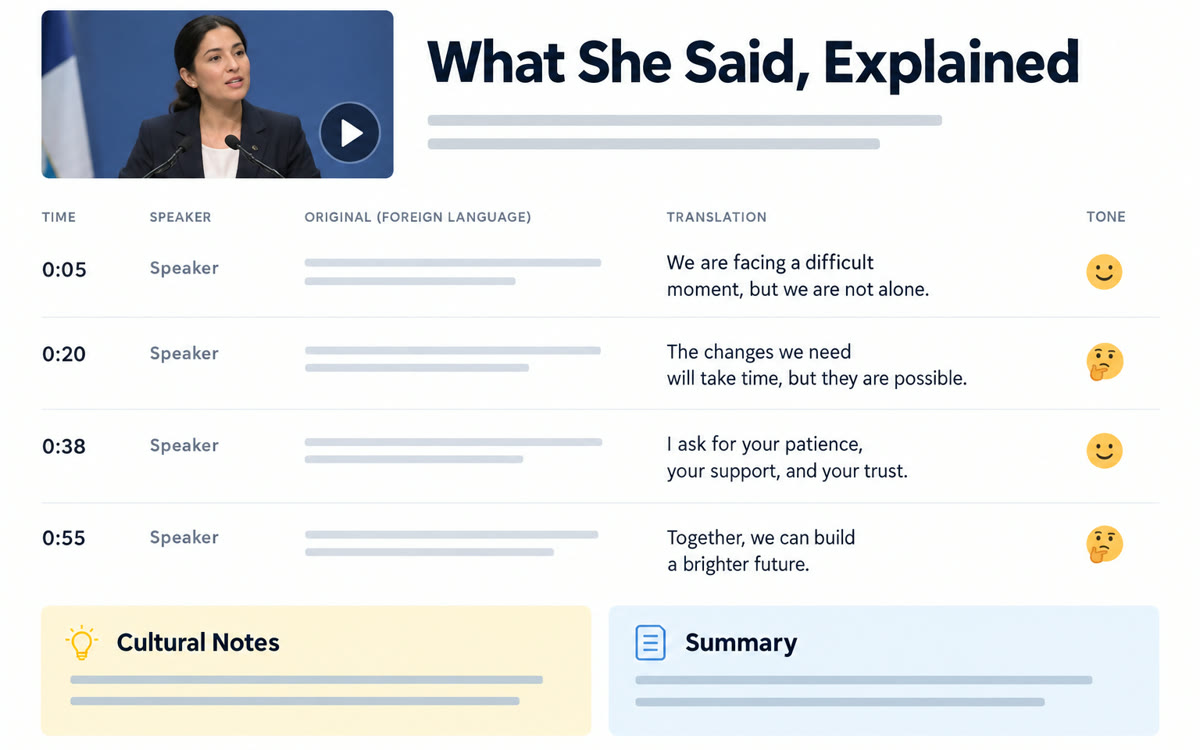
A sample of what you get back, made with AI.
Your prompt
Fill in your details. Skip any you like.
ChatGPT opens with your prompt already typed in. Gemini can't be filled in from a link, so its button copies your prompt: paste it into the new chat.
The prompt that gets copied
I've uploaded a short video clip in a language I don't speak. 1) Tell me which language it is. 2) Give me a full translation in [YOUR LANGUAGE, e.g. English], with timestamps and who's speaking. 3) Explain the tone: serious, joking, sarcastic or angry. 4) Point out slang, idioms or cultural references I'd miss and what they mean. 5) Translate any on-screen text too. If parts are hard to hear, mark them as unclear instead of guessing. Finally, sum up the clip in two sentences.
Screen-record a short clip in any language and upload it. AI gives you a full translation with who's speaking, the tone and any cultural context you'd miss.
Step by step
- Screen-record the clip on your phone or computer.
- Upload the video and paste the prompt.
- Ask follow-up questions about anything unclear.
What you'll get
A timestamped translation with speakers, tone, cultural notes and a two-line summary.
Gemini reads uploaded videos best. Keep clips short.
- Made for
- Everyone
- Works in
- Gemini, ChatGPT


