
Ten years on Squarespace's Advanced plan costs $11,880. Here's everything you're allowed to carry out the door when you leave: your blog posts, as plain text. The fonts, the layouts, the sections you spent weekends arranging, all of it stays behind. Wix is stricter. It exports none of your design at all.
Nobody checks that on day one, because on day one you're excited about launching. So we all keep paying every month for as long as the business exists, for a thing that never becomes ours.
Here's the reframe that changed how I think about it: Wix and Squarespace are landlords. A site you build with AI is a house you hold the deed to. Rent is fine for a season. But nobody plans to rent forever, and most solo creators never realize there's another option.
I've put over US$3.5 million through Meta ads in my career, so everything I'm about to say about websites comes from spending real money to send real traffic somewhere. And the somewhere I send it now is a folder of files I own outright.
What Does It Actually Mean to Own Your Website?
Owning your website means the entire site exists as ordinary files (pages, styles, images) in a folder you control. You can open that folder on your computer, copy it, back it up, host it anywhere, and move it anytime. No platform fee, no landlord, no "your plan has expired" screen between your customers and your business.
Renting is the opposite. On Wix or Squarespace, your design lives inside their editor, on their servers, in their format. You're paying monthly for permission to keep it visible.
The difference sounds abstract until the day you want to leave. Then it becomes the whole ballgame.
Squarespace's Advanced plan costs $11,880 over 10 years, and the fonts, layouts, and sections you arranged still stay behind when you leave.
That's not a knock on anyone who chose a builder. I get why: for years, "own your site as files" meant "hire a developer or learn to code." That's the part that's changed, and I'll show you the proof further down.
What Does a Decade of Wix or Squarespace Really Cost?
Even the cheapest annual plans run roughly $1,900 to $2,000 per decade for a single site, and the tiers most businesses actually need run $2,800 to $4,700. As of 2026, Squarespace starts at $16/month billed annually ($25 month to month) and climbs to $99/month for Advanced. Wix paid plans start around $17/month annually, and you need the $29/month Core plan before you can sell anything.
Do the math over the life of a business, not the life of a billing cycle:
| What you pay | Per year | Over 10 years | What you own at the end |
|---|---|---|---|
| Wix Light ($17/mo, annual) | $204 | $2,040 | Blog posts only |
| Wix Core ($29/mo, the cheapest way to sell) | $348 | $3,480 | Blog posts only |
| Squarespace Basic ($16/mo annual) | $192 + a 2% cut of your sales | $1,920 + fees | Pages and text, no design |
| Squarespace Advanced ($99/mo annual) | $1,188 | $11,880 | Pages and text, no design |
| A site you own as files | ~$15-75 (domain + free or cheap hosting) | ~$150-750 | Every page, every word, every pixel |
Two details in that table deserve a second look.
First, Squarespace's Basic plan still takes a 2% transaction fee on top of the subscription. You're paying rent and a commission.
Second, look at the last column. After ten years and thousands of dollars, the thing you paid for doesn't transfer. That's just rent.
If you're already auditing what your tool stack costs, this pairs well with the full list of subscriptions I cancelled and what replaced each one.
What Happens When You Try to Leave Wix or Squarespace?
You rebuild from scratch. Wix exports your blog posts and nothing else. Squarespace exports more (layout pages, text blocks, image blocks, galleries and one blog) but ships it as a WordPress file with no style settings and no custom CSS. Your fonts, your page layouts, your carefully arranged sections, your visual identity: none of it leaves either platform. Every migration guide, including Squarespace's own help docs for people moving from Wix, quietly assumes a full rebuild.
Wix's stated position amounts to this: the platform is the product, so the design can't leave the platform. Squarespace is more generous with your content and just as strict with your design. Its own help docs are blunt about the limit: "It's not possible to export content from one Squarespace site and import it into another." Your words in a WordPress file are a long way from your website.
The lock-in is the design, not the content. Your words and pictures can come out of either builder. The layout, the fonts, the styling and the store pages cannot, so every migration guide assumes a full rebuild.
I want to be fair here: this isn't a scam, and it's disclosed if you go looking. But almost nobody goes looking on day one, because on day one you're excited about launching. The lock-in only becomes visible years later, when the platform raises prices, sunsets your template, or simply stops fitting the business you've grown into.
When your site is a folder of files, "leaving" means copying a folder. That's the entire migration.
When Are Wix and Squarespace the Right Call?
Honestly? Sometimes they are. The builders earn their rent in three specific situations, and pretending otherwise would make everything else in this guide less trustworthy:
- You want drag-and-drop visual editing yourself, today, with zero learning. If moving boxes around a canvas is how you think, and you never want to describe a change in words, the builders are good at that.
- You run heavy ecommerce. Inventory, shipping rules, subscriptions, abandoned-cart emails, all on one dashboard and one bill. A file-based site can sell things with Stripe payment links or a lightweight checkout, but it won't match a full store platform out of the box. Don't let anyone tell you otherwise.
- You need built-in bookings, appointments, or member logins and you want them bundled with the website on a single invoice.
If two or more of those describe you, stay put with a clear conscience. Renting the right building beats owning the wrong one.
But here's the flip side. The overwhelming majority of solo-creator sites are a home page, an about page, a services page, and a blog. For that site, the ecommerce engine and the booking system are features you're paying for and not using. You're renting a page layout for $300 to $600 a year, forever, and you can never take it with you.
How Do You Build a Website You Own Without Coding?
You describe your business to Claude Code (the desktop app for Mac and PC), review the site it builds in your browser, request changes in plain English, and put the finished folder of files on a free host. No code editor, no terminal, no developer. The AI writes the files; you make the judgment calls.
Here's the shape of it, at the concept level:
- Open Claude Code and describe the site. Who you are, who you serve, what pages you need, links to anything you've already written. If you have an existing Wix or Squarespace site, give it the URL; it can read your live pages and rebuild the same content in files you own.
- Review the draft in your browser. The app builds real pages you can click through on your own machine before anything goes public.
- Edit by asking. "Make the headline bigger." "Warmer intro." "Add a testimonials section." Each request updates the files. This is the part that replaces drag-and-drop, and it's faster than you'd guess.
- Publish the folder to a free host. Cloudflare Pages hosts static sites free with unlimited bandwidth on a global CDN; GitHub Pages is the other popular free option. Both connect through a website dashboard, no commands anywhere.
- Point your domain at it. Your domain stays at your registrar, exactly as it would with any platform.
If step one sounds too good to be true, I wrote a full walkthrough of how non-coders run Claude Code without ever touching a terminal, with screenshots of what the app actually looks like.
A realistic timeline: AI can rebuild a standard business site from a live URL in hours to days, not weeks. Deciding what you want the site to say is the slow part, and it always was.
What Does a Website You Own Actually Look Like? (Real Proof)
It looks like a normal, fast, professional business site, because that's exactly what it is. The site you're reading right now, thesolocreators.com, was built entirely inside Claude Code, by me, with no developer and no code editor anywhere in the process.
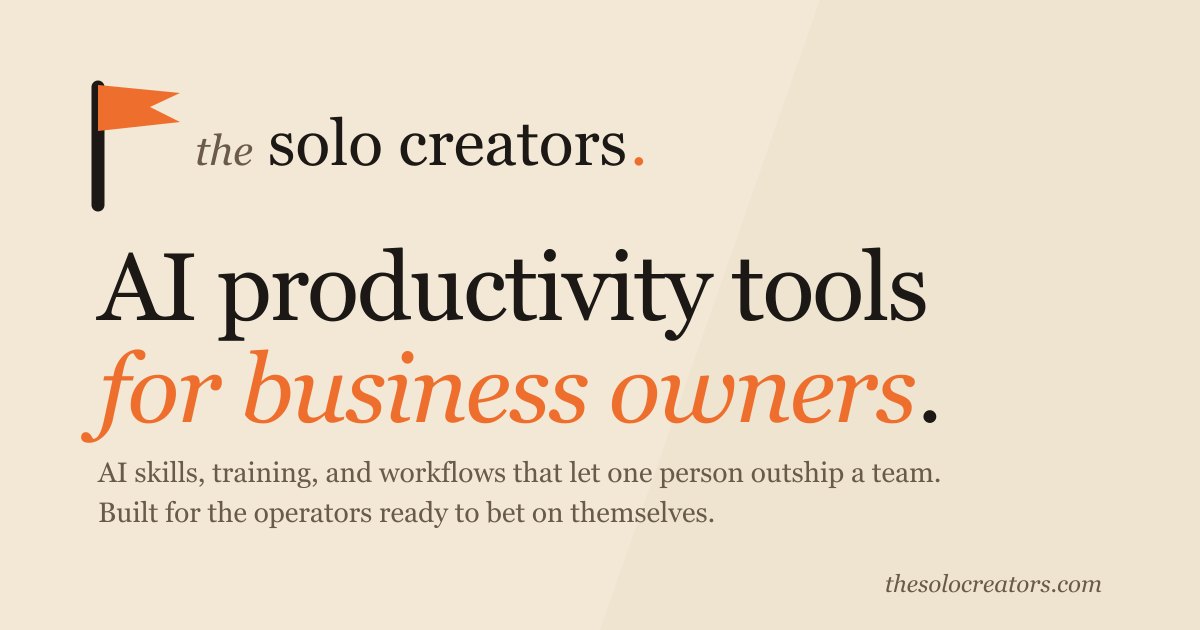
That's the live homepage, not a mockup. It's a real production site for a real business. Every page is a file I own. When I want a change, I describe it in the app, and the updated files publish automatically.
Hosting a folder of files costs pocket change: free on static hosts like Cloudflare Pages or GitHub Pages, a few dollars a month on a traditional host (which is what I use). The only cost that never goes away is the domain.
And it's not just my site. Here's a real member's before and after: on the left, the cluttered template page he'd been fighting; on the right, the clean, on-brand site he now owns outright as files:
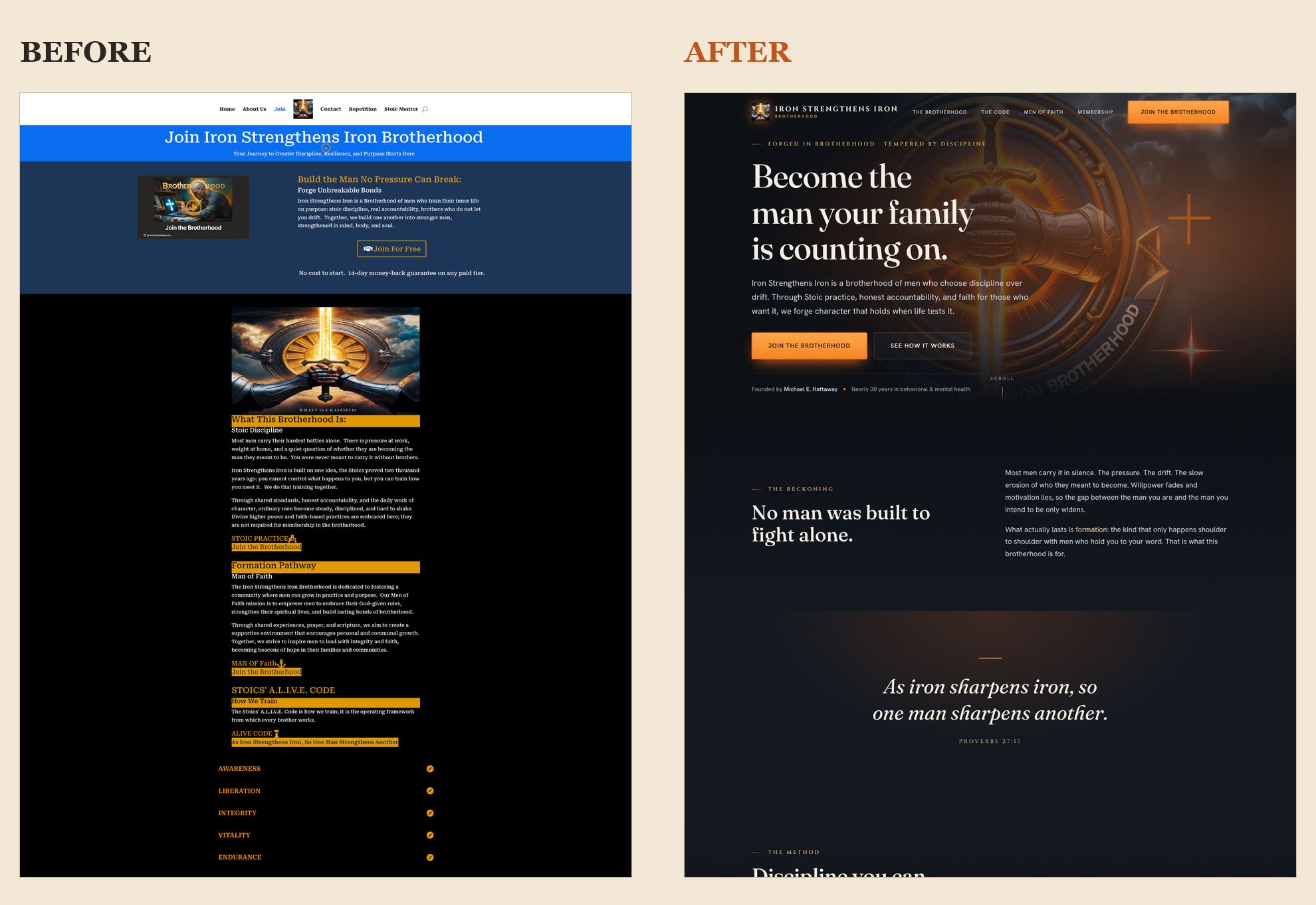
Here's a closer look at the rebuilt page, the hero and call to action his visitors see first:

Notice what's missing from both: the template sameness. Builders nudge everyone toward the same layouts because the editor rewards what's easy to drag. When the site is written for your business specifically, it looks like your business specifically.
One more ownership bonus that surprises people: file-based sites tend to be extremely fast and give you full control of titles, descriptions, and structured data, which matters more every year as AI assistants become a discovery channel. If that's on your radar, here's how to get your site quoted in AI answers, not just ranked in Google.
Rent vs Own: Which Should You Pick?
Rent a builder if you need heavy ecommerce or bundled bookings today. Own your site as files if it's the standard pages-plus-blog business site, which it usually is. Here's the side-by-side:
| Renting (Wix / Squarespace) | Owning (your site as files) | |
|---|---|---|
| Monthly platform fee | $16-99/mo forever | $0 |
| Only recurring cost | Plan + domain (+ 2% sales fee on Squarespace Basic) | Domain ~$10-20/yr, hosting free or a few $/mo |
| Your design if you leave | Stays behind (Wix: nothing exports; Squarespace: blog text only) | Comes with you; it's a folder |
| How you edit | Drag-and-drop in their editor | Plain-English requests in the desktop app |
| Full ecommerce | Built in (on the right plan) | Stripe links or lightweight checkout; not full parity |
| Bookings / member logins | Built in | Third-party tools you connect yourself |
| Hosting | Included in the rent | Free tiers (Cloudflare Pages, GitHub Pages) or a few $/mo on any host |
| Speed and SEO control | Good, within platform limits | Excellent; you control every tag |
| Ten-year cost | $1,900-$4,700+ | ~$150-750 |
The pattern is clear once you see it laid out. The builders win on bundled features. Ownership wins on cost, portability, control, and everything long-term.
What's the Fastest Way to Get a Site You Own?
You can do everything in this guide yourself, or you can get it as a finished, done-for-you tool. The step-by-step above is real and it works. But there's a difference between knowing the concept and having the polished version: one that designs the site, writes the copy in your voice, and wires up the SEO correctly on the first pass.
That finished version exists. It's called the Website Launch Builder, and it's live and installable today inside The Solo Creators AI Studio. You install it into the Claude desktop app like any other skill, and it walks you through designing, writing, and launching a complete site you own as files. No templates to fight, no rent, nothing to cancel later.
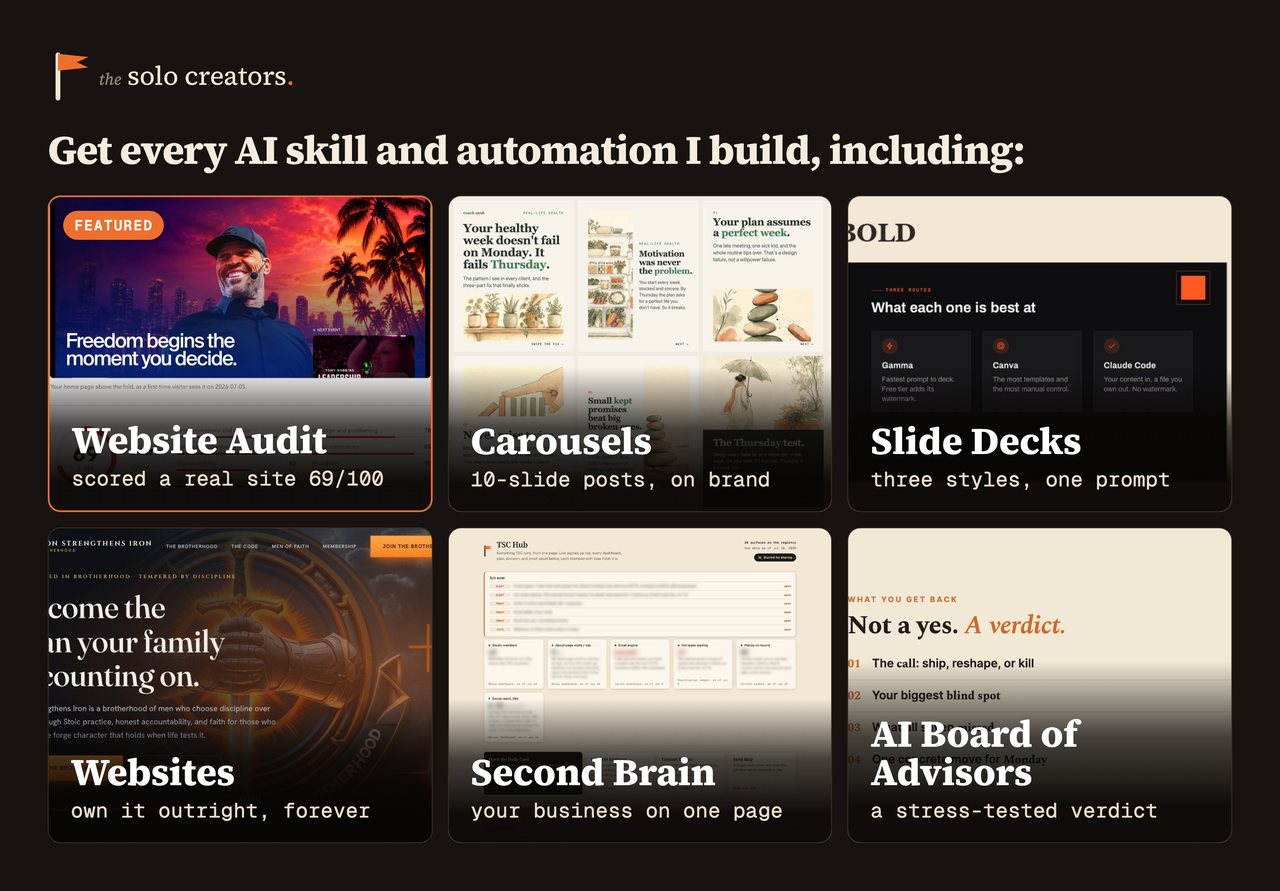
The Website Launch Builder designs the site, writes the copy in your voice, and wires up the SEO, and you keep the folder of files forever.
It sits alongside the other tools in the Studio (carousels, slide decks, a second brain, an AI board of advisors), all built on the same idea: stop renting your business one subscription at a time.
Whichever path you take, the destination is the same and it's worth getting to. A folder of files. A host that costs pocket change, or nothing. A domain you already own. And a website that's finally yours, deed and all.
Key takeaways
- Neither builder lets your design leave. Wix exports your blog posts and nothing else; Squarespace exports pages, text, images and one blog as a WordPress file, with no styling, so leaving means rebuilding the look from scratch.
- Even the cheapest annual plans cost roughly $1,900-$2,000 per decade; the tiers most businesses need run $2,800-$4,700, and Squarespace Basic adds a 2% cut of sales.
- A site you own is a folder of files: hosting is free on static hosts like Cloudflare Pages (or a few dollars a month on a traditional host), so the only unavoidable bill is a domain at $10-20 a year.
- Builders are still the right call for heavy ecommerce, bundled bookings, or drag-and-drop editing you want to do yourself today.
- AI can rebuild a standard business site from your live Wix or Squarespace URL in hours to days, all inside the Claude Code desktop app, no terminal ever.
- The Website Launch Builder inside The Solo Creators AI Studio is the finished version: it designs, writes, and wires the SEO for a complete site you own as files.
Get this skill, and every one I build.
30-day money-back guarantee. Cancel anytime.
Questions people ask
Can I move my existing Wix or Squarespace content over?
Do I need to know how to code at all?
What does hosting actually cost for a site I own?
What happens to my domain and email address?
Can a file-based site have a blog?
Is a file-based website good for SEO?
What if I need ecommerce later?
What breaks if I stop paying for Claude?

Ronnie spent 18 years building a SaaS with a team of 20 that served over 650,000 customers, generated over $14M in sales, and sent over 550M emails. Now he's solo, solving real business bottlenecks and turning them into working AI skills, workflows, and automations. He teaches all of it, with direct access to him, inside the Solo Creators AI Studio Skool community. See what he's built →
 Michael HattawayFounder, Iron Strengthens Iron
Keep reading