Nobody argues about slide tools until somebody says "can you send me the editable PowerPoint?" That's the moment the free deck starts charging you. Web fonts get swapped for whatever's installed, cards flatten into pictures you can't touch, and you spend your evening rebuilding slides you already built once.
So when people ask whether their next presentation should live in Canva, Gamma, or Claude, I don't give the salesy answer. I give them the honest one. Two of those three tools are great, and sometimes they're the right call.
The rest of this guide shows you exactly where each one falls: the real numbers, the real trade-offs, and the parts most comparison articles quietly skip (watermarks, the PowerPoint export tax, and what you actually walk away owning).
At the end I'll show you the shortcut: the Claude route is already packaged as a finished, installable skill inside the Solo Creators AI Studio, available today, so you get the deck without building anything.
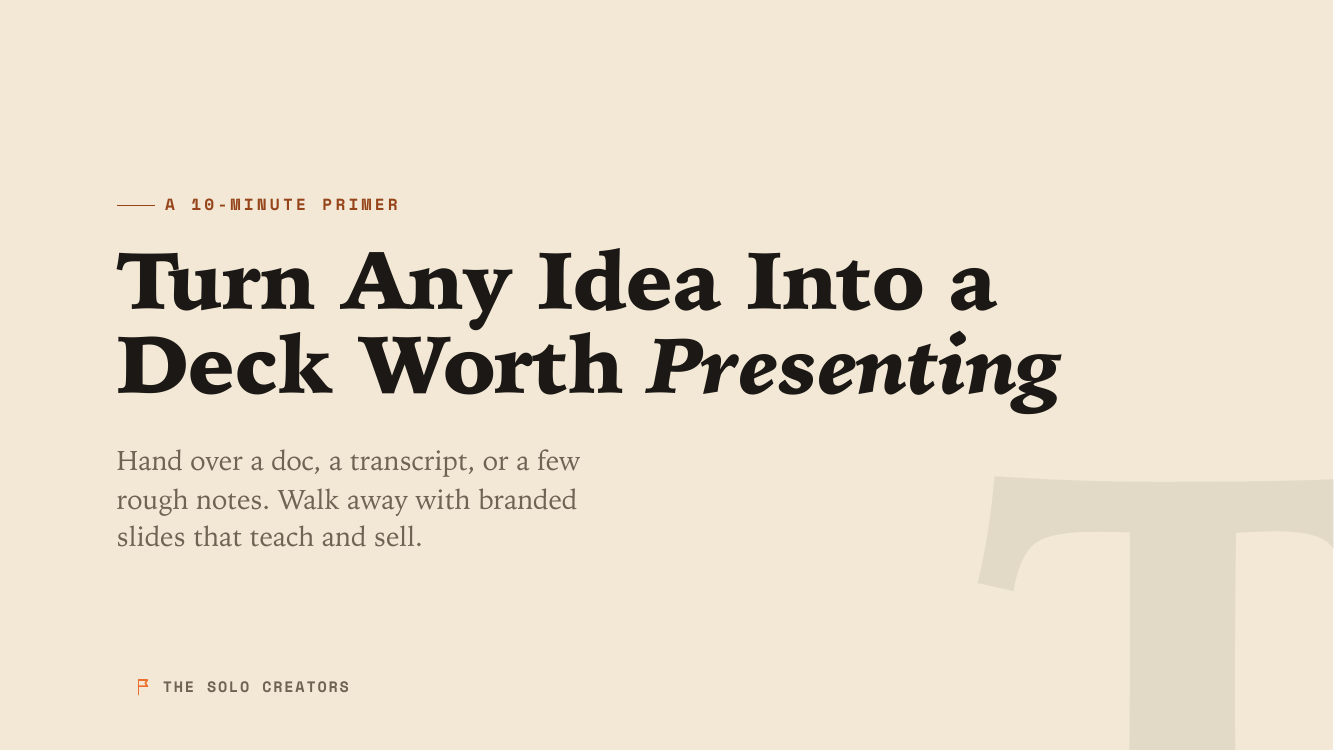
That deck above wasn't touched in Canva or Gamma. I'm an exited founder. I built a SaaS business that generated over $14 million in revenue, and then I sold it. I built this deck start to finish by describing what I wanted in plain English, and the result is a file sitting on my own computer.
Hold that image in your head as we go. The difference between the three tools is really a difference in what you walk away owning.
Which is best for slide decks: Canva, Gamma, or Claude Code?
Canva is best when you want templates, stock assets, and hands-on visual control. Gamma is best when you need the fastest finished-looking draft and you'll present from the web.
The Claude Code route (the Claude desktop app for Mac and PC, no terminal) is best when you have your own content and want a watermark-free deck file you own outright, with editable PowerPoint and clean PDF export built in.
Here are the real numbers and trade-offs in one place. These are mid-2026 figures, and they shift, so treat them as a snapshot rather than gospel.
| What matters | Canva | Gamma | Claude Code (the desktop app) |
|---|---|---|---|
| Speed to a first draft | Fast (Canva AI builds a branded draft in seconds) | Fastest prompt-to-deck of the three | Fast once you've given it your content |
| Free tier | 200 AI credits across its tools | 400 one-time credits that never refresh | Runs on your paid Claude plan, no per-deck credits |
| Watermark / forced branding | None on decks | Yes, Gamma branding on every free-tier deck | None, it's your file |
| Templates | 100,000+ templates, 140M+ assets | Built-in themes | No templates, it designs to your brand |
| PowerPoint export | Native and reliable | Documented weak point (see below) | Produces editable PowerPoint and PDF |
| Works offline | No (browser app) | No (no offline editing mode) | Yes, the deck is a self-contained file |
| You own the raw file | Inside Canva's platform | Inside Gamma's platform | Yes, a self-contained file on your machine |
| Learning curve | Moderate (a full design app) | Lowest (one prompt) | Low (you just talk to it) |
| Recurring cost | Monthly or annual subscription | Monthly subscription for branding and volume | No separate per-deck or per-seat fee |
Notice I'm not pretending Claude wins every row. Canva has a hundred thousand templates and an asset library I can't touch. Gamma gets you to a finished-looking draft faster than anything. Those are real advantages, and for a lot of people they're the deciding ones.
One note on cost, so nothing here feels too good to be true: the Claude route runs on a paid Claude plan, the same one you'd already have to talk to Claude at all. There's no extra charge for each deck and no watermark to buy your way out of. That's the whole cost story, stated plainly.
The test that decides it. Canva brings 100,000-plus templates and Gamma the fastest prompt-to-deck draft of the three. If you have no source material and you need a deck in the next 10 minutes, those two win.
If you have your own words and you care about owning the result, the Claude route wins.
Almost every argument about "the best slide tool" is really a disagreement about which of those two situations you're in.
When is Canva the smarter pick?
Pick Canva when you want hands-on visual control, templates, and stock assets, or when your social posts, brand kit, and scheduling already live there. Its 100,000-plus templates and reliable native PowerPoint export make it the safest all-round design app of the three. The trade-off is a recognizable template look that takes real manual work to escape.
In more detail, pick Canva if:
- You like to drag, drop, and nudge things by hand on a visual canvas. Canva gives you total manual control over every element.
- You want templates and stock assets. With 100,000-plus templates and 140 million-plus assets, you'll always find a starting point.
- You're already living in Canva for social posts, brand kits, and scheduling. Keeping your deck in the same place is convenient.
- You need to collaborate live with a teammate inside one document.
The one caution: because everyone starts from the same templates, Canva decks can end up looking like Canva templates. That's fine for an internal update. It matters more when you're trying to look like the only person in the room who didn't phone it in.
The fix inside Canva is real work: swap the stock photos, rebuild the color palette, change the fonts, and move things off the grid. By the time you've done all that, you've spent the time you thought the template was saving you.
When is Gamma the smarter pick?
Pick Gamma when you need the fastest possible first draft, have no source material to feed in, and will present from the web or export a PDF. Its one-prompt workflow is the lowest-effort path to a finished-looking deck. The trade-offs are forced Gamma branding on free-tier decks, no offline editing, and a PowerPoint export that reviewers consistently flag for cleanup time.
Pick Gamma if:
- You want the fastest possible first draft and you don't have source material to feed in.
- You'll present from the web. Gamma's native "card" format is built for browser presenting, and it looks great there.
- You're okay living inside Gamma's platform and, on the free tier, showing its branding.
But I have to be straight with you about two things, because reviewers run into them constantly.
The Gamma free tier puts Gamma's own branding on every deck, and its PowerPoint export is the documented weak spot. PDF export is clean. PowerPoint is not.
When you export a Gamma deck to PowerPoint, web fonts get substituted, dynamic cards break into fixed slides, and layered elements flatten into images you can no longer edit. Reviewers commonly report meaningful cleanup time per export. There's also no offline editing mode, so you need an internet connection to load your own deck.
None of this is a dealbreaker if you present from the web and never touch PowerPoint. It's a real tax if you don't. The clean escape hatch is Gamma's PDF export: if your destination is a PDF (a lead magnet, a handout, a board pack), Gamma is genuinely strong. The pain only shows up when someone says "can you send me the editable PowerPoint?"
When does the Claude Code route win?
The Claude Code route wins when you have your own content (a doc, a transcript, a messy outline) and you care about ownership: a self-contained deck file on your computer, no watermark, no per-deck credits, offline-ready, with editable PowerPoint and clean PDF export.
When I say "Claude Code," I mean the Claude desktop app on your Mac or PC. You brief it in plain English, and there's no terminal and no code anywhere.
You hand it your raw material (a Google Doc, a webinar transcript, a messy outline, even a blog post URL) and tell it what you want. It reads your content, writes the slides, designs them to your brand, and hands you back a finished deck.
If the whole "app, not terminal" idea still sounds too good to be true, here's what using Claude Code without a terminal actually looks like day to day.
The Claude Code route is for you if:
- You want to own the file. No per-seat subscription for the deck, no platform you're locked into. The presentation lives on your computer as your file, and it opens in any browser with no login.
- You have your own content. This is the big one. The other tools are guessing at your message. Claude works from your actual words, so the deck says what you mean.
- You don't want it to look recognizably templated. Because it designs to your brand instead of starting from a shared template, the result doesn't scream "Canva" or "Gamma."
- You hate the export-cleanup tax. It can produce an editable PowerPoint and a clean PDF directly, so you're not fixing broken layouts after the fact.
- You want it to work on a plane. The finished deck is one self-contained file with the fonts and visuals baked in, so it looks right offline with no internet connection.
This is the same muscle I use for everything else. The same approach that builds a deck also replaces Canva for carousels and social graphics, on the same brand, from the same app.
If any of that list sounds like you, the good news is you don't have to wire it up yourself. It's already built, finished, and waiting for you in the Solo Creators AI Studio. More on exactly how in a moment.

What actually happens when Claude builds your deck?
You hand Claude your raw material, tell it the job, and it writes, designs, and renders a finished deck on your brand, then exports a PowerPoint or PDF on request. The whole exchange happens in plain English inside the Claude desktop app, with no terminal anywhere.
People assume this route means hours of fiddly work. It doesn't. Here's the walkthrough, and notice that every step is something it does for you, not something you configure.
- You hand it your raw material. Paste a blog post URL, drop in a Google Doc, paste a webinar transcript, or just type a messy outline. You're not writing slides, you're handing over your source.
- You tell it the job. "Turn this into a 12-slide sales deck for financial advisors" or "make a teaching deck from this lesson." It figures out whether you're selling or teaching and writes the copy to fit: benefit-first headlines for a pitch, learning-and-recall structure for a lesson.
- It learns your brand once. The first time, you give it your website address or your logo and colors. It captures your palette, fonts, and logo, shows you two or three sample slides, and once you say "yes, that's me," it saves that look as your reusable brand. Every future deck starts there automatically.
- It shows you the outline before building. You see the slide-by-slide plan in chat and approve it. No surprises, no rendering a 40-slide deck you didn't want.
- It hands you the finished deck. A self-contained file that opens in any browser. Arrow keys move between slides, F goes fullscreen, and there's a speaker-notes view. It checks contrast and layout for you so nothing ships unreadable or overflowing.
- It exports whatever you need. Want a PDF for a handout or an editable PowerPoint for a client? Ask, and you get those too.
- It edits in plain English. "Slide 7 is too wordy, trim it." "Swap slides 4 and 5." "Make the whole deck bolder." You never start over and you never open a design app.
Here's a full deck it built from a brief like this one, start to finish, in your brand's own colors and fonts (editorial, bold, minimal, and more), never a template.
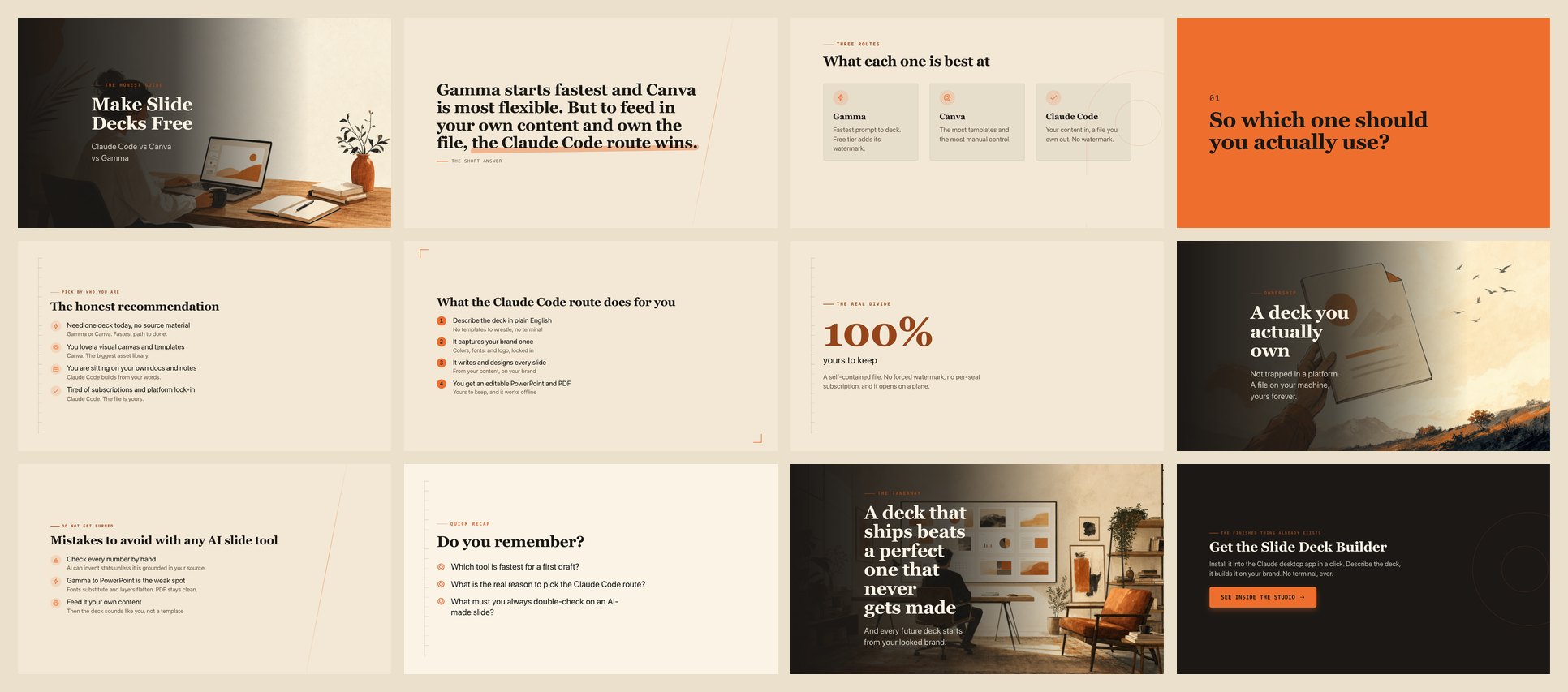
That's it. No terminal, no commands, no design app to learn. You type, it builds, you refine.
Here's the part that matters most. All 7 steps above (the brand capture, the outline approval, the visual styles, the editable PowerPoint and PDF) are packaged as the Slide Deck Builder skill inside the Solo Creators AI Studio, and it's available right now, not a waitlist or a beta.
A skill is a small add-on you install into the Claude desktop app in a click. No terminal, no setup, and I can't code either.
You install it once, and every future deck starts from your locked brand. You describe the deck, it builds the file, you own it. That's done-for-you, not do-it-yourself.
Get the Slide Deck Builder skill in the Studio → the Solo Creators AI Studio
A note on Anthropic's own design tools
To be precise, as of mid-2026 Anthropic has shipped a couple of presentation features of its own: "Claude Design" (a research preview on paid plans) and a PowerPoint add-in. These are Anthropic's separate experiments, not the same thing as the Claude desktop app you'd install the Slide Deck Builder skill into.
Those are subscription-gated previews, and I'm not pointing you at them here. The route I trust is the plain one: describe the deck, get a file you own, using a skill that's already built. No preview waitlist required.
What about ChatGPT, Notion, PowerPoint, and Google Slides?
ChatGPT can outline a deck brilliantly, but it hands you text, not a designed, branded file. Notion suits scrolling internal pages, not presentations. PowerPoint and Keynote still win for pixel-level manual control and offline editing, and Google Slides wins for live team collaboration. Sometimes the answer is the simple free tool you already have.
Canva and Gamma aren't your only options, so let me be even-handed about the rest of the field.
- ChatGPT (and other chat AIs) for slides. You can ask any chat model to outline a deck, and it's great for that. But on its own it hands you text, not a designed, branded, presentable file. You still need somewhere to render it. The Claude Code route closes that gap by actually producing the deck file, not just the words.
- Notion. Wonderful for docs and wikis, not built to be a slide tool. If your "presentation" is really a shared internal page people scroll, Notion may be all you need and you can skip slide software entirely.
- PowerPoint and Keynote. Still the gold standard for total manual control and offline editing. If you already know your way around them and you have the time, you don't strictly need any AI tool. The AI tools earn their place by getting you to a strong first draft far faster.
- Google Slides. The default for live collaboration and dead-simple sharing. Light on design firepower, but if your whole team lives in Google and the look doesn't matter much, it's the path of least resistance.
The pattern is worth saying out loud: sometimes the right answer is the simple free thing you already have. A clear Google Slides deck that ships beats a beautiful one that never gets made.
What mistakes should you avoid with any AI slide tool?
Five mistakes sink most AI-built decks: walls of text on every slide, treating the first draft as final, leaving the template look intact, choosing your export format last instead of first, and skipping the fact-check on numbers. Every one of them is avoidable in minutes, and I've made most of them myself, so save yourself the trouble.
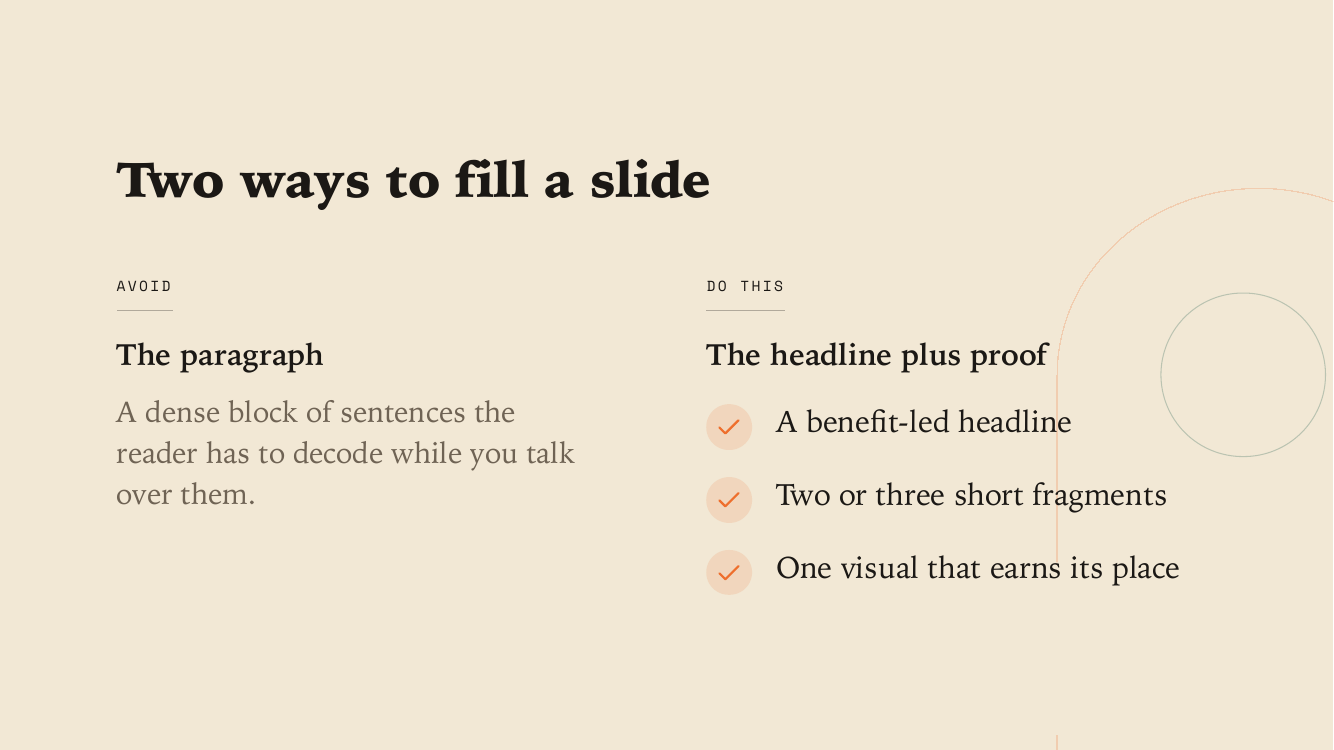
- Dumping a wall of text on every slide. AI will happily fill slides with paragraphs. One idea per slide, a headline that carries the meaning, and short fragments underneath. If you're reading your slides word for word, your audience is too, and they're not listening to you.
- Trusting the first draft as final. The first pass is a starting point, not a finished deck. Read it the way a skeptical client would.
- Leaving the template look intact. If your deck still looks like the sample everyone else started from, you haven't finished. Change the palette, the fonts, and the imagery to your own.
- Forgetting the export you'll actually need. Decide up front whether you need a PDF, a PowerPoint, or just to present from the web. That one choice changes which tool is right (and saves you the Gamma-to-PowerPoint cleanup tax).
- Skipping the fact-check on numbers. This one gets its own section, because it's the most dangerous.
Can AI slide tools invent statistics?
Yes. Canva, Gamma, and Claude can all generate a confident-looking slide that says "73% of customers prefer X" when no such figure exists. Unless the tool is grounded in a source you gave it, treat every number on every slide as a draft claim to verify by hand before you present it. This is the part most comparison articles skip, and it matters more than which tool is prettiest.
A slide can read "73% of customers prefer X" when no such figure exists. Every number on every slide is a draft claim until you verify it by hand.
AI decks are still worth making. Just keep your eyes open, the same way you'd proofread anything before it goes on a screen in front of people. The single safest habit: feed the tool your own source material, then the numbers on the slides are your numbers, not the model's guesses.
Who is this guide for, and who is it not for?
Let me save you time with a quick gut check.
| You are... | Best pick | Why |
|---|---|---|
| A total beginner who needs one deck today, no source material | Gamma free tier or Canva | Fastest path to "done," no contest |
| Someone who loves a visual canvas and wants templates | Canva | Most manual control and the biggest asset library |
| Presenting from the web, fine with a watermark for now | Gamma | Its native card format shines in the browser |
| Sitting on your own content (docs, transcripts, outlines) | Claude Code (desktop app) | It builds from your words, on your brand |
| Tired of subscriptions and platform lock-in | Claude Code (desktop app) | The file is yours, no per-seat fee, works offline |
| A whole team collaborating live in one document | Google Slides or Canva | Real-time multiplayer is their home turf |
This guide is not for you if you're a designer who wants pixel-level control over every gradient and you enjoy that work. Keep your tool. The AI routes are for people who want a strong deck without becoming a part-time designer. (And if you're still not sure what Claude even is in this picture, start with what Claude Code actually does for non-coders.)
So which one should you actually use?
If you have no source material and need one deck today, use Gamma or Canva. If you live in a visual canvas and want templates, use Canva. If you have your own content and care about owning a watermark-free, offline-ready file with clean PowerPoint and PDF export, use the Claude Code route, packaged as the Slide Deck Builder skill. Here's the 60-second diagnostic I actually give people:
- Does anyone need an editable PowerPoint at the end? If yes, rule out Gamma first (its export cleanup is the documented tax). Canva or the Claude route both hand you a clean, editable file.
- Do you have source material (a doc, transcript, or outline)? If yes, the Claude route wins, because it builds from your words instead of guessing. If no, Gamma's one-prompt draft is the speed pick.
- Will you ever present offline (a plane, a venue with bad Wi-Fi)? If yes, only the Claude route gives you a self-contained file that opens with no connection. Canva and Gamma both need the internet to load your own deck.
- Does it matter that the deck doesn't look templated? If yes, avoid starting from a shared template library. Brand-locked generation (the Claude route) or heavy manual customization in Canva are your two real options.
- Is this one deck, or a deck every week? For a one-off, any of the three is fine. For a repeating need, ownership compounds: your file, your locked brand, no per-deck credits, and the tenth deck costs you a plain-English brief.
The reason I can recommend Canva and Gamma with a straight face is that they're good. The reason I reach for the Claude route is that ownership compounds. The first deck takes about the same effort either way. The tenth one, when it's your file, your brand, and no monthly bill, is where the gap shows up.
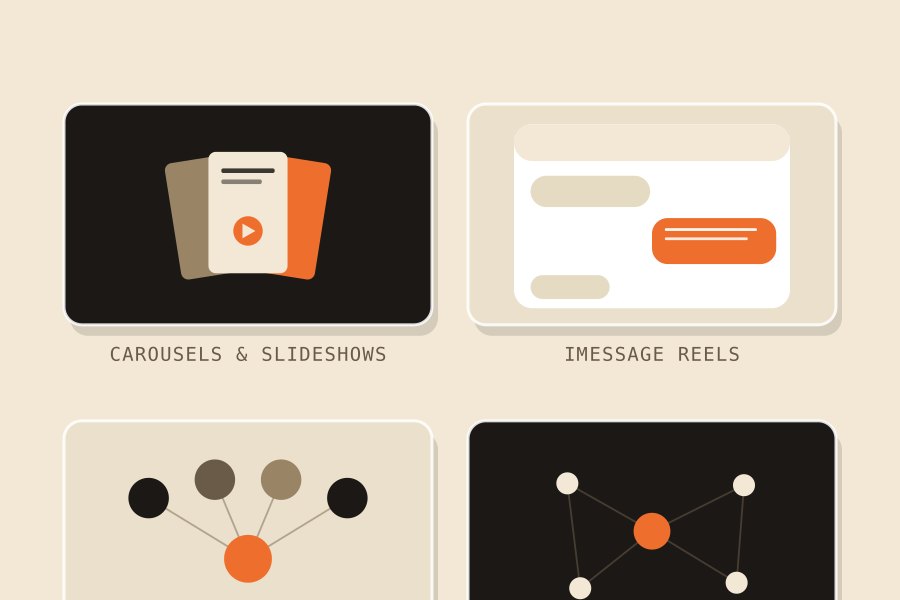
The decks I use to sell and teach were all built with the Slide Deck Builder, and it lives in the Solo Creators AI Studio alongside every other skill I use, including the carousel builder and the rest.
You install it once into the Claude desktop app, capture your brand, and from then on you describe a deck and get the finished file back. You get the thing that does it for you, not another blank canvas to fill.
Ready to skip the setup? Get the Slide Deck Builder in the Studio → the Solo Creators AI Studio. Whichever tool you pick, get the deck made and in front of people. A deck nobody sees doesn't help anyone, no matter how it was built.
Key takeaways
- Ownership is the real divide: the Claude Code route (the desktop app) hands you a self-contained file you own, with no subscription, no forced watermark, and it works offline.
- Fastest first draft: Gamma wins for prompt-to-deck speed and Canva for templates. With no source material, pick one of those two.
- Gamma's PowerPoint export is the weak spot: fonts substitute and layers flatten, so expect cleanup. PDF export is clean; PowerPoint is not.
- Every AI tool can fabricate stats: check any slide with a number by hand, unless the tool is grounded in a source you gave it.
- Run the 60-second diagnostic: editable PowerPoint needed, source material in hand, offline presenting, template look, one deck or many. Those five questions pick your tool.
- You don't build it yourself: the whole Claude route is the finished Slide Deck Builder skill, available in the Studio today. Install once, describe the deck, and get an editable PowerPoint and PDF on your brand. No terminal, ever.
Get this skill, and every one I build.
30-day money-back guarantee. Cancel anytime.
Questions people ask
Which is cheapest, and can I avoid a monthly subscription entirely?
Does Gamma put its logo on my free decks?
Why does my Gamma deck break when I export to PowerPoint?
Can these tools make up fake statistics?
Do I need to know how to code to make slides in Claude Code?
Is the Slide Deck Builder a real thing I can install today, or do I have to build it myself?
Can I edit the final deck in PowerPoint or Keynote afterward?
Will a deck built in Claude Code work offline, on a plane?

Ronnie spent 18 years building a SaaS with a team of 20 that served over 650,000 customers, generated over $14M in sales, and sent over 550M emails. Now he's solo, solving real business bottlenecks and turning them into working AI skills, workflows, and automations. He teaches all of it, with direct access to him, inside the Solo Creators AI Studio Skool community. See what he's built →
 Dr. Tracey MarksPsychiatrist and YouTube educator
Keep reading