Put your business on autopilot
Answer a week of Google reviews in your own voice in minutes
Every reply names the detail the customer mentioned, so none of them reads like a copy-paste thank-you.
Published . Updated . Steps as of October 2026.
How do I reply to my online reviews quickly in my own voice?
Copy this week's new reviews and star ratings. Paste them into ChatGPT, Claude or Gemini with your name and a few facts about your business. You'll get a short, personal reply for every positive review, each naming what that customer said. Read each one and fix any detail that isn't right. If there are low-star reviews, it lists them for you to handle yourself. Then post each reply under its review.
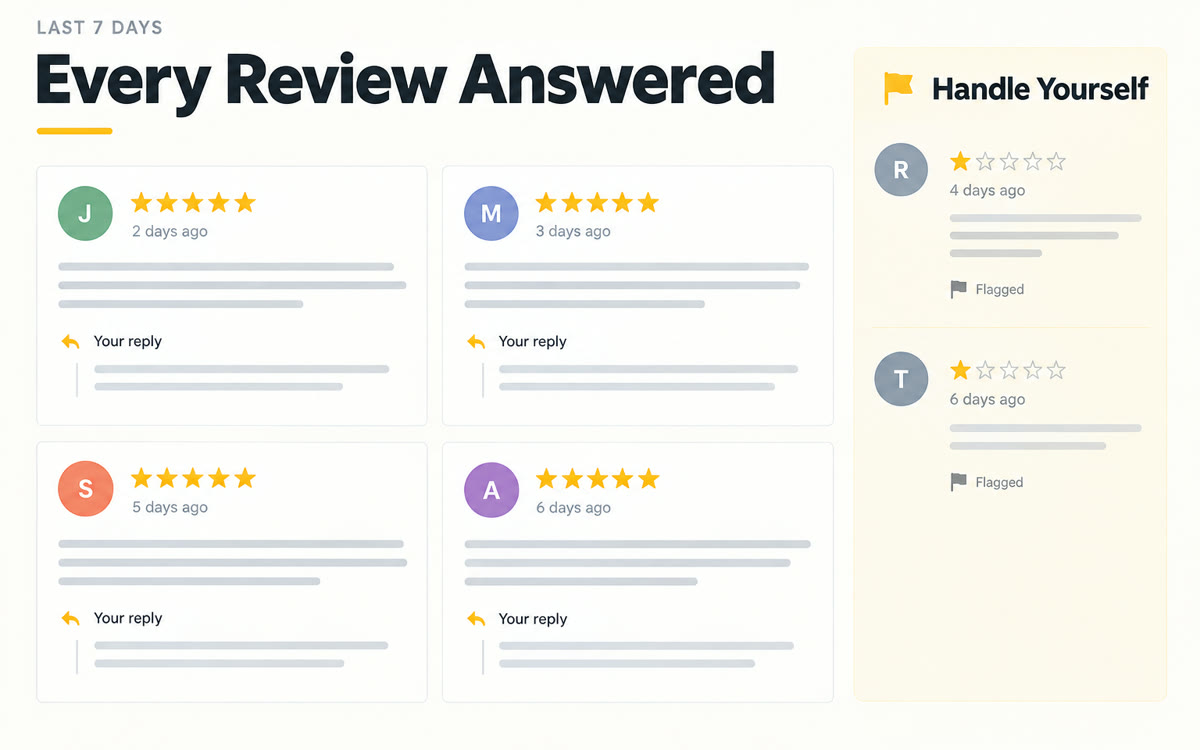
A sample of what you get back, made with AI.
Your prompt
Fill in your details. Skip any you like.
ChatGPT and Claude open with your prompt already typed in. Gemini can't be filled in from a link, so its button copies your prompt: paste it into the new chat.
The prompt that gets copied
You write Google review replies for me, [YOUR NAME], owner of [YOUR BUSINESS, e.g. a two-chair barbershop]. I run it myself, so write as "I", never "we". Facts you can use: [BUSINESS FACTS, e.g. family-run since 2012, open Sundays]. Don't invent anything else.

For each review below, write one reply that:
- Thanks the person by first name, if it's shown
- Mentions the specific thing they talked about, so it's clear I read it
- Stays under 60 words, friendly and casual
- Has no signature, hashtags, offers or discounts
- Uses different wording from the other replies

If a review is 3 stars or lower, list it separately and don't reply to it. I'll handle those myself.

Reviews:
[PASTE REVIEWS WITH RATINGS]
Paste this week's reviews and a few facts about your business. You get short, personal replies that mention what each customer said, written as you, not as a faceless brand.
Step by step
- Copy this week's new reviews and star ratings from your Google Business Profile.
- Paste them into the prompt with your name and a few business facts.
- Read each reply and fix any detail that isn't right.
- Post each reply under its review.
What you'll get
A ready-to-post reply for every positive review, each one personal and different, plus a list of low-star reviews to handle yourself.
Google's own tips: keep replies short and personal, and don't use them to advertise deals.
- Made for
- Small business owners
- Works in
- ChatGPT, Claude, Gemini