Help shoppers find the right product from your own price list
Your plain price list turns into a helpful shop assistant that's open at midnight.
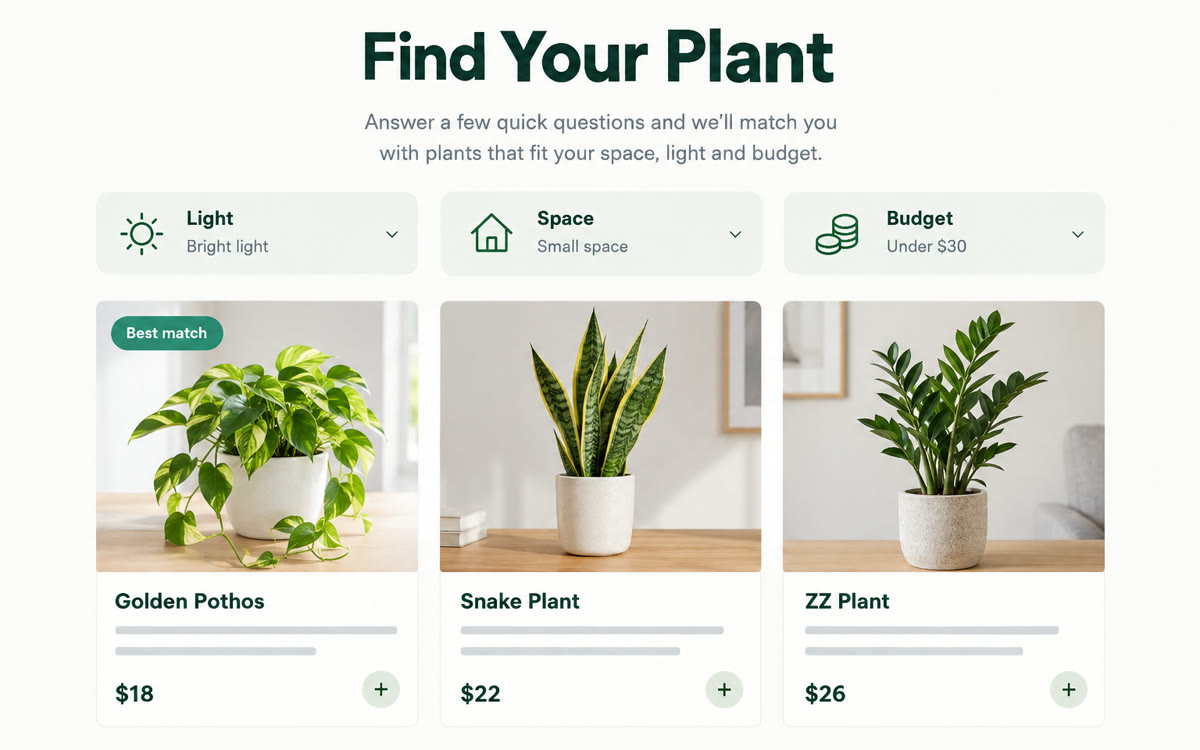
A sample of what you get back, made with AI.
Your prompt
Fill in your details. Skip any you like.
ChatGPT opens with your prompt already typed in. It's copied too, just in case.
The prompt that gets copied
Build a website called [FINDER NAME, e.g. Find Your Perfect Plant] for [YOUR BUSINESS, e.g. Maple Street Nursery]. Use the attached spreadsheet as the only product data, and never invent products, prices or stock. Start with 3 friendly questions that match how my customers shop: [SHOPPER QUESTIONS, e.g. sun or shade, pets at home, budget]. Then show the 3 best matches as cards with the name, price, a one-line reason it fits and a spot for a photo. Add a search box and filters for [FILTER COLUMNS, e.g. size, price range, care level]. Put a clear button on every card that says [BUTTON TEXT, e.g. Ask us to hold this] and opens [CONTACT LINK, e.g. your email or booking page]. Use [YOUR BRAND COLORS, e.g. sage green and white] and keep it fast and easy on a phone. Show a small 'prices last updated' line with [UPDATE DATE, e.g. October 2026] at the bottom. If any column in the sheet is unclear, ask me before you build.
Attach your product spreadsheet and ChatGPT builds a hosted product finder. Shoppers answer three quick questions, filter by need and budget, and see your best matches with a button to reach you.
Step by step
- Export your product list as a spreadsheet with name, price, size and a one-line description.
- Open ChatGPT on the web, select Work, attach the spreadsheet and paste the prompt.
- Search the preview for three products you know well and fix any match that's wrong.
- Select Share, choose Anyone on the internet, then select Publish and copy the link.
- Attach your updated spreadsheet in the same chat when prices change, then publish again.
What you'll get
A public product finder site built only from your spreadsheet, with guided questions, filters and a contact button on every match.
ChatGPT Sites is a public beta on Plus, Pro and workspace plans, not Free or Go. Check every price in the preview first.
- Made for
- Small business owners, Creators
- Works in
- ChatGPT


