Turn a photo of your pet into a sticker pack for your texts
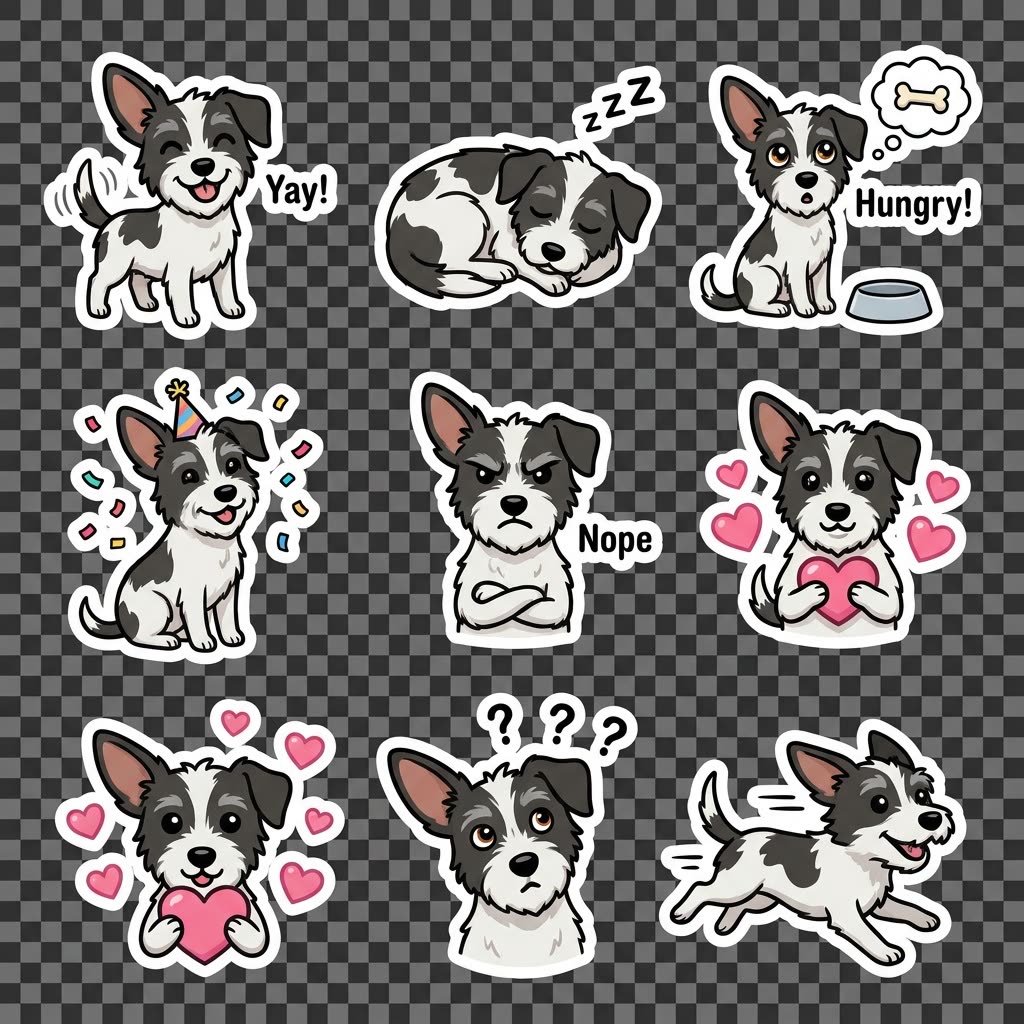
Your dog shows up in the family chat as eight stickers, from sleepy to party mode.
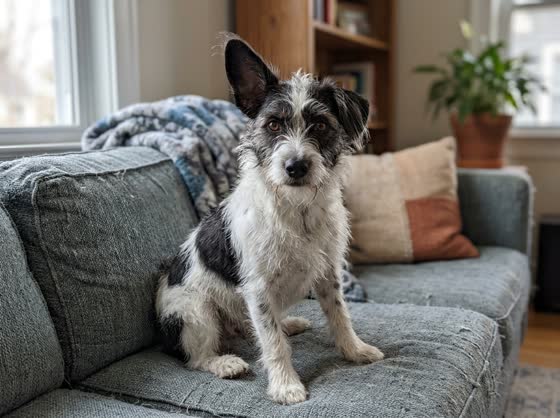 Before
A real example. The small "before" photo is a sample we made with AI, and the result came from running this exact prompt on it in Google Gemini's image tool. Sample details used: Pet's name and type: Pepper, my terrier mix; Number of stickers: 8; Sticker style: cute cartoon.
Your image prompt
Attach a clear photo first, then paste the prompt with it.
Fill in your details. Skip any you like.
Each button copies your prompt and opens a new chat that makes images. Just paste it in.
The prompt that gets copied
Make a sticker pack from my photo of [PET'S NAME AND TYPE, e.g. Biscuit, my beagle]. Create [NUMBER OF STICKERS, e.g. 8] stickers that all clearly look like the same animal, with these moods: [STICKER MOODS, e.g. happy, sleepy, hungry, party]. Use a [STICKER STYLE, e.g. cute cartoon] style with a thick white outline and a transparent background. Add a short word or two on a few of them, like 'Yay!' or 'Nope'. Keep every sticker easy to read at a small size on a phone.
Upload a photo of your dog or cat in the ChatGPT phone app and ask for a sticker pack. Download the set or add it straight to iMessage or WhatsApp.
Step by step
- Open the ChatGPT app on your phone and update it if you haven't lately.
- Attach a clear photo of your pet, then paste the prompt below.
- Ask for a redo of any sticker you don't love.
- Download the pack, or add it to iMessage or WhatsApp on a supported phone.
What you'll get
A matching set of stickers of your pet that you can download or drop into your messaging apps.
Available to all ChatGPT users in the mobile app. Adding packs to iMessage or WhatsApp works on supported devices.
- Made for
- Everyone, Creators
- Works in
- ChatGPT


