Hand every new client a polished welcome packet in one request
It doesn't just write text. It hands back finished documents and slides you can send.
Published . Updated . Steps as of October 2026.
How do I make a welcome packet for new clients with AI?
Open ChatGPT, switch to Work (as of October 2026) and attach your service description, intake form and policies. Paste the prompt and review the plan it proposes before it starts. You'll get a welcome letter, a first-30-days roadmap, an FAQ and a short slide deck. If your files already live in a shared drive, connect it under Plugins instead of attaching. Check each file, ask for changes, then download and send.
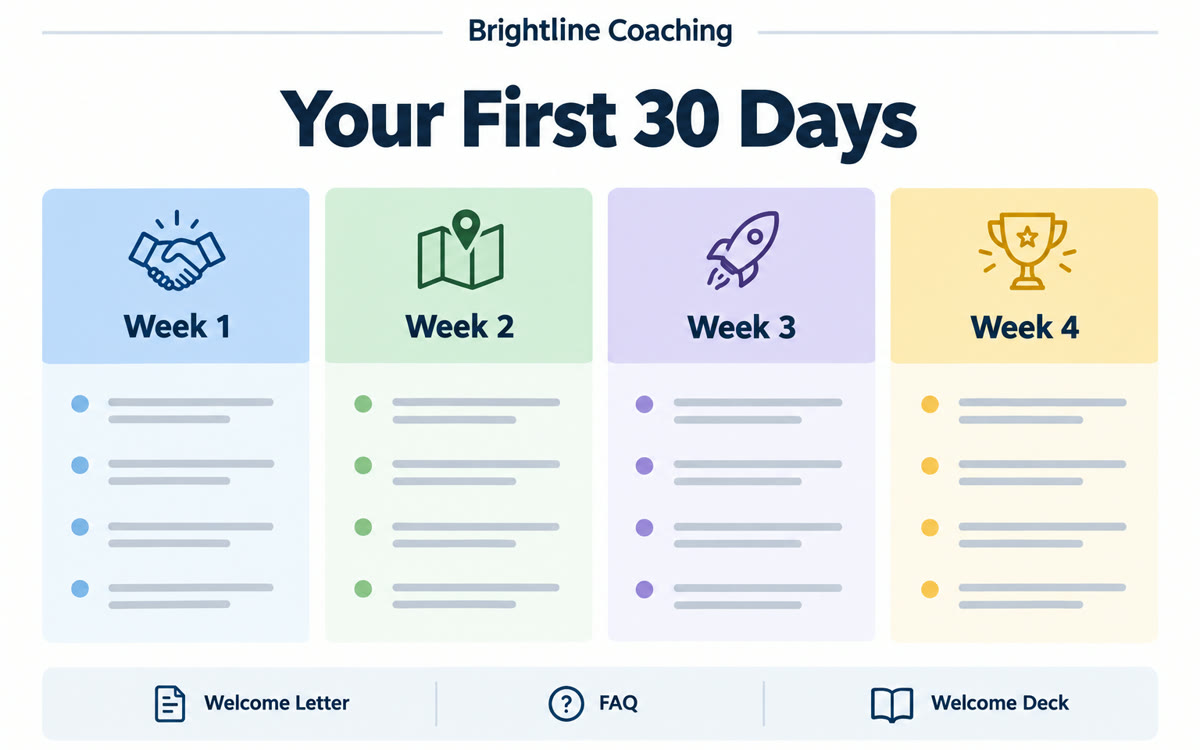
A sample of what you get back, made with AI.
Read the transcript
Most people think ChatGPT just writes text you copy and paste.
But ChatGPT Work hands you finished files, like a welcome packet for every new client.
So open ChatGPT, and switch to Work.
Attach your service guide and intake form, plus your policies.
And type, build a client welcome packet from my files.
Write a one-page welcome letter, and a 30-day roadmap.
Answer the 10 questions clients usually ask.
And a 6-slide deck for our first call.
Show me your plan first, and flag anything my files don't answer.
So it shows you its plan, then builds each piece as a file.
Oh, look at that.
And if your files skip refunds, it flags that instead of guessing.
Then check each file before you send it.
Work's on paid plans on web and mobile, and long tasks use more credits.
Grab it free at thesolocreators.com/prompts.
Hit follow so you catch the next one. What's the first thing your clients get from you?
Your prompt
Fill in your details. Skip any you like.
ChatGPT opens with your prompt already typed in. It's copied too, just in case.
The prompt that gets copied
Build a client welcome packet for my [TYPE OF BUSINESS, e.g. life coaching practice]. I've attached [YOUR FILES, e.g. service guide, intake form, policies]. My ideal client is [YOUR IDEAL CLIENT]. Create: 1) a one-page welcome letter in a warm, plain-English voice, 2) a 'Your first 30 days' roadmap showing what happens each week and what I'll need from them, 3) an FAQ with the 10 questions new clients usually ask, using only facts from my files, and 4) a 6-slide welcome deck I can walk through on our first call. Use my brand colors [BRAND COLORS] and business name [BUSINESS NAME]. Show me your plan before you start, and flag anything my files don't answer so I can fill it in instead of you guessing.
Give ChatGPT Work your service description, intake questions and policies, and it builds a full welcome packet: a welcome letter, a first-30-days roadmap, an FAQ and a short slide deck.
Step by step
- Open ChatGPT and switch to Work.
- Attach your service description, intake form and policies, or connect Google Drive under Plugins.
- Paste the prompt and review the plan it proposes before it starts.
- Check each file, ask for changes, then download.
What you'll get
A welcome letter, a 30-day roadmap, an FAQ, and a short welcome deck, ready to review and send.
Work is on Plus and higher on web, mobile and desktop. Free gets limited Work in the desktop app. Longer tasks use more of your usage.
- Made for
- Coaches, Consultants, Small business owners
- Works in
- ChatGPT