Put your business on autopilot
Close your month with a reconciled report and invoice drafts
ChatGPT works through your records on your computer and fills in your own month-end template, not a generic one.
Published . Steps as of November 2026.
Can ChatGPT help me do my month-end bookkeeping close?
Yes. Install the Accounting plugin in the ChatGPT desktop app (as of November 2026) and ask it to reconcile your transactions, draft invoice entries and fill your month-end template. If you keep a bank export and an invoice list, it can match them and flag gaps. If you also have a report template, it fills that in too. In an Enterprise workspace, an admin has to approve the plugin first. Always check the flagged items before you record anything.
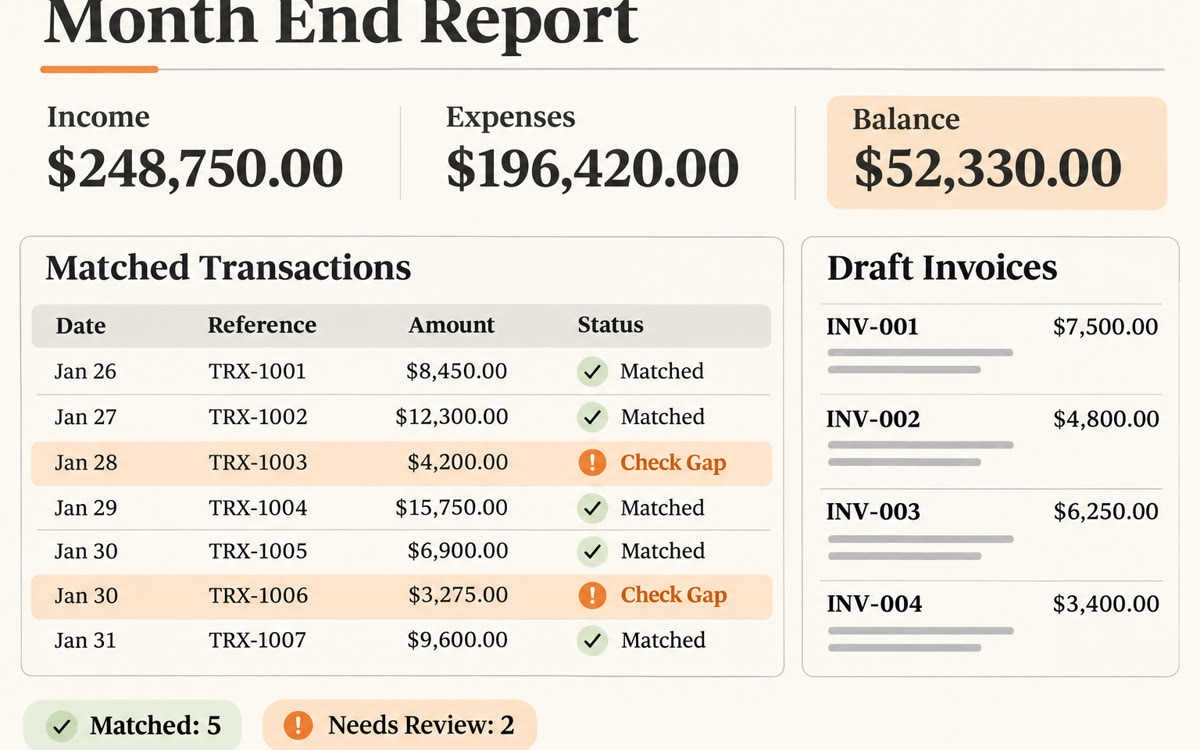
A sample of what you get back, made with AI.
Your prompt
Fill in your details. Skip any you like.
ChatGPT opens with your prompt already typed in. It's copied too, just in case.
The prompt that gets copied
Using the Accounting plugin, help me close [THE MONTH, e.g. October 2026] for [YOUR BUSINESS].

My files are in [FOLDER NAME, e.g. Documents/Month End]: a bank export, my list of invoices sent and paid, and my month-end report template.

1. Match each bank transaction to an invoice or expense. Show me a short table of anything that doesn't match, with your best guess and why.
2. List client work from this month that has no invoice yet, and draft an invoice entry for each one.
3. Fill in my month-end report template with this month's totals. Don't change the template's layout.
4. Finish with five plain-English lines: money in, money out, what's still owed to me, anything unusual, and what I need to decide.

Don't send, post or record anything. Show me everything first.
Install ChatGPT's new Accounting plugin in the desktop app and point it at your records. You get matched transactions, a list of gaps, draft invoice entries and a month-end report in your template.
Step by step
- Open the ChatGPT desktop app on Mac or Windows and set up computer use.
- Open the Accounting plugin listing and select Install plugin.
- Put your bank export, invoice list and report template in one folder.
- Paste the prompt below and point ChatGPT to that folder.
- Check every flagged item yourself before you record or send anything.
What you'll get
A table of unmatched transactions, draft invoice entries for unbilled work, your filled-in month-end template and a five-line summary.
Desktop app only, needs computer use. Plugin availability depends on your plan and workspace. Enterprise admins must approve it.
- Made for
- Small business owners, Consultants, Coaches
- Works in
- ChatGPT