Put your business on autopilot
Get your monthly Excel report done your way in one request
Next month you run your saved skill and Copilot builds the report from your own steps and your own past example.
Published . Steps as of October 2026.
Can Copilot in Excel remember how I build my monthly report?
Yes. Use the skill builder in Copilot in Excel to describe your steps, point it at a finished example, and save it as a reusable skill. As of October 2026, skill builder is rolling out on Excel for Windows, Mac and the web. If your report changes a lot each month, describe the steps fresh each time. If it follows the same pattern, save the skill once and test it against your own version before you rely on it.
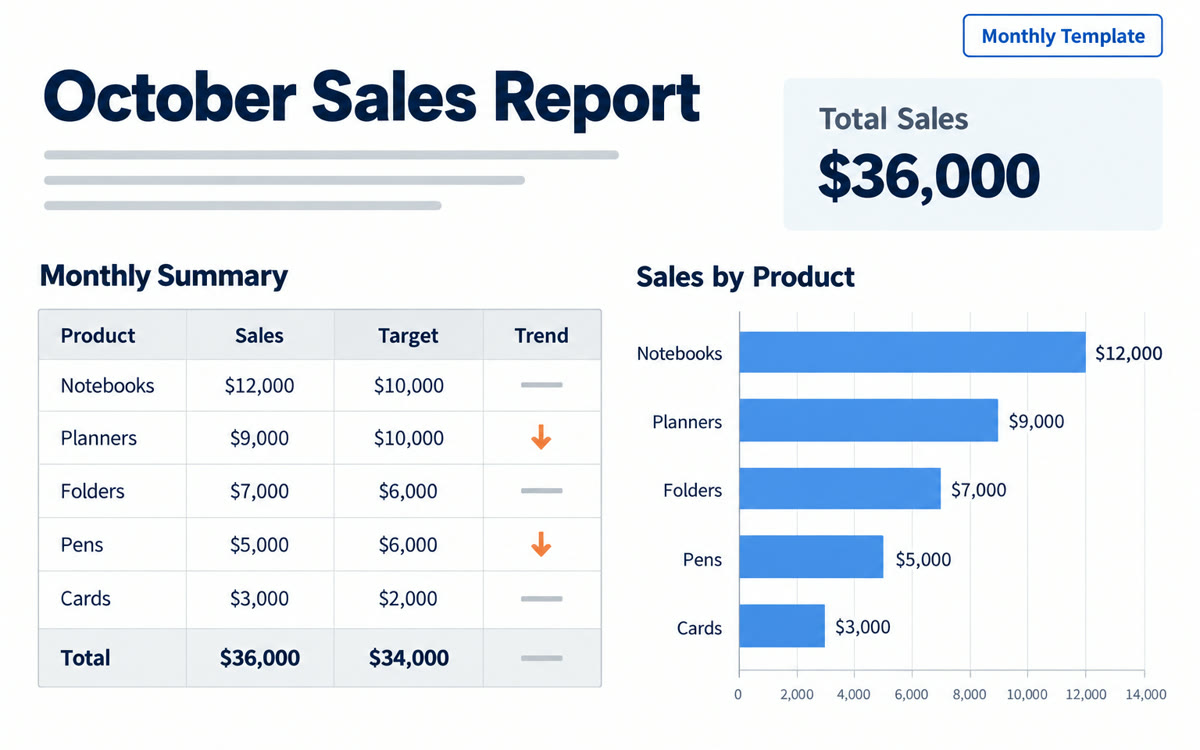
A sample of what you get back, made with AI.
Your prompt
Fill in your details. Skip any you like.
This AI can't be filled in from a link, so the button copies your prompt: paste it into the new chat.
The prompt that gets copied
I want to turn my monthly report into a reusable skill. Here's how I build it every month: [YOUR REPORT STEPS, e.g. remove refunds, total sales by product]. The finished report should look like the [EXAMPLE SHEET NAME, e.g. September Report] sheet in this workbook. Rules to always follow: [YOUR RULES, e.g. round to whole dollars, flag drops over 10%]. Before you save the skill, ask me about any step that's unclear. Then run it once on [NEW DATA SHEET, e.g. the October Sales sheet] so I can compare it with my own version. Name the skill [SKILL NAME, e.g. Monthly sales report], and tell me in plain words what it'll do each time I run it.
Tell Copilot in Excel how you build your monthly report, point it at a finished example, and save it as a reusable skill you run each month instead of redoing every step.
Step by step
- Open the workbook with last month's finished report in Excel
- Open Copilot in Excel and paste the prompt to start a new skill
- Answer Copilot's questions and compare its test run with your own version
- Run the saved skill next month on the new data and check the totals
What you'll get
A saved Copilot skill that rebuilds your monthly report your way, plus a first test run to check against your own version.
Needs Copilot in Excel. Skill builder is rolling out on Excel for Windows, Mac and web as of 2026-10-27.
- Made for
- Small business owners, Consultants, Coaches
- Works in
- Copilot