Put your business on autopilot
Wake up to a personal daily briefing waiting in ChatGPT
You set it up once, and it shows up every morning without you asking.
Published . Updated . Steps as of October 2026.
How do I get ChatGPT to send me a daily morning briefing?
Paste the prompt into a new ChatGPT chat and confirm the time when it asks. Every weekday, you'll get a short briefing on your day, your industry and anything urgent. If you want your schedule and who's waiting on you included, connect your email and calendar under Customize, then Plugins (as of October 2026). If you only want news, skip that step. You can edit, pause or delete it from the Scheduled page in the sidebar.
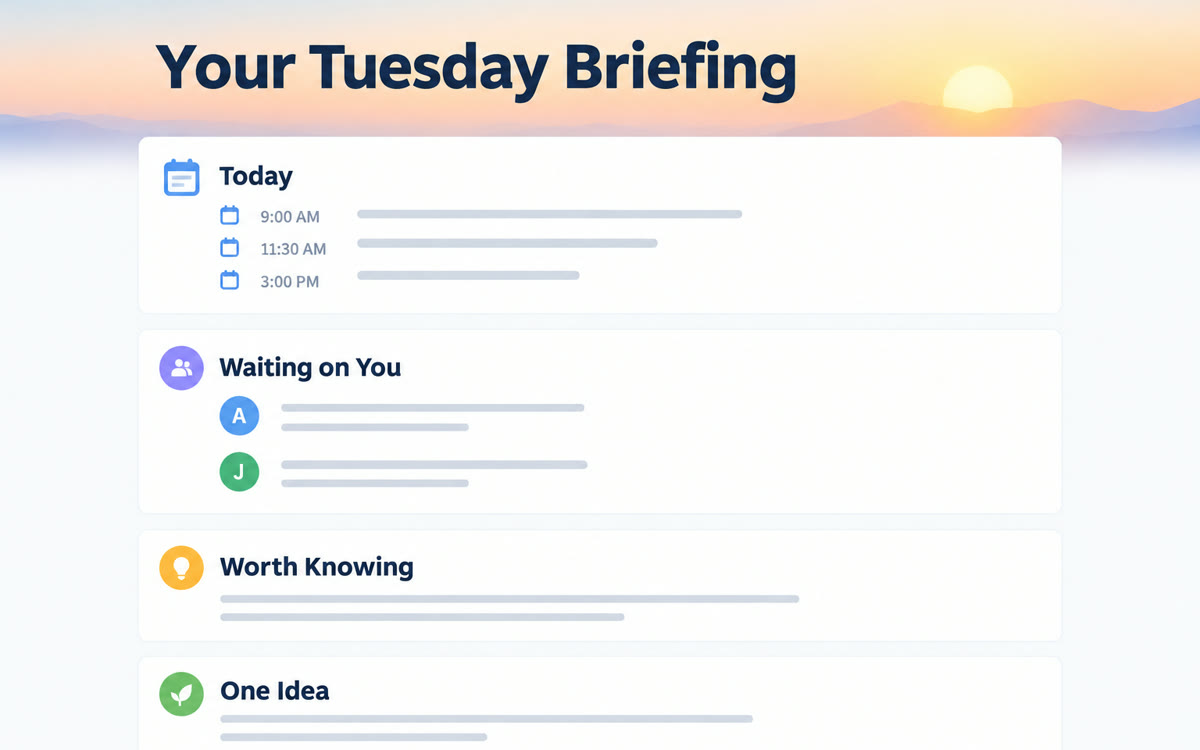
A sample of what you get back, made with AI.
Your prompt
Fill in your details. Skip any you like.
ChatGPT opens with your prompt already typed in. It's copied too, just in case.
The prompt that gets copied
Every weekday at [SEND TIME, e.g. 7am], send me a short morning briefing. Keep it under 250 words, in plain English, with these sections: 1) Today: my calendar for the day, any meeting I need to prep for, and gaps I could use for focused work. 2) Waiting on me: emails from clients or [KEY PEOPLE, e.g. my top 3 clients] that need a reply. 3) My world: the 3 most useful news items from the last 24 hours about [YOUR INDUSTRY OR TOPICS], each with one sentence on why it matters to a [YOUR ROLE] serving [YOUR IDEAL CLIENT]. 4) One idea: a quick content or client-care idea I could act on today. If a section has nothing important, skip it instead of filling space.
Set up one scheduled task and ChatGPT sends you a morning briefing on your day, your industry and anything urgent in your connected apps, every weekday at the time you pick.
Step by step
- Connect your email and calendar under Customize, then Plugins, if you want them included.
- Paste the prompt into a new ChatGPT chat.
- Confirm the time when ChatGPT asks.
- Edit, pause or delete it anytime from the Scheduled page in the sidebar.
What you'll get
A tight weekday briefing covering your schedule, who's waiting on you, relevant news, and one idea to act on.
Scheduled tasks replaced ChatGPT Pulse in June 2026. Free runs once a day at flexible times; exact times need a paid plan.
- Made for
- Coaches, Consultants, Creators, Small business owners, Everyone
- Works in
- ChatGPT