Circle what you want changed in a photo and watch it happen
You draw a messy red circle, and a plant appears exactly there.

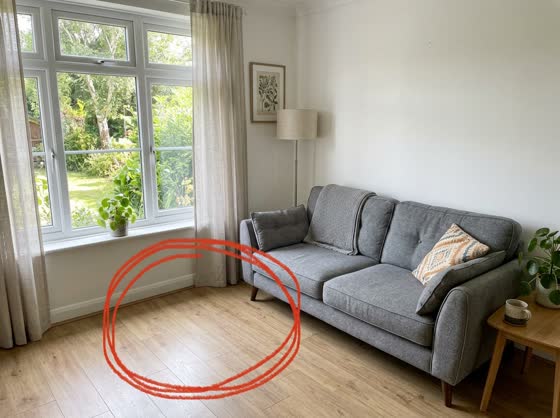 Before
A real example. The small "before" photo is a sample we made with AI, and the result came from running this exact prompt on it in Google Gemini's image tool. Sample details used: The change: add a potted fig tree.
Your image prompt
Attach a clear photo first, then paste the prompt with it.
Fill in your details. Skip any you like.
Each button copies your prompt and opens a new chat that makes images. Just paste it in.
The prompt that gets copied
In my uploaded photo, I've drawn a red circle around one area. Inside the red circle only, [THE CHANGE, e.g. add a potted fig tree]. Keep everything outside the circle exactly the same, including the lighting, colors, people, and camera angle. Make the new item match the room's lighting, perspective, and shadows so it looks like it was always there. Then remove my red circle completely so there's no trace of it. Photorealistic, natural result.
Draw a quick circle on your photo with your phone's markup tool, then tell Gemini what goes there. It changes only that spot and erases your marks.
Step by step
- Open the photo in your phone's markup tool and circle the spot in red.
- Upload the marked-up photo to Gemini.
- Paste the prompt and say what should appear (or disappear) inside the circle.
What you'll get
Your same photo with one spot changed exactly where you circled it, matched to the lighting, with no red marks left behind.
- Made for
- Everyone, Small business owners, Creators
- Works in
- Gemini


