Rework an old slide deck for a new audience inside PowerPoint
Last year's workshop deck gets retuned for a new crowd without leaving PowerPoint or rebuilding slides.
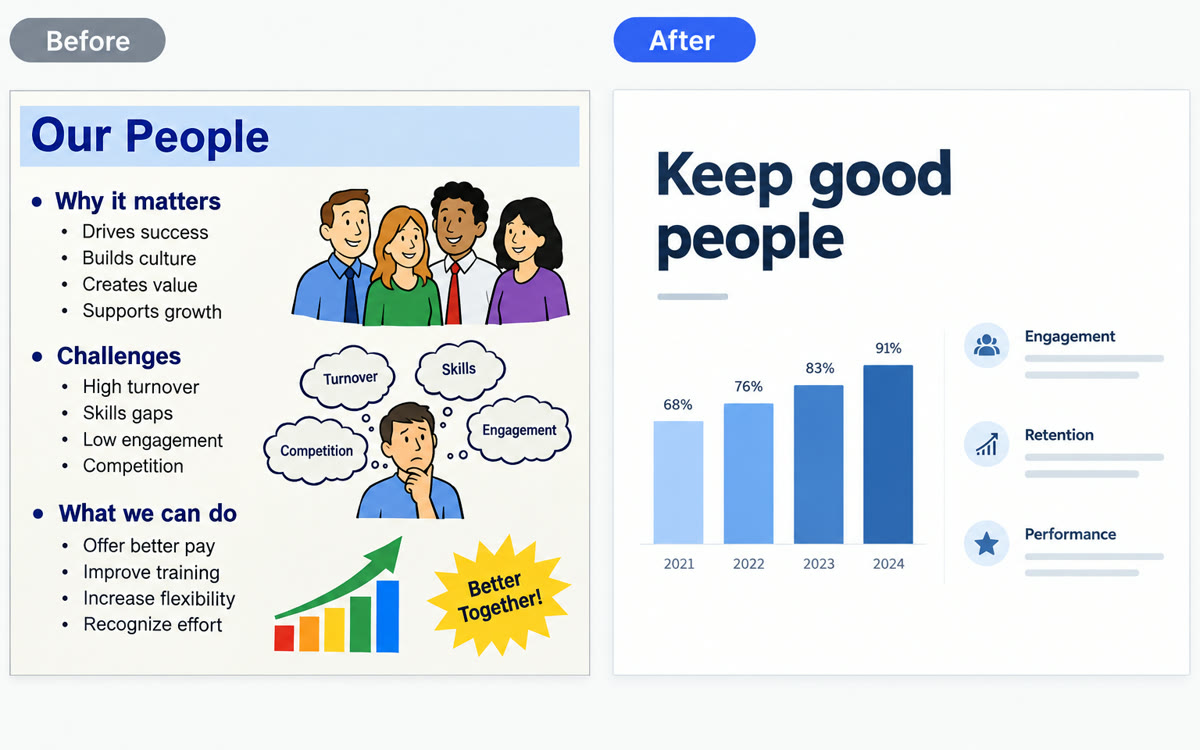
A sample of what you get back, made with AI.
Your prompt
Fill in your details. Skip any you like.
ChatGPT opens with your prompt already typed in. It's copied too, just in case.
The prompt that gets copied
This deck was built for [ORIGINAL AUDIENCE, e.g. corporate HR managers]. I'm now presenting it to [NEW AUDIENCE, e.g. small business owners] in [TIME AVAILABLE, e.g. 20 minutes]. Before editing, outline which slides you'd cut, merge, reorder or rewrite and why, and wait for my OK. Then make the changes: rewrite headlines so each one states the takeaway, swap examples for ones this audience will recognize, cut jargon and keep each slide to one idea. Keep my template, fonts and colors. Add speaker notes with a one-line transition to the next slide.
Add the free ChatGPT add-in to PowerPoint, open your old deck and ask it to tighten, reorder and rewrite the slides for a new audience, while the slides stay editable in your own template.
Step by step
- Open PowerPoint, go to Home, then Add-ins, search for ChatGPT and add it.
- Open ChatGPT from the ribbon and sign in with your ChatGPT account.
- Save a copy of your deck first, then paste the prompt below into the sidebar.
- Review each changed slide before you present or share it.
What you'll get
Your existing deck revised in place for a new audience, with clearer headlines, fitting examples and speaker notes.
Free and Go get limited use. Plus, Pro and Business draw on their agentic usage limits. Review edits before sharing.
- Made for
- Coaches, Consultants, Small business owners
- Works in
- ChatGPT


