TLDRAn AI skill in the Solo Creators AI Studio
Answers you can act on at a glance.
TLDR is an AI skill that reshapes every reply your AI writes: the next move comes first, multi-step work gets numbered, and each answer ends on one small action you can do in under 2 minutes. It's built for busy solo business owners who skim and would rather act than read.
Cancel anytime 30-day money-back guarantee Yours to keep


- You askAnything, the way you already do
- You getThe next move first, the steps numbered
- It shapesEvery reply, casual ones too
- SetupAbout 2 minutes, one time
Real answers, ready to act on.
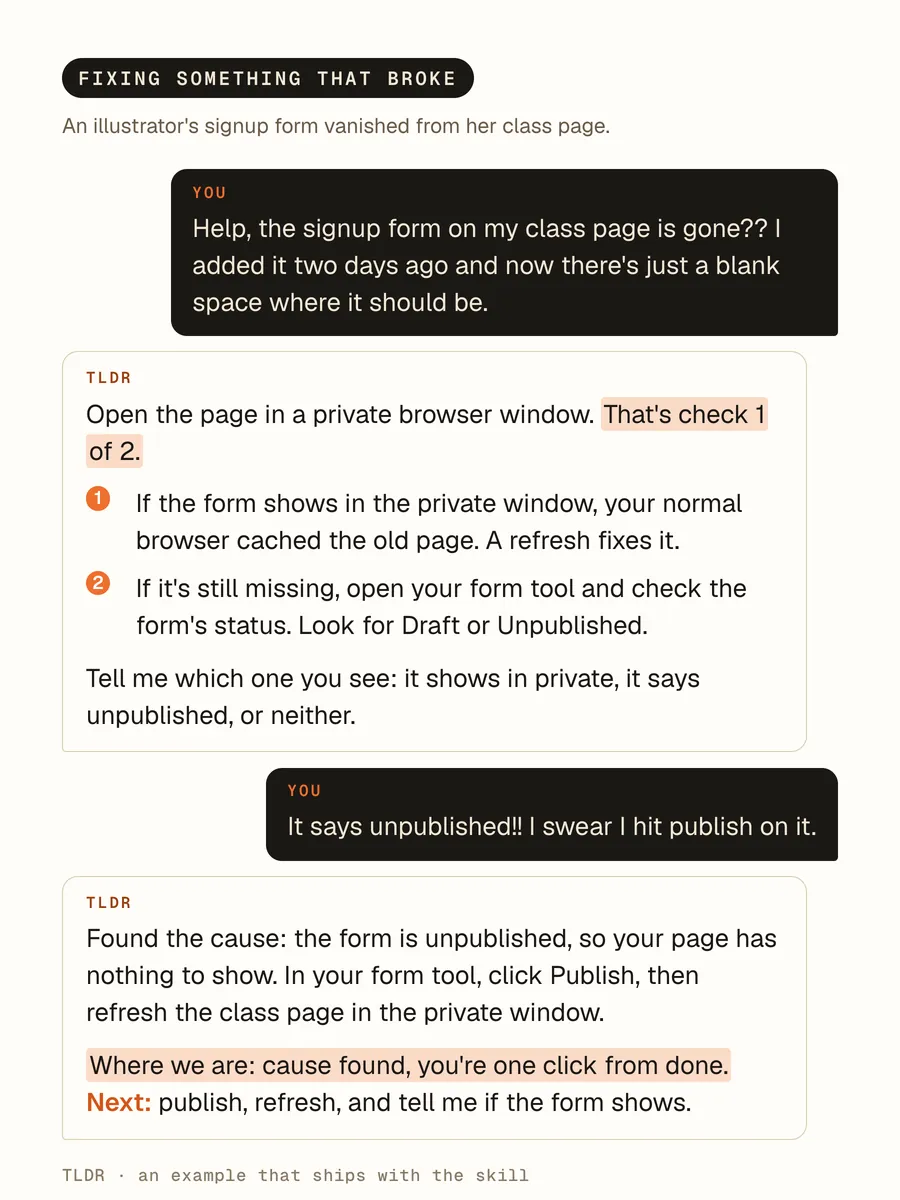
Examples that ship with the skill, word for word.
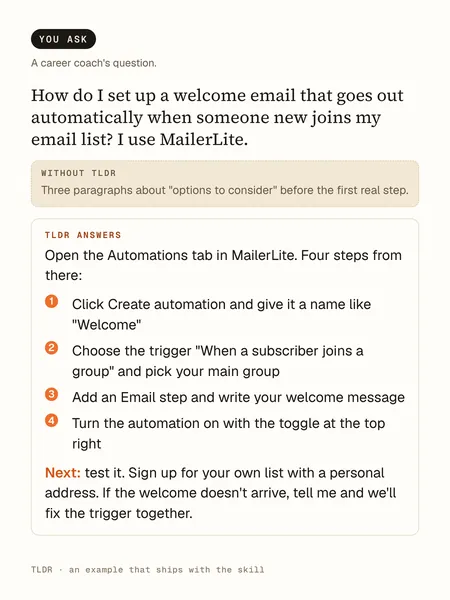
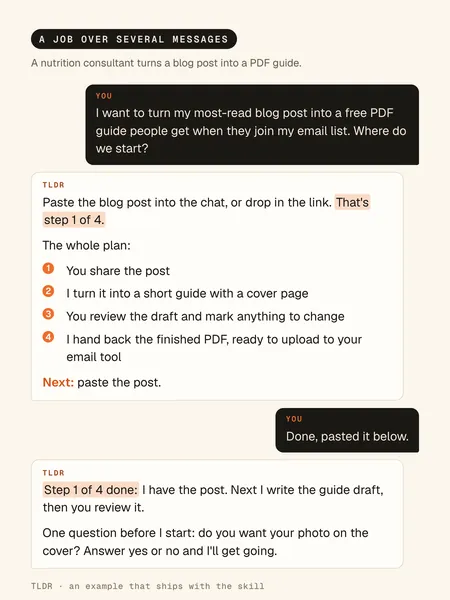
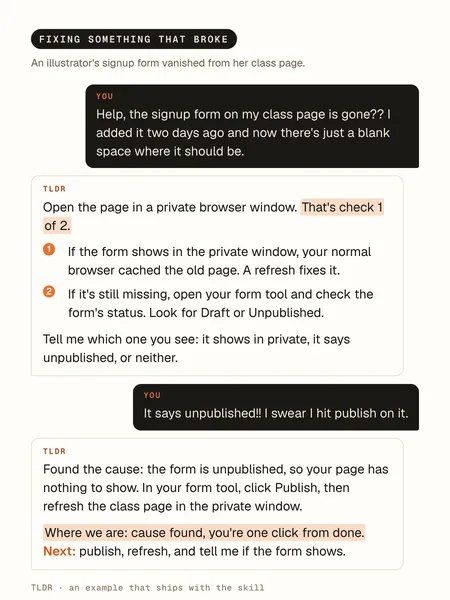
A how-to. The answer starts with the action: four steps, then one next step.A long job. Long jobs say where you stand, every reply: "Step 1 of 4 done."A fix. Errors get the facts first, then the fix.
The cards set the skill's own examples in type.
How it works, in three steps.
-
You type“How do I set up a welcome email that goes out automatically when someone new joins my email list? I use MailerLite.”
Ask the way you always do
Install it once: drag the skill file into Claude Code and ask it to install the skill. Then ask any question, or hand it a job.
-
While it works
- Puts your next move first
- Numbers every step
- Says where you stand
- Cuts the filler
- Ends on one two-minute action
It shapes every reply
The next move goes first, multi-step work gets numbered, the filler goes, and long jobs restate where you stand, like "step 2 of 4 done."
-
You act right away
Every reply ends on one small next step you can do in under 2 minutes. Say "explain" when you want the full story.
Runs in Claude Code, the desktop app for Mac and PC, or the Codex desktop app. No code, no terminal.
What you can use it for.
Get your next step, not an essay
Ask a real business question, like what to fix on your homepage first.
Plan the week without losing your place
Hand it a job like this week's newsletter and every reply says where you stand.
Pick up where you left off
Step away mid-task and come back hours later without rereading the conversation.
Fix what broke, calmly
Errors come back as facts: what broke, why, and the fix.
Get unstuck mid-project
Ask "what's my next step?" and the move itself comes first.
Go deep only when you want to
Say "explain" and that one answer opens up, then the next goes back to short.
What you get
Know your next move from the first line.
Your next move, first
Every reply opens with the action to take, never a warm-up paragraph.
Steps you can follow
Anything with more than one step comes numbered, one action per step.
Your place, always kept
In long jobs, every reply restates where you stand, like "step 2 of 4 done."
One small step to close
Every reply ends on an action you can do in under 2 minutes.
Depth when you ask
Say "explain" and that one answer opens up with skimmable headers.
Safety stays on
Before anything risky, like deleting files, it still stops and asks first.
Full specsInputs, outputs, what it runs in and more. Facts as of October 2026.
- What it does
- Your AI stops writing walls of text: every reply leads with the next action, numbered and skimmable.
- Runs in
- Claude Code, the desktop app for Mac and PC, or the Codex desktop app
- Input
- Any question or job you give your AI, the way you already ask
- Output
- Replies that open with the next action, number multi-step work, keep lists to five items, and close on one small action you can do in under 2 minutes
- In long jobs
- Every reply restates where you stand, like "step 2 of 4 done," so you never have to carry it
- Errors
- Facts, not feelings: what broke, why, and the fix, in that order
- More depth
- Say "explain" or "walk me through it" for a full walkthrough with skimmable headers. The next reply goes back to short.
- Safety
- Before anything destructive, like deleting files or overwriting work, it stops and confirms first
- Setup
- About 2 minutes, once. It offers to turn itself on for every future session with one line in its standing instructions, and one line removes it.
- In an open session
- Type /tldr to turn it on
- Included in
- The Solo Creators AI Studio, with every other skill
- Updated
Included in the Solo Creators AI Studio
Get TLDR, plus every other skill.
TLDR comes with the Solo Creators AI Studio. One membership gets you all 18 skills available today, a new one every month, the training for each, and a room of solo creators who ship.
Cancel anytime 30-day money-back guarantee Full pricing is on Skool
- All 18 AI skills, yours to keep, even if you cancel.
- A new skill every month, often shaped by what members are working on.
- Two live calls a month: a build call and a hot-seat.
- Step-by-step training for every skill, made for non-technical people.
- Ronnie reads every post and replies, in a room of solo creators who ship.
Questions about TLDR.
How do I get short, straight answers from AI that I can act on?
It depends on how you read. If you skim, juggle several jobs, or lose your place in long back-and-forths with AI, TLDR reshapes every reply: the next move first, the steps numbered, and one small action to close. When you want the long version, say "explain" and that one answer opens up. If your problem is drafts that sound robotic rather than answers that ramble, No AI Slop is the better fit, since it edits your writing instead of shaping replies.
Will it make answers too short to be useful?
No. Short isn't the goal; actionable is. When you want depth, say "explain" or "walk me through it" and that one answer opens into a full walkthrough with skimmable headers. The next reply goes back to short.
Do I have to turn it on every time?
No. When you install it, it offers to add one line to its standing instructions so every future session starts with it on. One line removes it later. In a session that's already open, type /tldr.
What happens in a long, multi-step job?
It numbers the plan once, then every reply opens with where you stand, like "step 2 of 4 done," and what comes next. You can walk away and pick up from the last message without rereading.
Does it skip safety checks to stay short?
Never. Before anything destructive, like deleting files or overwriting work, it stops and asks first. Safety outranks momentum.
Does it work in Codex too?
Yes. It installs the same way in Claude Code or Codex: drag the skill file in and ask your AI to install the skill.
Do I need to use a terminal?
No. You drag the skill file into Claude Code, the desktop app, and ask it to install the skill. No terminal and no commands.
If I cancel, do I keep the skills I installed?
The skills are yours. They install into your own Claude Code, Codex, or other AI tool, so they live on your machine. Cancelling stops your access to future drops, live calls, and community, but anything you installed stays installed.
What if I'm not technical?
The walkthrough videos assume zero technical background. If you can copy-paste, you can install a skill. The community is full of solo creators who are just regular business owners, coaches, and consultants... not engineers.
How does the 30-day guarantee actually work?
Change your mind for any reason within the first 30 days and email me. I refund your most recent payment, no questions asked. No screenshots, no justification, no hard feelings.
Published .
Works well with.
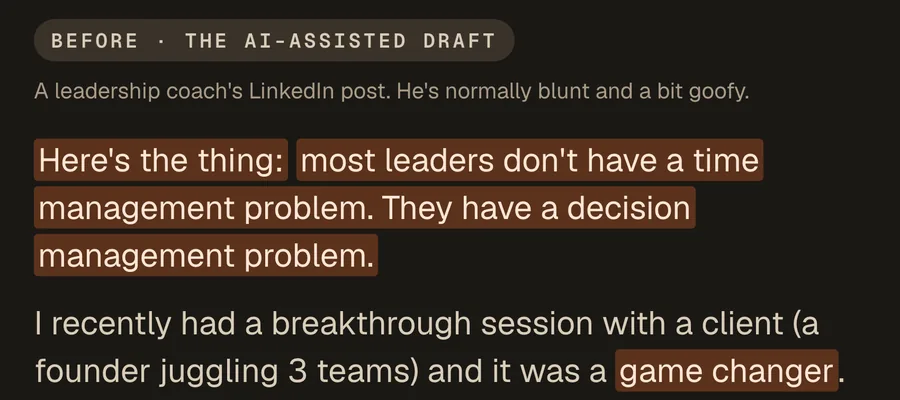
- No AI SlopSounds like youA sharp editor that cuts the AI tells from any draft. Your point and your voice stay.
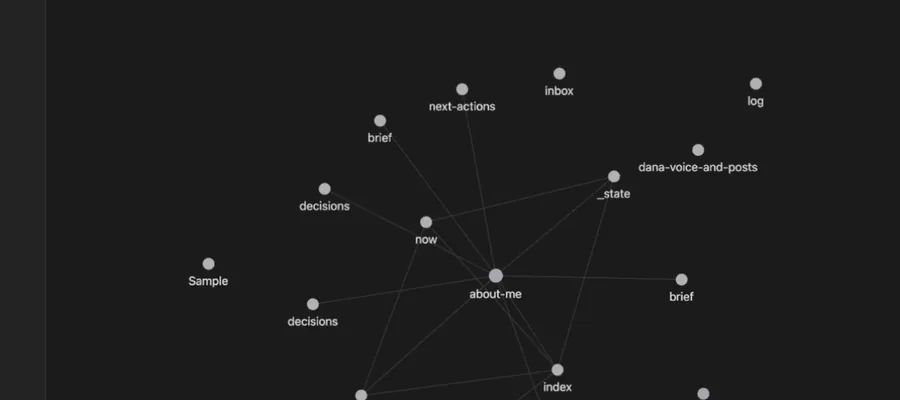
- Second BrainA memory for your AIGive your AI a memory it reads across every project, so it finally knows your business.
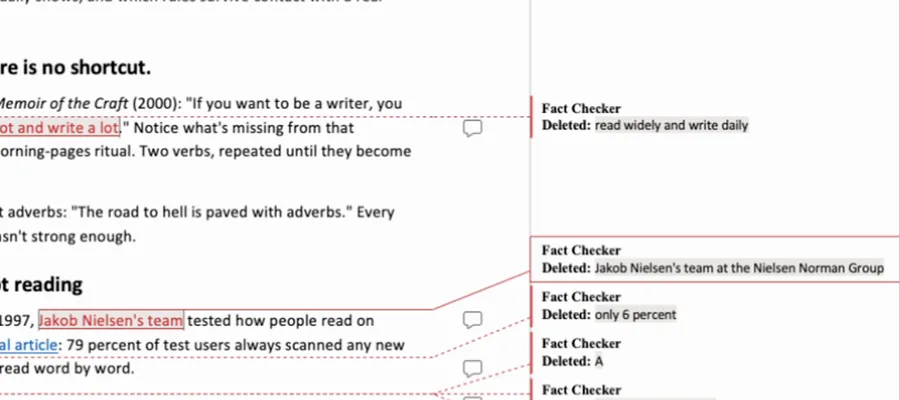
- Fact CheckerProof before publishEvery quote, number, date, and link in your draft checked against its real source, with the fixes handed back as tracked changes you accept or reject.