Fact CheckerAn AI skill in the Solo Creators AI Studio
Publish with proof behind every claim.
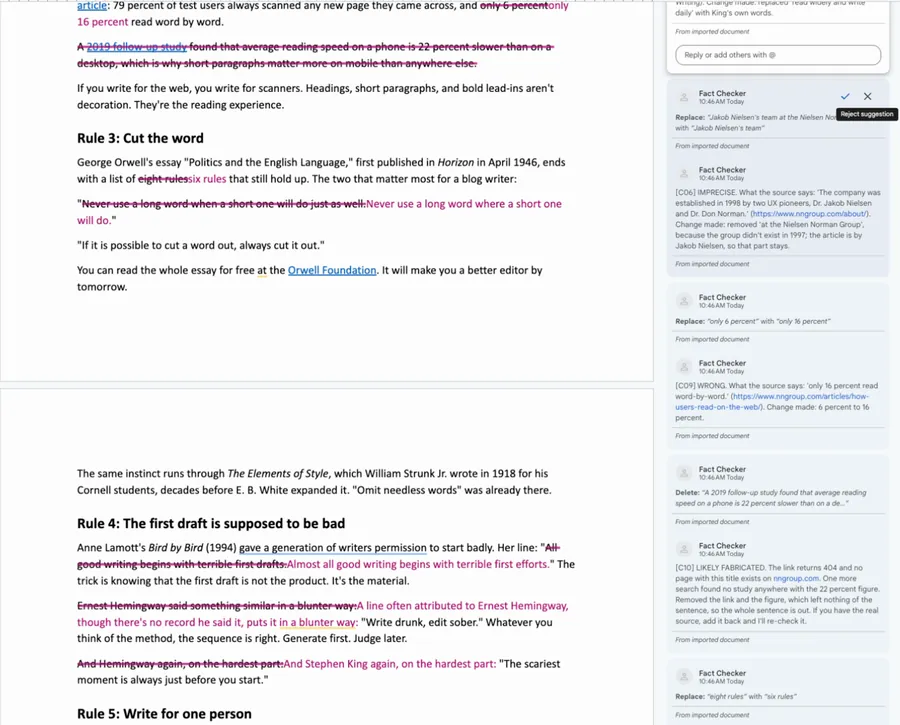
Fact Checker is an AI skill that checks every quote, number, date, name, study and link in your draft against the real source page. It hands your own draft back as a Word file with tracked changes and a comment on every fix, ready to accept or reject in Word or Google Docs.
Cancel anytime 30-day money-back guarantee Yours to keep


- You give itA draft: pasted text, a Word file or a Google Doc
- You getYour draft with tracked changes and a comment on each fix
- It checksQuotes, numbers, dates, names, studies and links
- Your timeA few minutes for a normal post
Watch it work, start to finish.
A blog post with 10 planted errors goes in. It comes back with every quote, number and link checked against its real source, and every fix shown as a tracked change in Google Docs and Word.
AI Fact Checker for Your Writing: Every Quote, Number, and Link Verified (Claude Skill Demo)
One real draft, checked claim by claim.
A test post salted with 10 planted errors, and what it handed back.
You hand over the draft
"Fact-check this." The draft: Why Most Writing Advice Is Wrong (and the Five Rules That Aren't)
- Salted on purpose with 10 errors: 3 fake links, 3 altered quotes, 2 wrong numbers and 2 lines pinned on the wrong person.
It hands back tracked changes
- Stephen King quote
- Draft: "read widely and write daily." Wrong. His words in On Writing are "read a lot and write a lot." Replaced with his wording.
- Reading study
- Draft: "only 6 percent read word by word." Wrong. The source says 16 percent. Changed 6 to 16.
- Three fake links
- The 2019 study, the Harvard Business Review analysis and the Pew report all return 404, and one more search found nothing behind their figures. It removed each link and its figures, and the comment asks for the real source.
- The summary at the top
- 34 claims checked: 18 confirmed, 7 wrong (fixed), 1 imprecise (fixed), 0 unverifiable, 8 likely fabricated. Then a numbered list of all 18 confirmed sources.
The draft it handed back
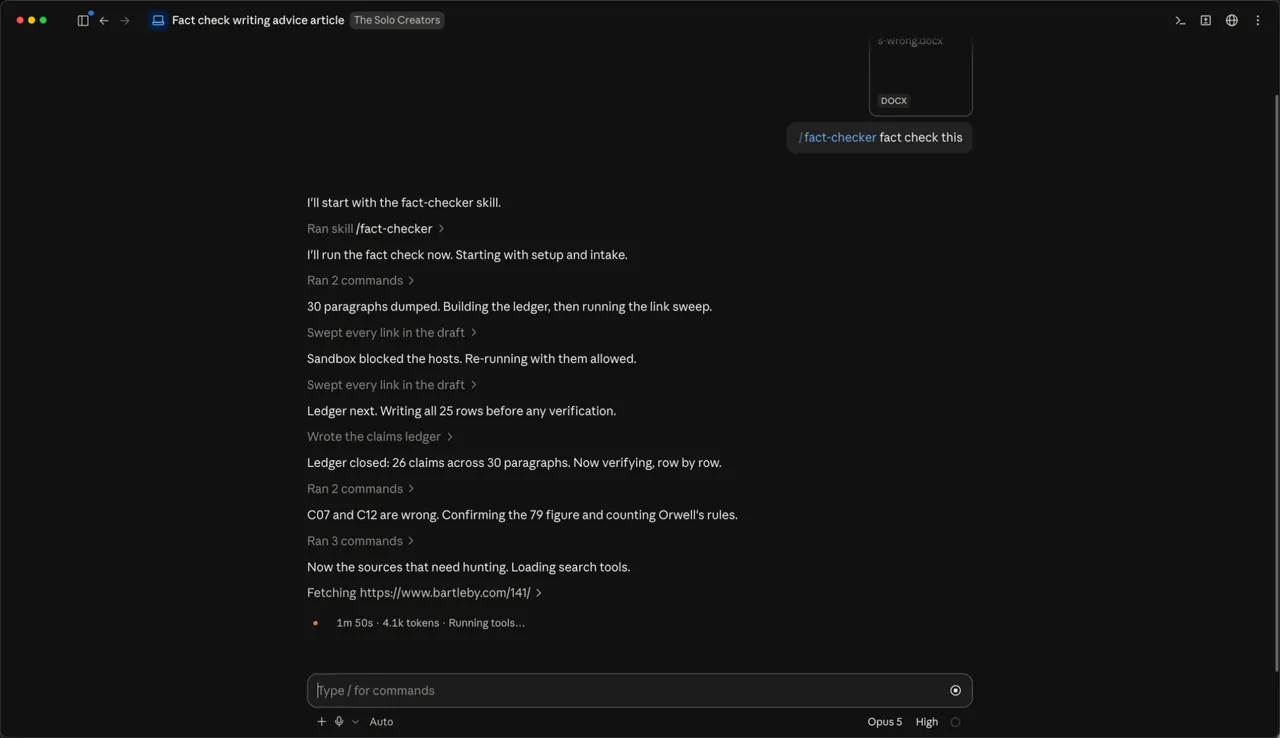
In Word. Every fix is a tracked change, with a note in the margin.Page 2. Misattributions fixed and made-up links removed.In Google Docs. The fixes as Suggestions you accept or reject, each with a comment that quotes the source.While it works. It lists every claim first, then checks them one by one.
It caught all 10 planted errors and changed none of the 10 true claims.
How it works, in three steps.
-
You type“Fact-check this before I publish it: [paste your draft]”
Hand over your draft
Paste it, or drop in a Word file or a Google Doc downloaded as Word, and say "fact-check this." The first run asks once where to save your work.
-
While it works
- Lists every claim before checking any
- Opens every link
- Matches quotes word for word
- Writes down the evidence for each verdict
- Makes the smallest fix that makes it true
It checks every claim
It lists every quote, number, date, name, study and link before it checks any, then opens the real source for each one. A search snippet or its own memory never counts as proof.
-
You accept or reject each fix
Your draft comes back as a Word file with tracked changes, a comment on each fix that quotes the source, and a summary at the top. Open it in Word or Google Docs.


Runs in Claude Code, the desktop app for Mac and PC, or Codex. No code, no terminal.
What you can use it for.
Check a draft AI helped research
Catch the invented links and reworded quotes before your readers do.
Find out who really said it
Famous quotes get traced to their origin, named in the comment.
Check the stats in a post
Every number is matched against the page it came from.
Find dead and made-up links
Every link is opened, and a dead one is never quietly swapped for a different study.
Re-check what you already published
Paste the link to a live post and get corrections you can copy back.
Check a newsletter, script or report
Any draft with quotes, numbers, dates or links works the same way.
Add a Sources section
The summary lists every confirmed source in order, ready to cite.
What you get
Hit publish knowing every fact holds up.
Proof behind every verdict
Every verdict rests on a page its own scripts opened, never on memory.
Check the checker
Each fix has a comment that quotes the source and links to it.
Nothing gets skipped
Every claim is listed before any is checked, so a long essay gets checked to the end.
Your words stay yours
Only the failed claim changes, by the smallest fix. Everything else stays as you wrote it.
You make the final call
Accept or reject each change in Word, or as Suggestions in Google Docs.
Sources ready to cite
The summary comment lists every confirmed source, in order.
Full specsInputs, outputs, what it runs in and more. Facts as of October 2026.
- What it does
- Every quote, number, date, and link in your draft checked against its real source, with the fixes handed back as tracked changes you accept or reject.
- Runs in
- Claude Code, the desktop app for Mac and PC, or Codex
- Input
- Pasted text, a .md, .txt or .docx file, a Google Doc downloaded as Word, or the link to a published post
- What it checks
- Quotes, numbers, dates, names and titles, studies and reports, and every link. Not your opinions, stories or argument
- Output
- Your draft as a Word file with tracked changes, a comment on every change, and a summary comment with the counts and every confirmed source
- Verdicts
- Confirmed, wrong, imprecise, unverifiable or likely fabricated
- The fixes
- The verified wording, the verified attribution, a deletion or a softening word. Never a different source or a new statistic
- Opens in
- Microsoft Word, or Google Docs, where the changes show as Suggestions
- Proof files
- The claim ledger, the link sweep and the quote matches, saved beside the result
- Your time
- A few minutes for a normal post, longer for an essay full of book quotes
- Privacy
- Your draft stays on your computer. Only the public pages it checks get fetched
- Running costs
- No API keys and nothing to pay per check
- Included in
- The Solo Creators AI Studio, with every other skill
- Updated
Included in the Solo Creators AI Studio
Get the Fact Checker, plus every other skill.
The Fact Checker comes with the Solo Creators AI Studio. One membership gets you all 18 skills available today, a new one every month, the training for each, and a room of solo creators who ship.
Cancel anytime 30-day money-back guarantee Full pricing is on Skool
- All 18 AI skills, yours to keep, even if you cancel.
- A new skill every month, often shaped by what members are working on.
- Two live calls a month: a build call and a hot-seat.
- Step-by-step training for every skill, made for non-technical people.
- Ronnie reads every post and replies, in a room of solo creators who ship.
Questions about the Fact Checker.
How do I fact-check a blog post that AI helped me write?
It depends on what is in the draft. If it carries quotes, statistics, dates, studies or links, Fact Checker opens each source, checks every claim one by one and hands back your draft with tracked changes and a sourced comment on each fix, in a few minutes for a normal post. If the piece is your own opinions and stories, there is little for it to check. If a source sits behind a paywall or only in print, it marks that claim unverifiable, and you check it against your own copy.
What happens when it can't find the source?
It marks the claim unverifiable and says why in a comment. A paywalled page or a book it can't open stays in your text with a note on what to send for a re-check. It never upgrades a guess to confirmed because several quote sites agree.
Will it rewrite my writing?
No. It changes only the claim that failed, with the smallest fix that makes it true. Everything it didn't flag stays exactly as you wrote it. If the real source undercuts your point, the comment says so and the decision stays yours.
Does it work with Google Docs?
Yes. Download the Doc as a Word file (File, Download, Microsoft Word) and drop it in. Upload the result back to Google Docs and every change shows as a Suggestion with Accept and Reject.
Can it check a post I already published?
Yes. Paste the link. It checks the article and hands back a Word file you can copy the corrections from.
Can it handle a long essay?
Yes. It lists every claim in every paragraph before it checks any, so a 4,000-word essay gets checked to the end. Drafts heavy on book quotes take longer than ones built on web sources.
Do I need to use a terminal?
No. You hand over the draft in Claude Code, the desktop app, or in Codex, and it runs everything itself. You never type a command.
If I cancel, do I keep the skills I installed?
The skills are yours. They install into your own Claude Code, Codex, or other AI tool, so they live on your machine. Cancelling stops your access to future drops, live calls, and community, but anything you installed stays installed.
What if I'm not technical?
The walkthrough videos assume zero technical background. If you can copy-paste, you can install a skill. The community is full of solo creators who are just regular business owners, coaches, and consultants... not engineers.
How does the 30-day guarantee actually work?
Change your mind for any reason within the first 30 days and email me. I refund your most recent payment, no questions asked. No screenshots, no justification, no hard feelings.
Published .
Works well with.
- No AI SlopSounds like youA sharp editor that cuts the AI tells from any draft. Your point and your voice stay.
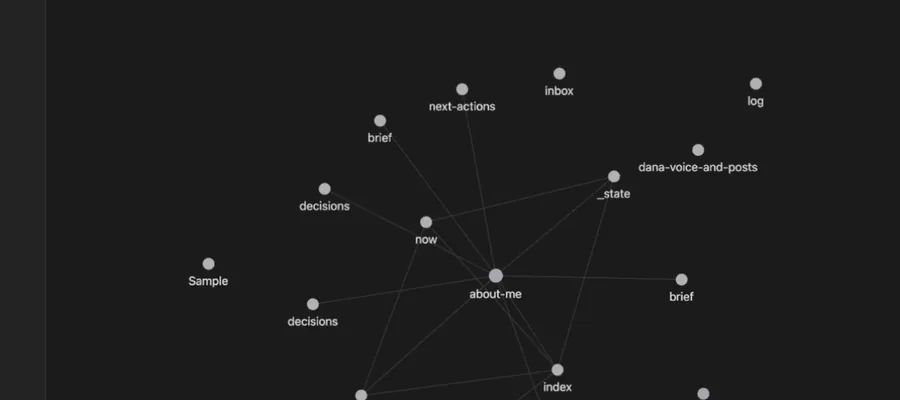
- Second BrainA memory for your AIGive your AI a memory it reads across every project, so it finally knows your business.
- SEO Blog Post GeneratorRanks and gets citedResearch-backed, on-brand articles built to rank in Google and get cited by AI.

Publish with proof behind every claim.
Join the AI StudioCancel anytime 30-day money-back guarantee