Second BrainAn AI skill in the Solo Creators AI Studio
Give your AI a memory of your whole business.
The Second Brain is an AI skill that turns one folder of plain files into a memory your AI reads every session: your notes, ideas, decisions, projects and voice. Capture anything in seconds and it files it, links it to your projects and answers from your own notes, so you never re-explain your business.
Cancel anytime 30-day money-back guarantee Yours to keep

“I installed the second brain and that got me organized and on target.”

- You give itNotes, files, voice memos and ideas
- You getA memory your AI reads every session
- Where it livesPlain files on your own computer
- Your timeAbout 5 minutes a day to review
One real vault, from first files to weekly review.
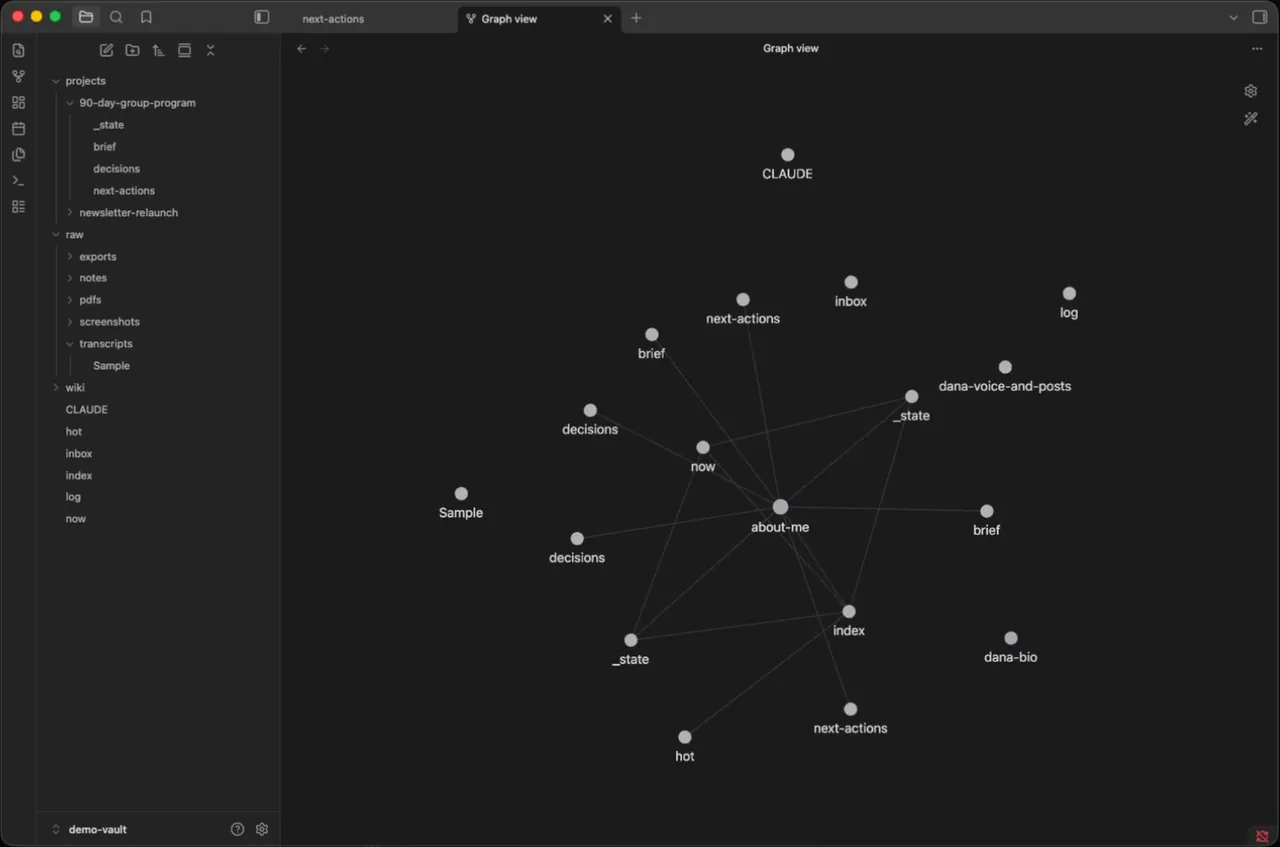
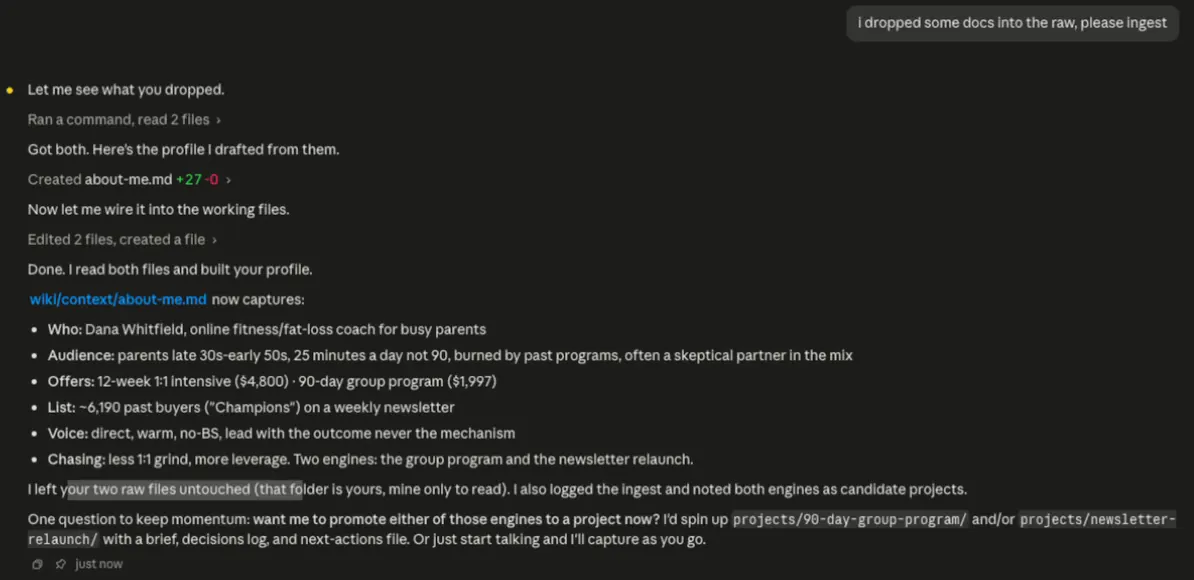
The demo vault from the AI Studio lessons, built for a made-up fitness coach.
One vault, three ways to see it
Ask it. In Claude Code: it reads two files and writes her profile.Graph. In Obsidian: every page linked back to her profile.Board. Her projects as a board, filled from the same vault.
Every page is a plain text file in one folder on your computer. Obsidian is optional.
How it works, in three steps.
-
You type“Set up my second brain.”
Give it your business once
Say "set up my second brain" and drop in your bio, a few posts and your brand notes, or answer four quick questions. It writes your profile in your own voice.
-
While it works
- Keeps your original, untouched
- Files it in your inbox
- Writes and links your pages
- Updates your projects
- Saves where you left off
It files and connects everything
Capture a thought, a voice note, a PDF or a call transcript. It keeps the original, files it for your daily review and links it to your projects and ideas.
-
Your AI remembers
Every session starts where you left off. Ask what you decided about anything, run a weekly review, or have it find connections you missed.


Runs in Claude Code, the desktop app for Mac and PC. No code, no terminal.
What you can use it for.
Start every chat where you left off
It reads your last-session note and your status first, so you never re-explain.
Capture ideas the moment they hit
Type, paste or dictate. It files the thought and stays out of your way.
Find what you decided, fast
Ask "what did I decide about pricing?" and get the answer from your own notes.
Turn calls and documents into notes
Drop in a transcript, a PDF or a screenshot. With Watch It For Me installed, video and audio too.
Run a weekly review
See what moved, what stalled, where to focus next week, and a few questions worth answering.
Find ideas hiding in your notes
The connect pass proposes links across your projects, and adds them only when you approve.
See your projects as a board
Drag cards on an Obsidian Kanban board and it keeps the files in sync.
Give your other skills your voice
Skills like the Website Launch Builder read it so their writing sounds like you.
What members say.
Posted by members inside the Solo Creators AI Studio, in their own words.
“I installed the second brain and that got me organized and on target.”
William DawsonSolo Creators AI Studio member“Wow. I just finished the Brain Vault and the Board of Advisors. I am excited and have already upgraded my approach to generating results from seed to product. The Brain Vault surpasses my "recall," and the Board serves as a council supporting the go-live workflow.”
 Michael E. HattawaySolo Creators AI Studio member
What you get
An AI that knows your business, every single session.
Pick up where you left off
It reads your last-session note first, so you never re-explain your business.
Everything sounds like you
Your profile holds your voice, your audience and your offers, and it reads it every session.
Answers from your own notes
Ask what you decided about anything and it finds it across your whole vault.
Ideas you would have missed
Weekly reviews and connect passes link ideas across your projects.
Your originals stay untouched
Everything you add is kept exactly as it came in. It archives instead of deleting.
Yours to keep
Plain text files on your own computer. If you ever leave, you keep every file.
Full specsInputs, outputs, what it runs in and more. Facts as of October 2026.
- What it does
- Give your AI a memory it reads across every project, so it finally knows your business.
- Runs in
- Claude Code, the desktop app for Mac and PC
- Input
- Typed or dictated notes, pasted text, PDFs, screenshots, call transcripts, email exports, and video or audio (transcribed with Watch It For Me)
- What it builds
- One folder of plain text files: your originals, the pages it writes, your profile, a status page, an inbox, a log and a last-session note
- What you can ask
- Daily review, weekly review, search, synthesize, connect, promote, lint and now, all in plain English
- Specialists
- Eight helpers it calls on its own: connector, synthesizer, reviewer, promoter, linter, searcher, ingester and developer
- Works with
- Opens in Obsidian on Mac, PC and phone, with an optional Kanban board. The skill works without it
- Your time
- A one-time setup, then about 5 minutes a day and 10 to 15 minutes for the weekly review
- Rules it keeps
- It never edits or deletes your originals, never adds links without your OK, and archives instead of deleting
- Included in
- The Solo Creators AI Studio, with every other skill
- Updated
Included in the Solo Creators AI Studio
Get the Second Brain, plus every other skill.
The Second Brain comes with the Solo Creators AI Studio. One membership gets you all 18 skills available today, a new one every month, the training for each, and a room of solo creators who ship.
Cancel anytime 30-day money-back guarantee Full pricing is on Skool
- All 18 AI skills, yours to keep, even if you cancel.
- A new skill every month, often shaped by what members are working on.
- Two live calls a month: a build call and a hot-seat.
- Step-by-step training for every skill, made for non-technical people.
- Ronnie reads every post and replies, in a room of solo creators who ship.
Questions about the Second Brain.
How do I get AI to remember my business?
It depends on how much you need it to remember. If a line or two about you is enough, you don't need a whole system. If you want it to know your business, projects, decisions and voice, and keep all of it in plain files you own, the Second Brain gives your AI one folder it reads at the start of every session, and files everything you capture. It fits solo business owners juggling several projects. If you never look back at old notes, it's more than you need.
Do I need Obsidian?
No. The brain is a folder of plain text files, and the skill works without any other app. Obsidian is optional: it shows the same files as a graph, and as a board if you add its Kanban plugin.
What should I put in it?
Start with your bio, your About page, a few posts that sound like you and your brand or voice notes. Then capture anything: ideas, call transcripts, PDFs and screenshots. Business and brand material only, never passwords or banking documents.
Will it change or delete my notes?
No. Everything you add is kept exactly as it came in. It writes its own pages next to your originals, archives instead of deleting, and only links ideas after you approve them.
Can I use it from my other projects?
Yes. Once the skill is installed, you can ask about any project from any folder, and it reads and writes your brain from there.
Does it work with video and audio?
Yes, with Watch It For Me, another skill in the AI Studio. Drop in a video or audio file and it makes a transcript your brain can read. The original file is never uploaded or changed.
Do I need to use a terminal?
No. You add the skill and talk to it in plain English in Claude Code, the desktop app. No terminal and no commands.
If I cancel, do I keep the skills I installed?
The skills are yours. They install into your own Claude Code, Codex, or other AI tool, so they live on your machine. Cancelling stops your access to future drops, live calls, and community, but anything you installed stays installed.
What if I'm not technical?
The walkthrough videos assume zero technical background. If you can copy-paste, you can install a skill. The community is full of solo creators who are just regular business owners, coaches, and consultants... not engineers.
How does the 30-day guarantee actually work?
Change your mind for any reason within the first 30 days and email me. I refund your most recent payment, no questions asked. No screenshots, no justification, no hard feelings.
Published .
Works well with.
- Watch It For MeIt watches the video so you get the playbookDrop any video link and get the step-by-step playbook, the full timestamped transcript, and the best quotes. Without watching it.
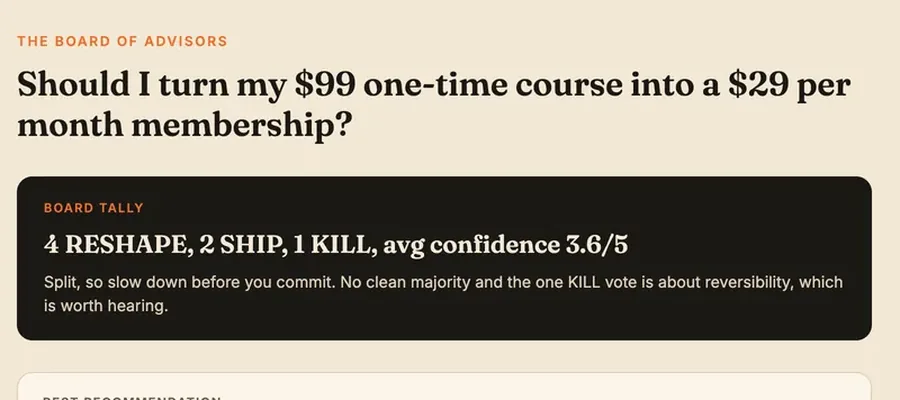
- Board of Advisors7 advisors, one callConvene seven AI advisors who debate your decision, vote, and hand back a stress-tested verdict.
- Website Launch BuilderBuilds your website in an afternoonPlan, write, and build a launch-ready site, copy, design, legal pages, SEO and schema, without touching code.

Give your AI a memory of your whole business.
Join the AI StudioCancel anytime 30-day money-back guarantee