Find any moment in hours of family videos with a shot log
Ask for the bit where Grandpa blows out the candles and get the exact minute.
Published . Steps as of November 2026.
How can I find a specific moment in a long family video?
Ask ChatGPT Work to watch the video and build a time-coded shot log, then search the log or ask it questions. As of October 2026, Work with GPT-6.1 Terra needs a Plus plan or higher. Do one video at a time for the cleanest log. If you only need a quick summary of a short clip, a regular chat is enough; the shot log pays off for long, unlabeled home videos.
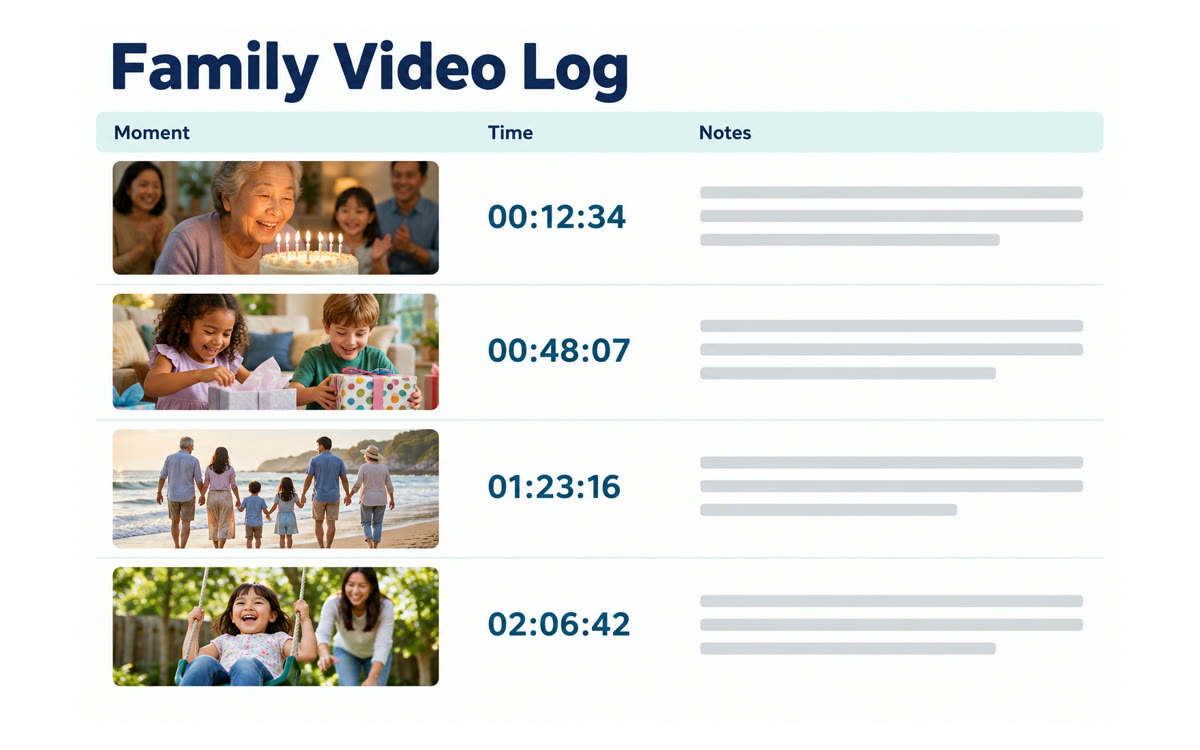
A sample of what you get back, made with AI.
Your prompt
Fill in your details. Skip any you like.
ChatGPT opens with your prompt already typed in. It's copied too, just in case.
The prompt that gets copied
Watch the video I've attached and make a shot log, the way a film editor would.

The video is: [WHAT IT IS, e.g. our 2009 family lake trip]
People who might appear: [NAMES TO LOOK FOR, e.g. Mom, Dad, Sam, Grandpa]

For each scene, give me one row in a table:
- Start time (hours:minutes:seconds)
- What happens, in one plain sentence
- Who's in it, if you can tell
- Whether it's a keeper (great moment), fine, or skip (blurry, blank or accidental)

After the table, list the five best moments with their start times, and tell me the total minutes that are worth keeping. If you're unsure who someone is, say so instead of guessing.
Give ChatGPT Work a long home video and get back a time-coded log of every scene, who's in it and what happens, so you can jump straight to the moment you want.
Step by step
- Open ChatGPT and go to Work
- Pick GPT-6.1 Terra from the model list
- Attach one long video and paste the prompt below
- Ask follow-ups like "when does the dog jump in the pool?"
- Copy the log into a note next to the video file
What you'll get
A time-coded table of every scene with a short description and a keeper rating, plus the five best moments to find first.
Needs ChatGPT Plus or higher for Work, as of October 2026. Check names and times; it can misread faces.
- Made for
- Everyone
- Works in
- ChatGPT



 Before