Get a session timer app of your own built by chatting
A tool you described in plain words now sits in your apps folder.
Published . Steps as of November 2026.
Can Claude build me a small app I can install on my computer?
Yes. Describe the tool in a Claude chat, test the artifact it builds, then choose Install as app from its title menu. Use it for simple helpers like timers, trackers, or reminders. As of November 2026 this is in beta on the Claude app for Mac and Windows, on every plan from Free up, and it needs a recent app version. Say no to any permission request you don't understand.
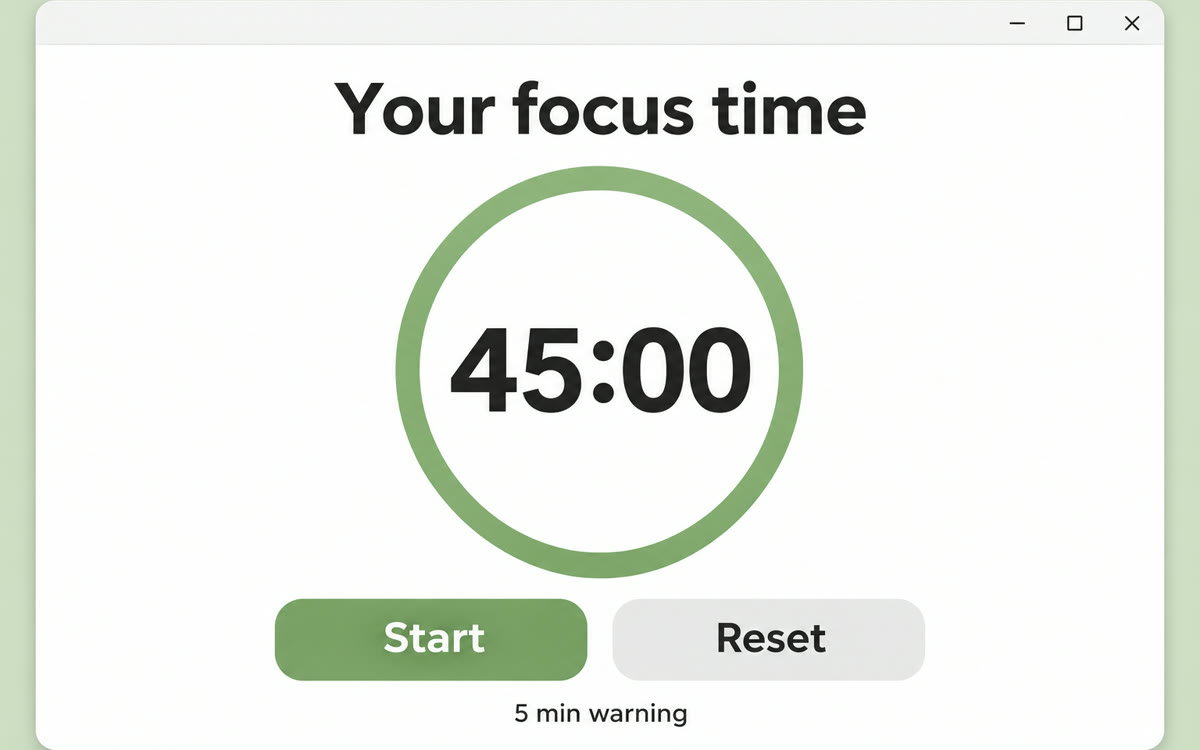
A sample of what you get back, made with AI.
Your prompt
Fill in your details. Skip any you like.
Claude opens with your prompt already typed in. It's copied too, just in case.
The prompt that gets copied
Build me a small desktop tool: a [TOOL TYPE, e.g. coaching session timer]. It should let me set [WHAT TO SET, e.g. a 50 minute session length], show a big countdown, and give a gentle warning at [WARNING TIME, e.g. 5 minutes left]. Keep it simple, with large buttons and calm colors. Don't ask for any permissions beyond showing a notification. Explain in two sentences how to use it, and suggest one extra feature I might want.
Describe a small tool in Claude, like a coaching session timer. Claude builds it, and you install it as its own app on your Mac or Windows computer with its own window and icon.
Step by step
- Open the Claude app on your Mac or Windows computer and start a new chat.
- Paste the prompt below and fill in the brackets.
- Open the artifact Claude builds and test the buttons.
- Right-click its title and choose Install as app, then confirm.
- Open it later from the Claude Apps folder or Spotlight.
What you'll get
A working little app that opens in its own window. You can use it every day without opening a chat.
Beta. Mac or Windows Claude app, Free to Max plans. Not on web, mobile or Linux. Counts toward usage.
- Made for
- Coaches, Consultants, Creators, Everyone
- Works in
- Claude