Give clients a live open-spots page that updates from your sheet
The link refreshes when your sheet changes, so a booked seat drops off the page without you touching it.
Published . Steps as of November 2026.
How do I share a live class schedule without sharing my spreadsheet?
Build a canvas from your bookings sheet with Gemini in Google Sheets, then publish it as its own link. As of November 2026, the published link is separate from the spreadsheet, so viewers only get read-only access to the page. Pick automatic republish if seats change daily, or a static snapshot if you just want to share one week's schedule. Hide any columns with client names or emails before you publish.
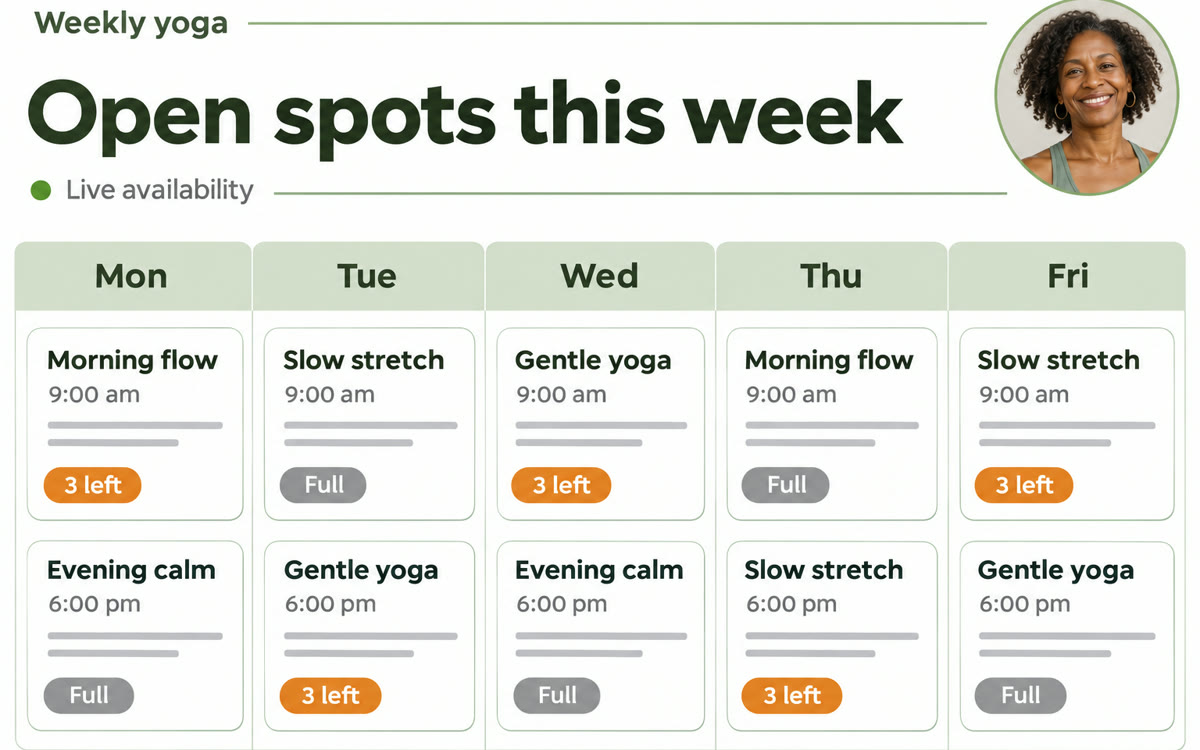
A sample of what you get back, made with AI.
Your prompt
Fill in your details. Skip any you like.
This AI can't be filled in from a link, so the button copies your prompt: paste it into the new chat.
The prompt that gets copied
Build a canvas from this sheet that shows my upcoming [WHAT YOU OFFER, e.g. small-group yoga classes] as a simple weekly schedule for clients. Use the columns for date, time, session name, total seats and seats booked. For each session, show the open spots in large type, and label it "Full" when no seats are left. Put full sessions at the bottom of each day in a lighter color. Add a short welcome line at the top that says [WELCOME LINE, e.g. Grab a spot and reply to book]. Hide every column with client names, emails or payment details, because this page will be shared publicly. Keep it clean, mobile-friendly and in [BRAND COLORS, e.g. navy and warm white].
Turn your class or session sign-up sheet into a clean schedule page with Gemini, then publish it as its own link. Clients see open spots live but never see your spreadsheet.
Step by step
- Open your bookings sheet in Google Sheets on the web
- Ask Gemini in Sheets to build a canvas and paste the prompt below
- Click Publish canvas in the canvas toolbar and turn on automatic republish
- Copy the link and put it in your email signature or booking page
What you'll get
A client-facing schedule page with live open-spot counts, published on its own link that never exposes the spreadsheet behind it.
Sheets on the web only. Needs Google AI Pro or Ultra, or Workspace Business Standard or Plus. Rolling out from Nov 11, 2026.
- Made for
- Coaches, Small business owners, Creators
- Works in
- Gemini