Put your business on autopilot
Get a fresh client status sheet waiting every Friday
It flags the client you haven't emailed in three weeks before they start to feel forgotten.
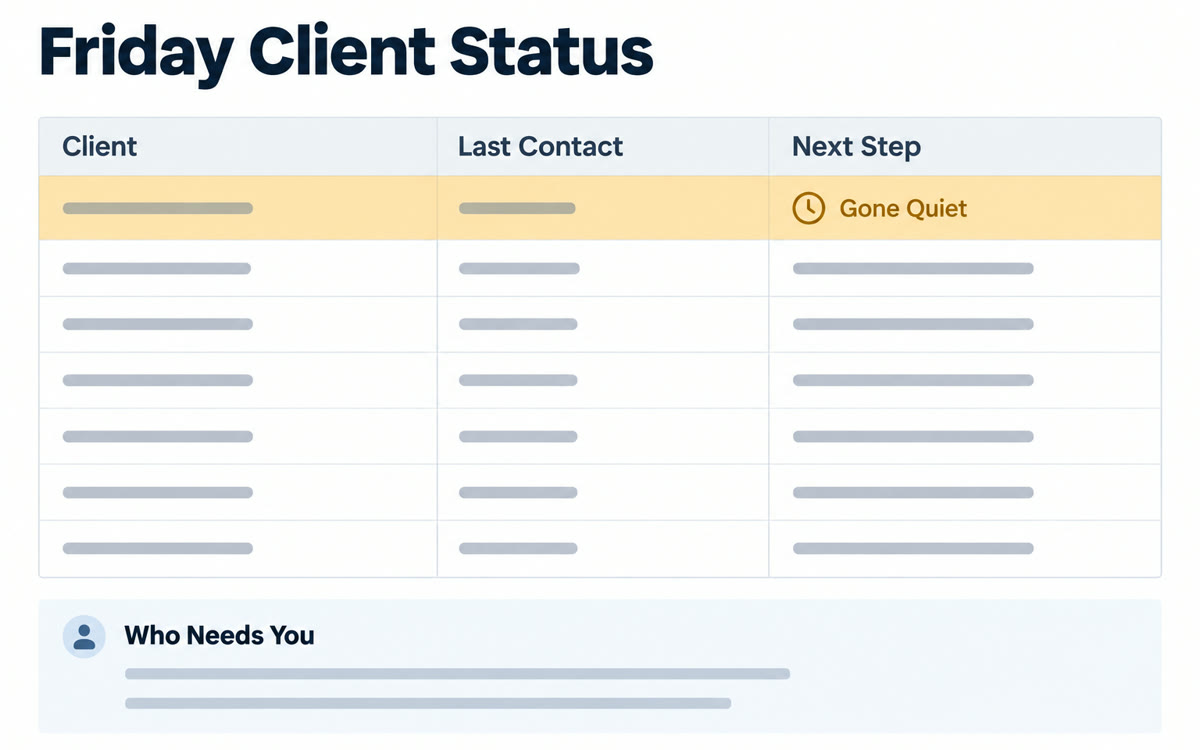
A sample of what you get back, made with AI.
Your prompt
Fill in your details. Skip any you like.
Claude opens with your prompt already typed in. It's copied too, just in case.
The prompt that gets copied
Build a client status spreadsheet from my Gmail and Google Calendar for the past [LOOKBACK PERIOD, e.g. 7 days]. My active clients are: [CLIENT LIST, e.g. names or email domains].

One row per client with: last contact date, what happened this week in one line, status (on track, waiting on me, waiting on them, at risk), next step, and the date of our next meeting, if one's booked. Add a column linking the email or event each update came from.

Flag anyone I haven't contacted in [QUIET DAYS, e.g. 14 days] and anyone who's been waiting on me for more than 2 days. Sort flagged clients to the top. Give me the sheet as an Excel file, plus a 3-line summary of who needs me most next week. Don't send or draft any emails.
Schedule Claude to read the week's emails and calendar and build a spreadsheet of every active client: last contact, what happened, status and next step. Anyone you've gone quiet on gets flagged.
Step by step
- Connect Gmail and Google Calendar in Claude from the Customize page, under Connectors.
- Open Cowork in the Claude app, paste the prompt and run it once to check the sheet.
- Type /schedule and set it to run every Friday at 2pm.
- Open the new sheet each week and act on the flagged clients first.
What you'll get
A weekly client status spreadsheet with sources, quiet clients flagged at the top, and a short note on who needs you most.
Scheduled tasks run in Cowork and need a paid Claude plan.
- Made for
- Coaches, Consultants, Small business owners
- Works in
- Claude


