Teach Claude a job once and get the same result every time
A Claude skill is a folder of written instructions that teaches Claude how to do one job your way. You install it once. After that, whenever you ask for that job, Claude reads the instructions and follows them.
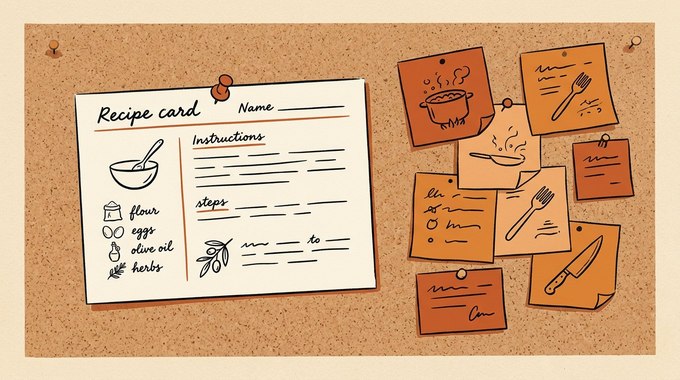
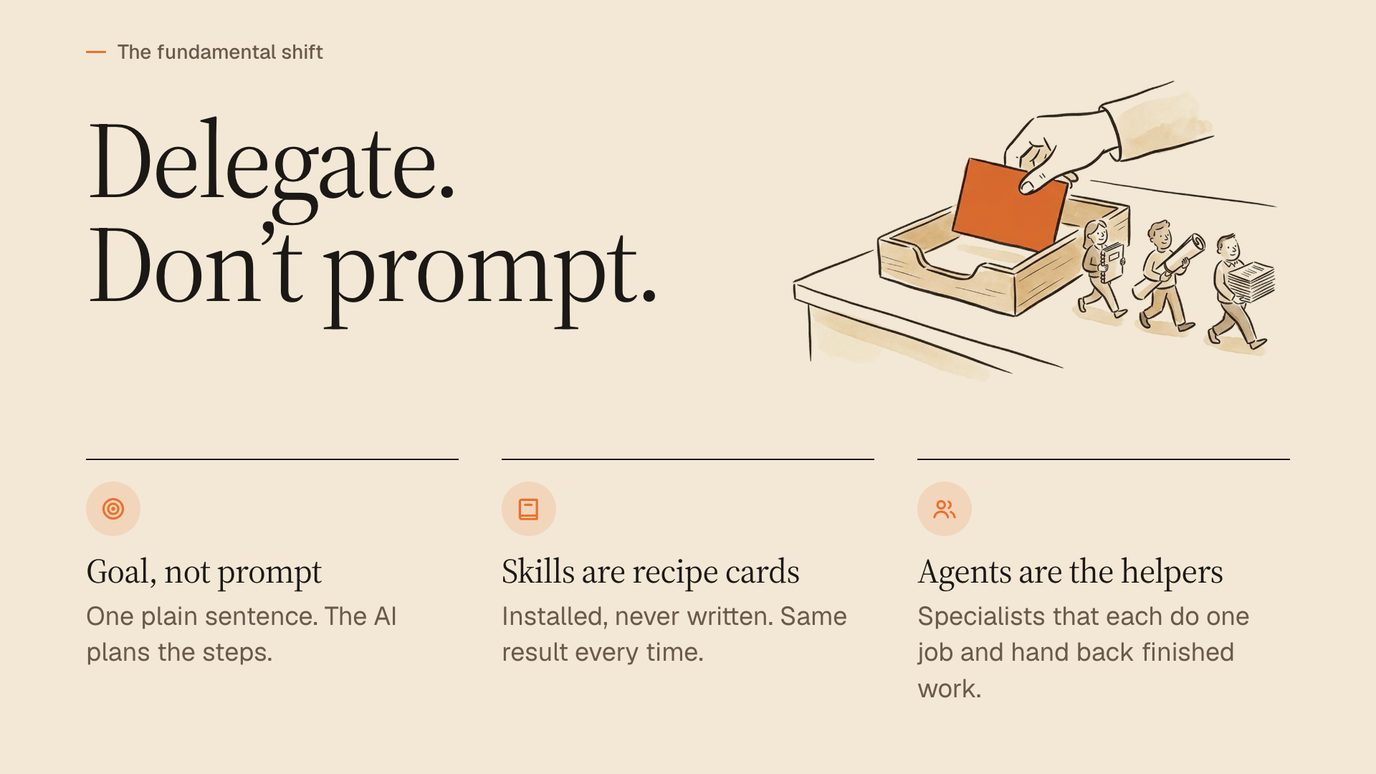
The easiest way to picture it is a recipe card.
Think about a dish you've cooked for 20 years. It comes out the same every time because the recipe doesn't change.
Add a little more salt one week and a little less sugar the next, and you get a different dish. AI works exactly the same way. Ask for "a carousel about my new offer" on Monday and again on Thursday, and you'll get 2 different looks, 2 different structures and sometimes 2 different fonts.
A skill is the recipe that stops the drift. The colours, the structure, the voice rules and the checks live in the skill, so you don't have to remember them. So the 10th carousel matches the 1st, and the outreach email you write on a tired Friday sounds like the one you wrote on your best Tuesday.
I use this analogy at every live workshop because it lands with everyone, technical or not. Here's the slide I show for it:
I can't write code. I run my whole business with Claude anyway, and skills are the reason it works. Every repeat job I do, from slide decks to website audits to this blog post's quality checks, is a skill now.
A skill is a recipe card for Claude: install it once, and the 10th result matches the 1st.
See what's actually inside a skill folder
People expect something complicated. It isn't. A skill is a folder, and the only required file in it is called SKILL.md. "md" stands for Markdown, which is plain text with a few symbols for headings and bold.
Here's a small but complete example, in the format Anthropic documents for Claude Code:
---
name: weekly-client-report
description: Write my weekly client report from this week's notes.
  Use when I say "client report", "weekly report" or "update for the client".
---

Read this week's notes in the Clients folder.
Write a one-page report in my voice: 3 wins, 1 risk, 1 next step.
Never mention pricing. Never use jargon the client wouldn't use.
Before you finish, check every number against the notes it came from.
Save it as a PDF in the client's folder.
The top section, between the 2 lines of dashes, is the label on the folder. The name is what the skill is called, and in Claude Code it's also the slash command you type to run it. The description tells Claude what the skill does and when to reach for it. Everything below is the recipe itself.
Bigger skills add supporting files in the same folder:
- Reference files for the detail that doesn't fit on the card: your brand rules, a style guide, worked examples.
- Scripts for the parts that should run exactly the same way every time, like resizing images or checking a page on a phone-sized screen.
- Templates and assets like a slide layout, a logo file or a font.
Anthropic's documentation recommends keeping SKILL.md itself under 500 lines and moving the long material into those supporting files. There's a practical reason for that limit, and it comes down to what Claude reads, and when.
Anatomy of a skill
One folder, 4 kinds of file
You never open these files to use a skill. You install the folder once and ask for the job in plain English.
Know how Claude decides when to use a skill
Here's the clever part, and it's why skills scale where giant prompts don't.
When a session starts, Claude doesn't read every skill you've installed. It reads a short listing of each skill's name and description. That's 1 or 2 sentences per skill, so 30 installed skills add only a little to each message. The full recipe loads only when a job calls for it.
Anthropic calls this progressive disclosure, and its Claude Code documentation sums up the payoff in a single sentence:
Per Anthropic's docs, a skill's body loads only when it's used, so long reference material "costs almost nothing until you need it."
The listing has a small cost of its own, so don't install skills you'll never use. As of November 2026, Claude Code caps the listing at 1% of the model's context window. When you have too many skills to fit, it drops the descriptions of the ones you use least first. Switch off the skills you don't use, and put the main use case first in every description.
That gives you 2 ways to use a skill:
- Just ask for the job. "Make a carousel from this post." Claude matches your request to the skill whose description fits and loads it.
- Call it by name. Type a slash and the skill's name in the prompt box, like /weekly-client-report. In the Code tab, the + button next to the prompt box also opens a Slash commands list you can browse. In a regular Claude chat, the + button or a slash does the same job.
This is also why the description is the most important sentence in the whole skill. If it's vague, Claude won't know when to use it. When I build a skill, I write the description last and include the exact phrases I actually say, like "client report" and "update for the client."
See what one brand skill changed for me
The first skill I wrote for myself wasn't clever. It was my brand.
I wrote down my voice rules once. No em-dashes, ever. Always contractions. Lead every headline with what the reader gets. I described my colours, my logo and the way I like things spaced on a page. I saved it as a skill, and every other skill I use now reads it first.
The difference showed up immediately in the boring places. Before, I'd get a great carousel and then spend 10 minutes fixing the font, the orange that wasn't quite my orange, and a headline that opened with "Stop" instead of a promise. After, those fixes simply stopped being needed, because the rules were in the recipe instead of in my head.
The deeper change was trust. When the basics are guaranteed, you review for substance instead of style. I read a draft now asking "is this right and is it useful?" instead of "did it remember my colours?" That's the moment a skill stops being a convenience and starts being a teammate.
If you build only one skill this month, make it this one. Every other skill gets better the day it exists.
Tell skills apart from prompts, projects and memory
Claude has several ways to remember things, and people mix them up. Here's the plain-English difference.
| Tool | What it holds | Best for |
|---|---|---|
| A prompt | One request, typed fresh each time | One-off questions and quick jobs |
| Memory | Facts about you that Claude picks up over time, listed under Settings, then Memory | Your role, preferences and context |
| Project instructions, or a CLAUDE.md file | Standing facts for one project: instructions in a Claude chat project, or a file in a Code tab folder | Rules every chat or session in that project should know |
| A skill | A complete, repeatable procedure | Jobs you do the same way again and again |
A good test: if you keep pasting the same instructions into chat, that's a skill waiting to be written. Anthropic's own docs say the same thing. They recommend a skill when a section of CLAUDE.md "has grown into a procedure rather than a fact."
One more change is worth knowing if you write in the regular Claude app. As of November 2026, Anthropic's personalization guide lists 3 ways to shape Claude: instructions, project instructions and skills. It names skills as the way to adjust the tone and format of Claude's responses, which is the job Styles used to do. A voice you once saved as a style belongs in a skill now.
I've written a longer comparison in Claude Code skills vs prompts if you want to go deeper on when each one wins.
Use the same skill in Claude Code, Codex and beyond
Skills started inside Claude, but they're no longer locked to one app. Claude Code's skills follow the Agent Skills open standard, which, per Anthropic's documentation, "works across multiple AI tools." OpenAI's Codex documentation says its skills "build on the open agent skills standard," the same one.
That matters for you in 2 ways.
First, you're not betting on one company. At my workshops, plenty of people in the room pay for ChatGPT instead of Claude. Every skill I build runs in Claude Code or in Codex, which now lives inside OpenAI's ChatGPT desktop app.
Second, skills travel. You can keep personal skills that work in every project on your computer, share a skill with a team through a shared folder, or install collections of skills as a package. Anthropic publishes its own official skills openly on GitHub, and a whole community builds on them. This is a real, supported way of working.
Anthropic's public skills repository on GitHub had 193,666 stars on November 12, 2026, the day I checked it for this guide.
One limit: a few advanced features only work inside Claude Code, like a skill that runs a quick command to fetch live data before Claude reads it. For the everyday jobs most business owners want, that won't come up.
Write your first skill in plain English
You don't need to learn Markdown to write a skill. Claude writes it for you. The trick is to let it interview you first, so the skill captures how you actually work instead of a generic version.
Pick a job you've done at least 3 times this month. Then paste this into the Code tab of the Claude desktop app, or into Codex in the ChatGPT desktop app:
I want to turn a job I repeat into a skill: [describe the job in 1 sentence].
Interview me first. Ask me one question at a time about:
- what I start from and what the finished result looks like
- the rules I always follow, and the mistakes I never want to see
- how I'd check the result before I send it
Then write the skill as a SKILL.md file with a name and a description
that includes the exact phrases I use when I ask for this job.
Show me the file before you save it, then install it for me.
Then test it on a real job, the same day. The first version will miss something. That's normal. Tell Claude what was wrong and ask it to fix the skill as well as the output. Fixing the skill is what makes the next run better. Fixing only the output means you'll make the same correction again next week.
Build skills that hold up, with 6 lessons from 20 of mine
I've built and shipped more than 20 skills, and most of what I know came from the ones that went wrong first. These are the rules I'd give anyone writing their own.
1. Explain the why behind each rule. "Never use em-dashes" works better as "Never use em-dashes, because readers spot them as AI writing." Claude follows reasons better than orders, and it applies the reason to cases you didn't think of.
2. Show one great example. A single finished example of the output teaches more than a page of description. Put it in a reference file and point to it.
3. Write the checks as well as the steps. My best skills end with a list of things to verify before anything comes back to me. My blog skill, for example, refuses to finish a post that has a paragraph over 70 words, or a claim I fixed in the article but left behind, unchanged, in the FAQ.
4. Keep a "never" list. Every time a skill makes a mistake, add one line saying never do that again. Over a few weeks, this list becomes the most valuable part of the skill.
5. Make the description match how you talk. If you say "make me a deck" and the description only says "presentation," it may not trigger. Put your real words in it.
6. Give it a version number. Note what changed each time you improve a skill. When something breaks, you'll know what changed and when.
Of these 6 rules, keep this one if you keep nothing else: write the checks as well as the steps, and the skill catches its own mistakes before you see them.
Start with the skills that pay you back fastest
Not every job deserves a skill. The best first candidates share 3 traits: you do them often, they follow the same shape each time, and a mistake in them costs you something.
Here's where I'd start if I were building from zero:
- Your brand and voice. A skill that knows your colours, fonts and how you sound, so every other output starts from it.
- Your weekly report or update. Same shape, every week, and clients notice when it slips.
- Your proposal or quote. High stakes, repetitive, and easy to get subtly wrong.
- Turning one piece of content into several. A video into a carousel, a post into a deck, a webinar into an email.
- Your quality check. A skill that reviews anything before it goes out, against your own rules.
Notice what's missing from that list: one-off creative work. A skill shines on the job you'd otherwise explain for the 5th time. For a new idea, a good conversation with Claude beats any recipe, and you can always turn the result into a skill once you've done it twice.
If you want to see how far this goes, build your own AI team shows a single 5-line prompt running 8 skills at once to turn one video into 8 finished pieces. That prompt runs the Content Chain skill.
Know a skill's limits before you rely on it
Skills are powerful, so it's worth being clear about their edges before you rely on one.
A skill is a set of instructions, and instructions can still be misread. Claude follows it very well, but it can still misread a source or make a judgment call you'd make differently. That's exactly why the best skills end with checks, and why you still read the result before it goes to a client.
A skill can only reach what you've given Claude access to. A skill that "writes the client report from this week's notes" needs those notes in a folder Claude can open. It can't log into a tool you haven't connected.
A skill from a stranger deserves a quick look first. A skill can include scripts, and scripts run on your computer. Install skills from people and companies you trust, the same way you'd treat any software. If you're unsure about one, ask Claude to read it and tell you in plain English what it does before you install it.
A skill doesn't replace your judgment on the work that is your product. The recommendation you give a client, the hard conversation, the decision about price: those stay yours. I've written about drawing that line in what to automate and what is your product.
None of these are reasons to wait. They're the same rules you'd follow with a capable new hire: clear instructions, the right access, and a quick review of anything that leaves the building.
Install a finished skill in about 2 minutes
You don't have to write every skill yourself. A finished skill comes as a folder, usually zipped. Installing it is one drag and one sentence:
- Open the Code tab in the Claude desktop app, or Codex in the ChatGPT desktop app.
- Drag the skill's zip file into the chat.
- Type: "Install this skill for me."
That's it. No settings to edit and no terminal. Claude puts the folder where it belongs and tells you what you can now ask for. Here's what that looks like in one of our course pages, with the setup steps under a short video:
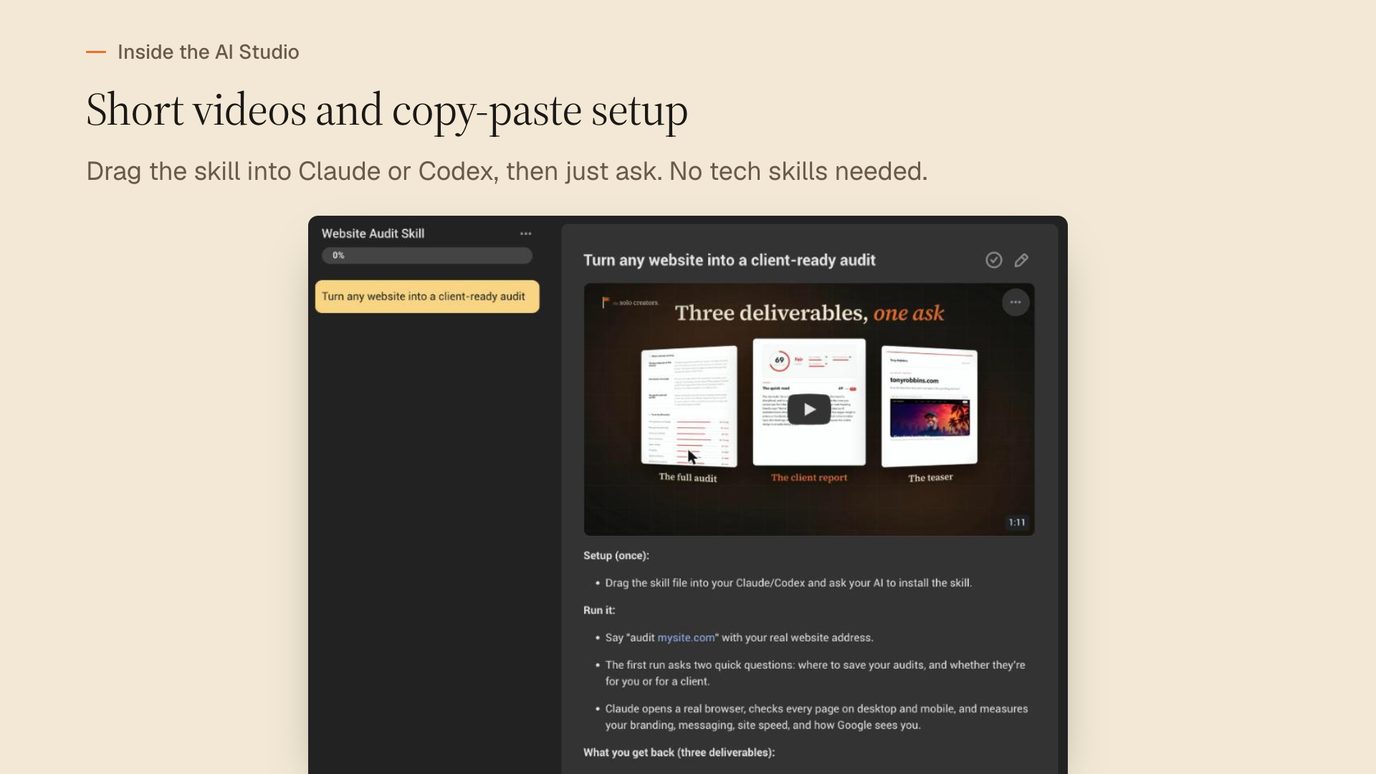
You can also add a skill's zip in the Claude app itself, from Customize in the sidebar. Anthropic is renaming that area Plugins, and the new name reached personal plans on November 9, 2026. A skill you add there works in regular Claude chats too, and per Anthropic's docs, Code tab sessions on your computer also load the skills turned on for your account.
Get finished skills for the jobs you do every week
Every skill I've mentioned in this article is in the Solo Creators AI Studio: the Slide Deck Designer, Carousel Generator, Website Audit, SEO Blog Post Generator, Fact Checker, Watch It For Me and the rest of the 18 skills live as of November 2026. Each one comes with a short course showing how to install and use it.
They're built with the 6 rules above: reasons instead of orders, real examples, built-in checks and a growing "never" list. You get the finished recipe, and you keep it.
Key takeaways
- A skill is a folder of instructions for one job. The only required file is SKILL.md: a name, a description of when to use it, and the steps.
- Claude reads only the description until a job needs the skill. The full recipe loads on demand, so 30 installed skills add only a little to each message.
- The description is the trigger. Write it last, put the main use case first, and include the exact phrases you use when you ask for the job.
- Skills follow the Agent Skills open standard, so the same skill runs in Claude Code and in Codex, inside OpenAI's ChatGPT desktop app.
- Write the checks as well as the steps. A skill that verifies its own output before it hands it back is worth 10 that don't.
Get this skill, and every one I build.
30-day money-back guarantee. Cancel anytime.
Questions people ask
What is a Claude skill in simple terms?
What's the difference between a skill and a prompt?
Do I need to know how to code to make a Claude skill?
How does Claude know when to use a skill?
Where do I find my skills in the Claude app?
Do Claude skills work with ChatGPT or Codex?
Is it safe to install a skill someone else made?

Ronnie spent 18 years building a SaaS with a team of 20 that served over 650,000 customers, generated over $14M in sales, and sent over 550M emails. Now he's solo, solving real business bottlenecks and turning them into working AI skills, workflows, and automations. He teaches all of it, with direct access to him, inside the Solo Creators AI Studio Skool community. See what he's built →
 Michael HattawayFounder, Iron Strengthens Iron
Keep reading