A 74-year-old shipped his own website this summer
William is 74. He's written a book, he'd never built a website, and he describes the terminal as "whatever that thing is."
This summer he posted this in the Wins channel of our community:
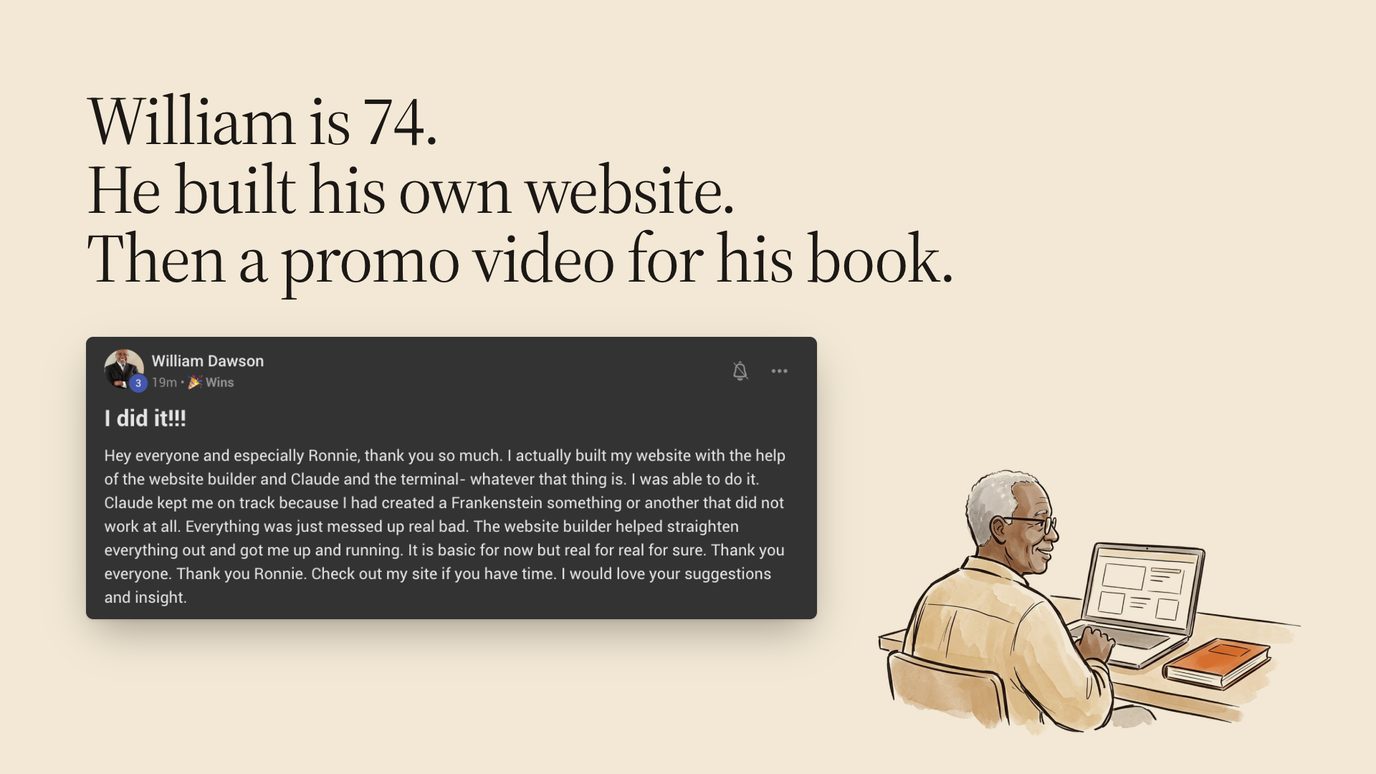
The part worth reading twice is the middle. He'd already tried on his own and ended up with what he called "a Frankenstein something or another that did not work at all." Then he gave the job to Claude with a proven recipe, and it straightened everything out and got him live.
In September he made a 28-second promo video for his book the same way, and his verdict on it is the best review any of my skills has had:
"This version is very close to what I would have made for myself if I had Claude's abilities." William Dawson, on his book promo.
I opened both live workshops with William for one reason. Everything that follows needs one skill from you: typing what you want in plain English. If you can copy and paste, you're qualified.
Do your real work in the Code tab
Most people use AI in a chat window. You ask a question, you get an answer, you copy it somewhere, and then you do the actual work yourself.
That's the smallest slice of what's available now. The bigger slice lives one tab over.
The Claude desktop app has a Code tab. Don't let the name put you off. I can't write a line of code, and I spend most of my working day in it. The difference from the chat tab is simple: in the Code tab, Claude can open the files and folders you point it at, use a browser, and save finished work on your computer.
One attendee asked the question everyone was thinking, so here's the precise answer. You want the desktop app, on your own computer. The browser version of Claude also has a Code button, but as of November 2026 those sessions run in the cloud on Anthropic's machines, so they can't open the files sitting in your folders.
If you pay for ChatGPT instead, the matching move is Codex. As of November 2026, Codex lives inside the ChatGPT desktop app: open the app and choose Codex. Everything in this article works in either one.
If the word "code" still makes you nervous, start with what Claude Code actually is for non-coders.
Treat AI like a team with eyes, ears and hands
Here's the mental shift that changes what you ask for.
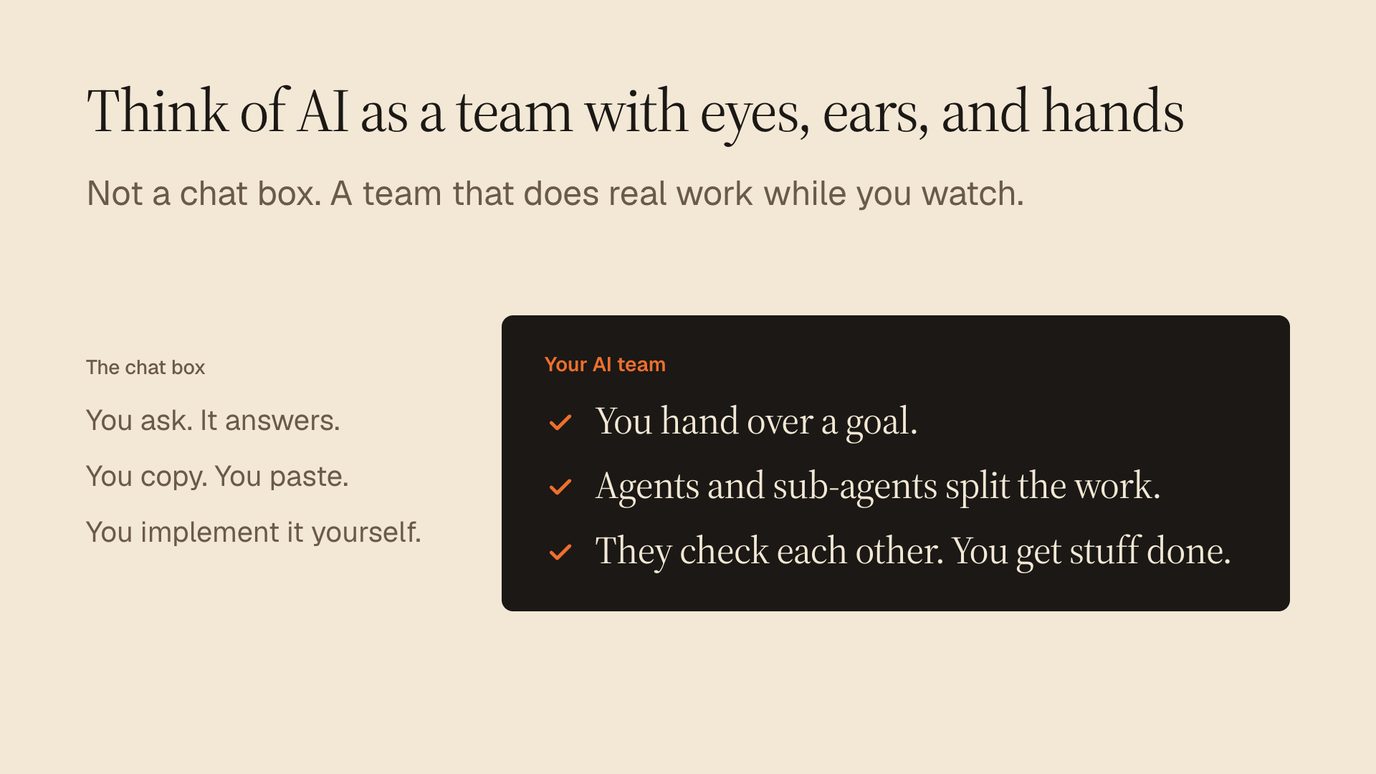
In a chat, you're the one doing the work. You're also the project manager, the editor and the person who pastes everything into the right place.
With a team, you hand over the goal. Claude splits it into pieces, starts helper agents on the pieces at the same time, and has them check each other's output before anything comes back to you.
You'll see this in the run I show further down. One agent wrote a playbook from this workshop's replay. A separate agent then checked 154 claims in that playbook against the transcript and the web, and fixed 4 of them. Neither of them needed me in between. That's what "they check each other" means in practice: the work arrives already reviewed once.
It sounds abstract until you see a job that isn't content. The same run audited our own website. It opened 6 pages in a real browser, at desktop size and at phone size, scored the site, and wrote a client-ready report with its top fix mocked up on the live page.
I didn't write a checklist or open a spreadsheet. I described the outcome and let the team do the digging.
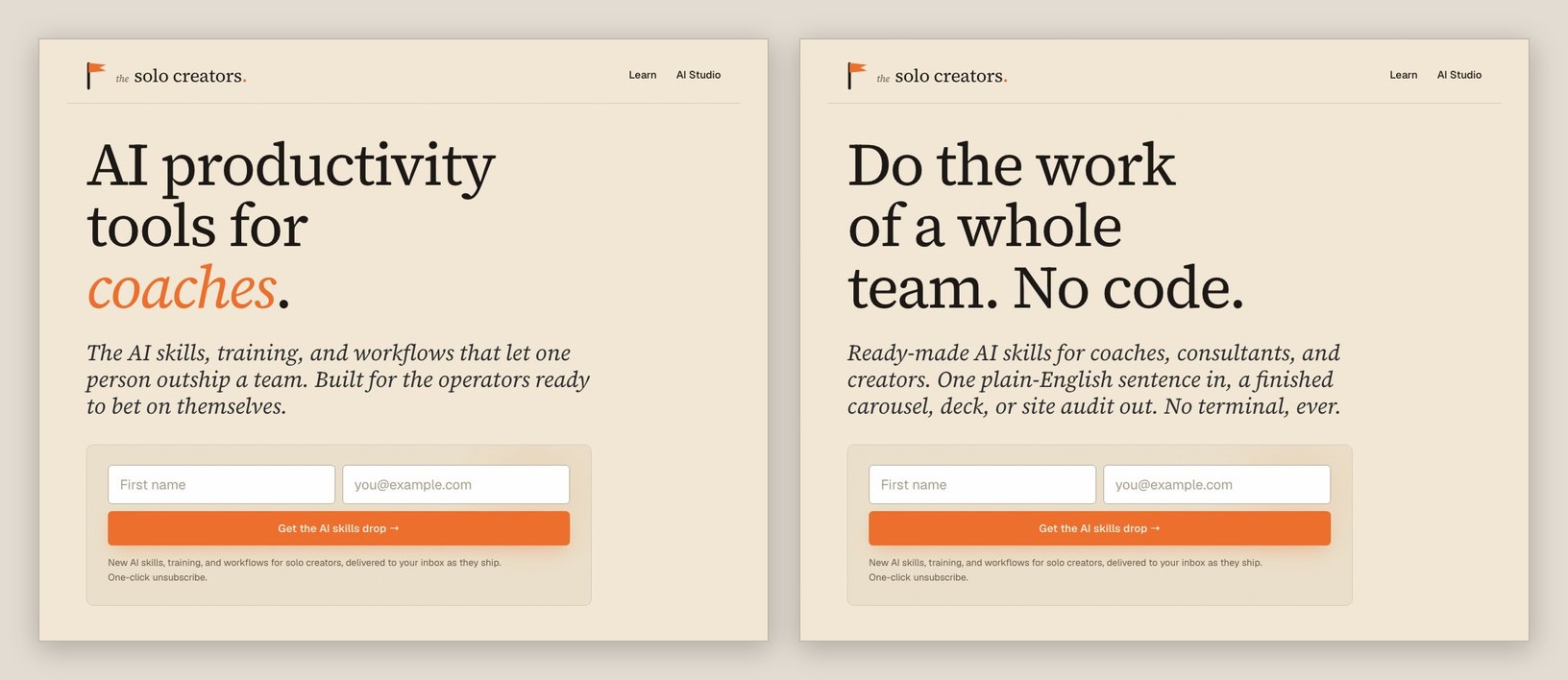
The audit scored our own site 78 out of 100, "Solid", and its top fix was a headline that never said "no code."
Hand over the goal and let the team plan the steps
The most common question I get about AI is "what's the right prompt?" The answer has changed a lot in the last year.
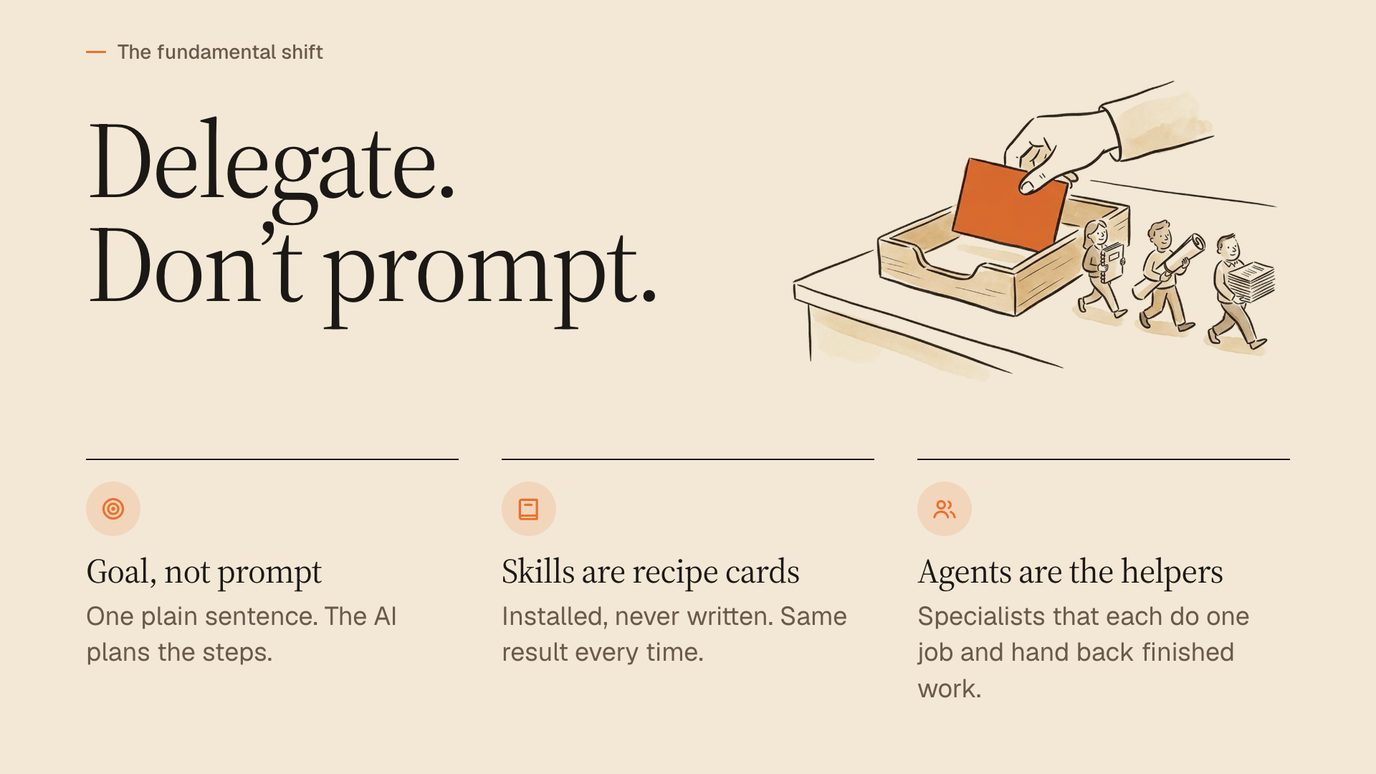
There are 3 ideas on that slide, and they stack.
- A goal, written as one plain sentence. You describe the finished thing and who it's for. The AI works out the steps.
- Skills, which work like recipe cards. A skill is a written set of instructions you install once. It produces the same result every time, in your brand, the way a family cookie recipe does. Change the salt and the sugar every batch and you'll get different cookies. Skip the skill and you'll get different colours, fonts and structure every time.
- Agents, which are the helpers. Specialists that each take one job and hand back finished work.
You don't have to take my word on the prompting part. 2 days before the second workshop, Boris Cherny, who created Claude Code at Anthropic, posted how he prompts:
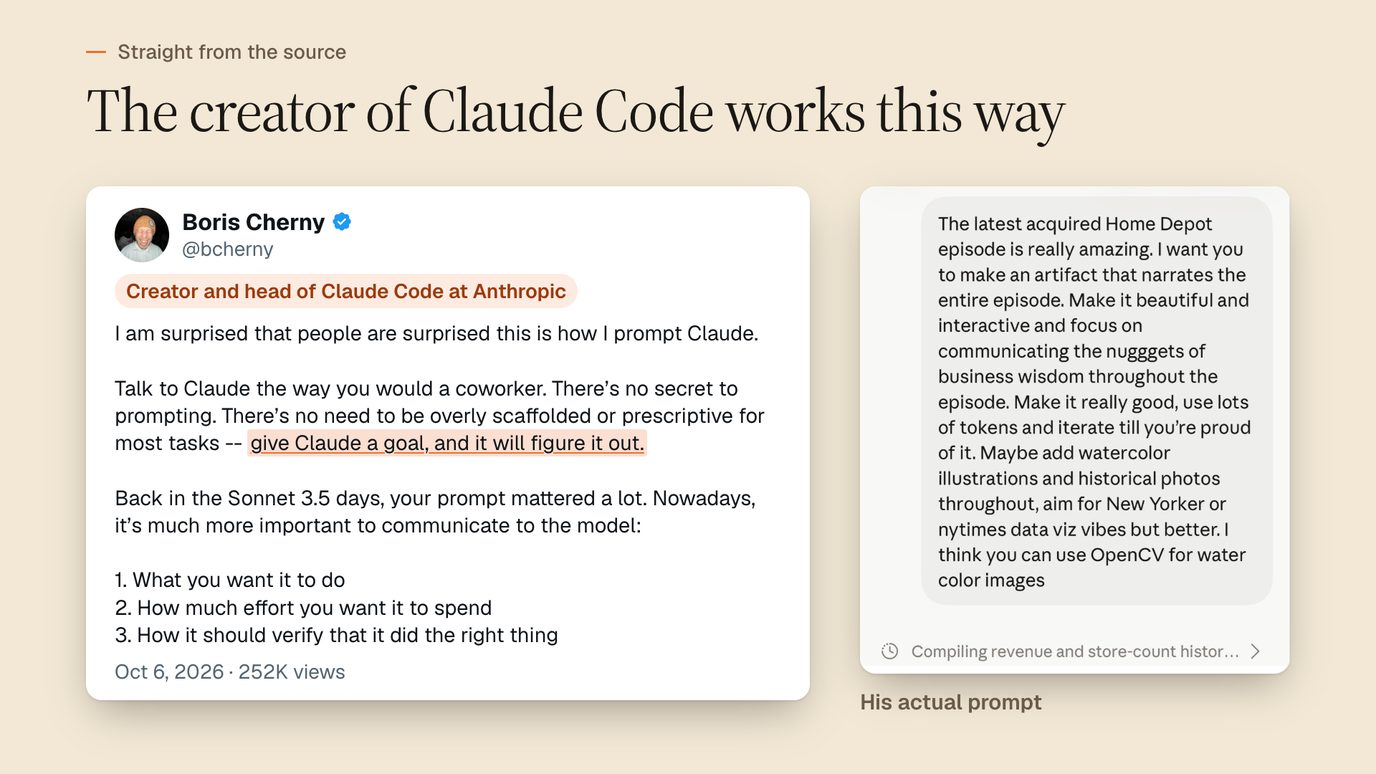
"Talk to Claude the way you would a coworker." Boris Cherny, who created Claude Code at Anthropic, on X on October 6, 2026.
His own example asks Claude to turn a podcast episode into an interactive page, and partway through it says 4 words: "Make it really good." That's the person who built the tool. You have permission to stop polishing your prompts.
His post names 3 things that matter now: what you want done, how much effort you want spent, and how Claude should check that it did the right thing. Here's that structure as a template you can paste into the Code tab today:
Here's my goal: [the finished thing I want, in one sentence].
It's for: [who will see it, and what they should do after].
Work from: [the files, links or examples in this folder].
Effort: [quick draft I can react to / take your time and make it really good].
Before you hand it back, check: [how you'll know it's right].
If anything is unclear, ask me before you start.
The last 2 lines do most of the work. Telling Claude how to check itself is the difference between a first draft and something you'd send to a client.
The effort line matters more than it looks. "Quick draft" gets you something to react to in a couple of minutes, which is right when you're still deciding what you want.
"Take your time and make it really good" tells Claude to plan, build, review its own work and fix what it finds before it reports back. Use the quick version to explore and the slow version once you know the target.
Turn 1 video and 1 website into 8 finished pieces
This was the live demo, and it's the part people still message me about.
I pasted 5 lines into the Code tab. That's the whole job:

In the room, I opened folders I'd made before the call. For this page, I ran the same 5 lines on the replay of this very workshop and on our own website, the night the replay went up. Every piece below is in our own brand.
From those 5 lines, Claude pulled the brand from the website once, then ran 8 skills and filed each result in its own numbered folder. All 8 landed. Here's what came back, with each piece's working minutes from the run log:
| Piece | What came back | Minutes |
|---|---|---|
| Playbook | An 8-step playbook, a 15,024-word transcript and 19 checked quotes | 2 |
| Website audit | A score of 78 out of 100, a 15-page client report and a 38-page full report | 13.5 |
| Slide deck | 12 slides, 9 of them drawn as pictures | 10 |
| Carousel | 10 slides plus post copy for LinkedIn and Instagram | 14 |
| TikTok slideshow | 6 story slides and a caption | 9 |
| Fact check | 154 claims checked, 4 fixed as tracked changes | 19 |
| Promo video | 30 seconds, with an AI voice-over | 12 |
| Teaser | A 48-second cut of the 5 best moments | 26 |
The 7 pieces after the playbook all started at the same time, so the wait comes down to the slowest one, here the 26-minute teaser. The run paused overnight partway through, so those are working minutes only. As of November 2026, the skill estimates about 30 to 45 minutes for its usual set.
Here's the carousel the chain built from this workshop. It's 8 of the 10 slides:
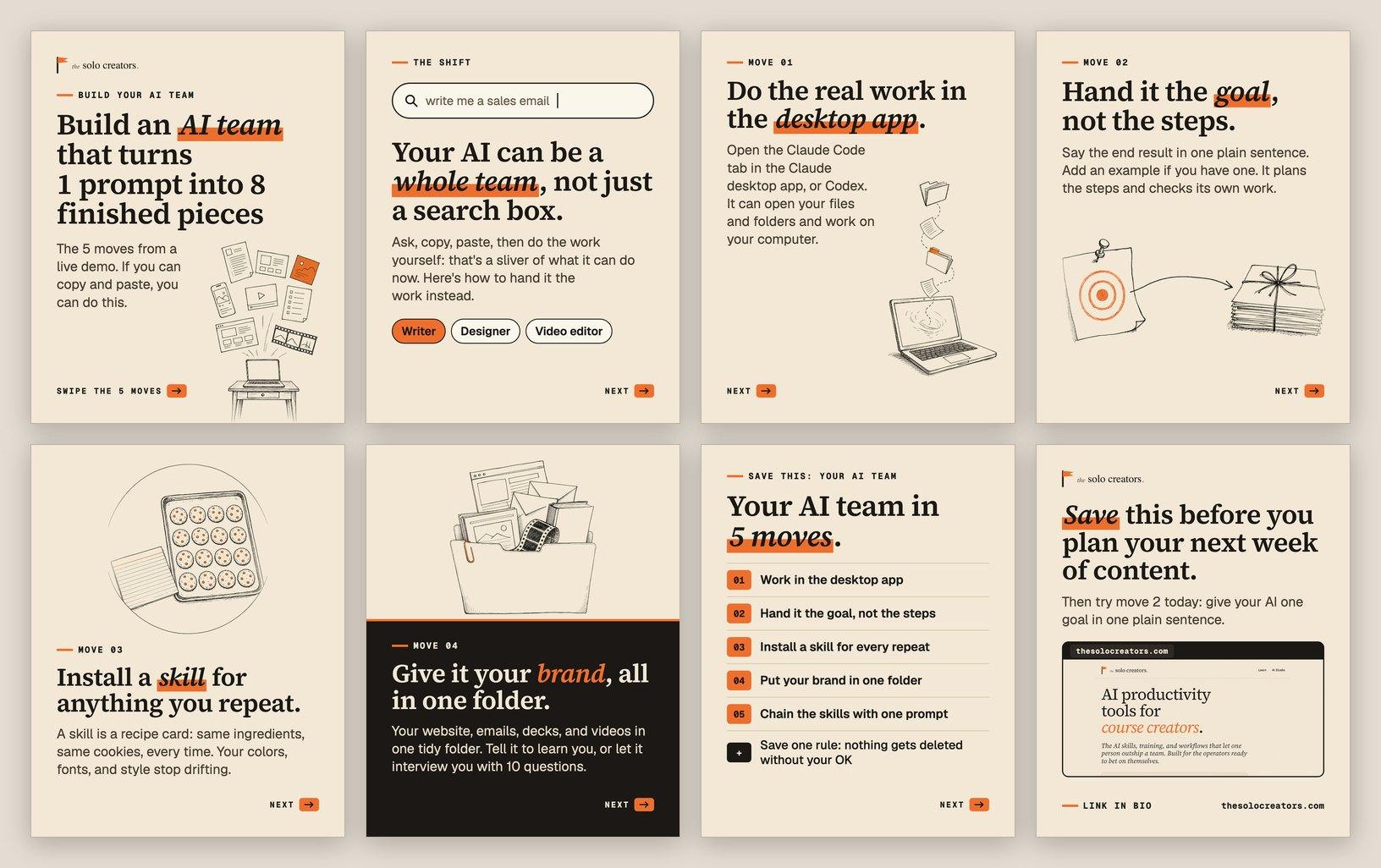
8 of 8 pieces landed from 1 message, and none of them was posted anywhere.
Like a good cooking show, I ran the chain before the call and opened the finished folders live. Nobody wants to watch a progress bar for half an hour.
The fact check is the drawer people skip, and it shouldn't be. On this run it checked 154 claims: 150 confirmed and 4 fixed. One fix was mine. On the call I'd said Claude's Pro plan was "about $100 per month." As of November 2026 it's $20 a month billed monthly, and $100 is where Max starts.
Another fix was the AI's. The playbook called my 5-line prompt "four lines." Small slips like these are exactly what ends up on a slide with your logo on it, and catching them is what lets you post with confidence.
The full breakdown, including every piece in pictures and how to do each one by hand, is in how to turn one video into 8 finished pieces of content.
Find a month of content in recordings you already made
The run above makes the point by itself. Its source was a replay that already existed, recorded for a different job, and it came back as a deck, a carousel, a TikTok story and a promo.
Think about what's in your own folders. Old webinars. Podcast guest spots. Client trainings. Slide decks from a talk you gave once. A book. A year of newsletters. Every one of those already contains your ideas in your own words. The expensive part, thinking it through, is done.
One attendee asked whether it has to start from a video. It doesn't. A PowerPoint, a PDF, a book manuscript or a folder of emails works the same way. AI reads the source, pulls out the core points and rebuilds them in whatever shape you ask for.
Start with an inventory. Point the Code tab at a folder and paste this:
Look through the folder I've shared with you.
List every recording, deck, document and email draft in it.
For each one, write one line on what it teaches and who it's for.
Then pick the 5 that would make the strongest posts this month,
and tell me why you picked each one.
Don't change, move or delete any files.
That last line is a habit worth building. The next section explains why.
Get straight answers to the questions both rooms asked
The Q&A ran longer than the talk, which is always a good sign. These are the questions that came up, with the answers I gave and a few I've sharpened since.
"If I switch from ChatGPT, do I lose everything I built there?"
No. Ask your old tool to write a handoff document, then give that file to the new one. It picks up where you left off.
I'm moving this work to a desktop AI app that can read my files.
Write a handoff document I can give it: what we've built together,
the decisions we made and why, my preferences, my brand details,
and the open tasks. Save it as handoff.md so I can download it.
The full routine is in move from ChatGPT to Claude without losing your work.
"Won't this burn through my usage?"
Tokens are simply how AI companies measure usage. The video steps use fewer than you'd expect, because the actual editing and rendering run on your own computer.
If you hit your plan's limit, you have 2 choices: space your work out, or move up a plan. As of November 2026, Claude Pro is $20 a month billed monthly, and Max starts at $100 a month.
For me, one AI subscription replaced a stack of tools. As I told the room, "I've canceled Gamma. I've canceled Canva." I don't pay for Adobe or a video editor anymore either.
"Can it get into my files and delete things by accident?"
It works inside the folder you point it at, and you choose that folder. Keep that folder somewhere that backs itself up, like Dropbox or Google Drive, and tell Claude in plain words that it must ask before deleting anything. I've covered the settings and the backup routine in how to let AI work in your files without losing anything.
"Should I move from ChatGPT to Claude?"
If you already pay for ChatGPT, stay where you are and use Codex, which now sits inside the ChatGPT desktop app. Every skill in this demo runs in Claude Code or Codex, and the 2 companies leapfrog each other every few months. Adding a second tool adds a learning curve, and the goal right now is momentum.
"Can it send my email newsletter?"
Yes, with one split. For one-to-one email, the Gmail connector can draft the reply in your inbox, and as of November 2026 it asks for your approval before it sends, replies or forwards anything.
For a list, you still need a sending service, and Claude can write, design and queue each issue through it for you to approve. I run my own newsletter this way, and the routine is in ship a weekly newsletter in an hour.
"Does it read my whole book, or just skim it?"
It reads what's in the folder, and it works from your actual words rather than a vague impression of them. For something as long as a book, ask for a chapter-by-chapter summary first and check it. Then build everything else from the summaries, with a line telling Claude to quote the manuscript exactly whenever it uses your words.
"Can the videos use my own voice?"
Yes. ElevenLabs offers voice cloning on its paid plans, as of November 2026. The promo on the run above used a free AI voice that runs on your own computer, so the narration cost $0.
"I already have workflows and docs. Do I start over?"
No. Point it at what you have. It reads your existing documents and instructions and builds on them, and if you tell it to keep the content and change only the design, it does exactly that.
"Did you build these skills or download them?"
I built them, and half of them started as a request from a member.
The Website Audit began with a member who wanted a client-ready report, and I rebuilt it 3 times on his feedback. The Podcast Guest Engine began with a member who wanted to get booked on podcasts. The Faceless Video Producer began with a member who wanted a faceless YouTube channel. As of November 2026, all 3 are live in the AI Studio.
Get your first AI win tonight
One finished thing, made in your brand, is enough to feel the shift, and you can make it in under an hour. Here's the 3-step version I closed both workshops with:
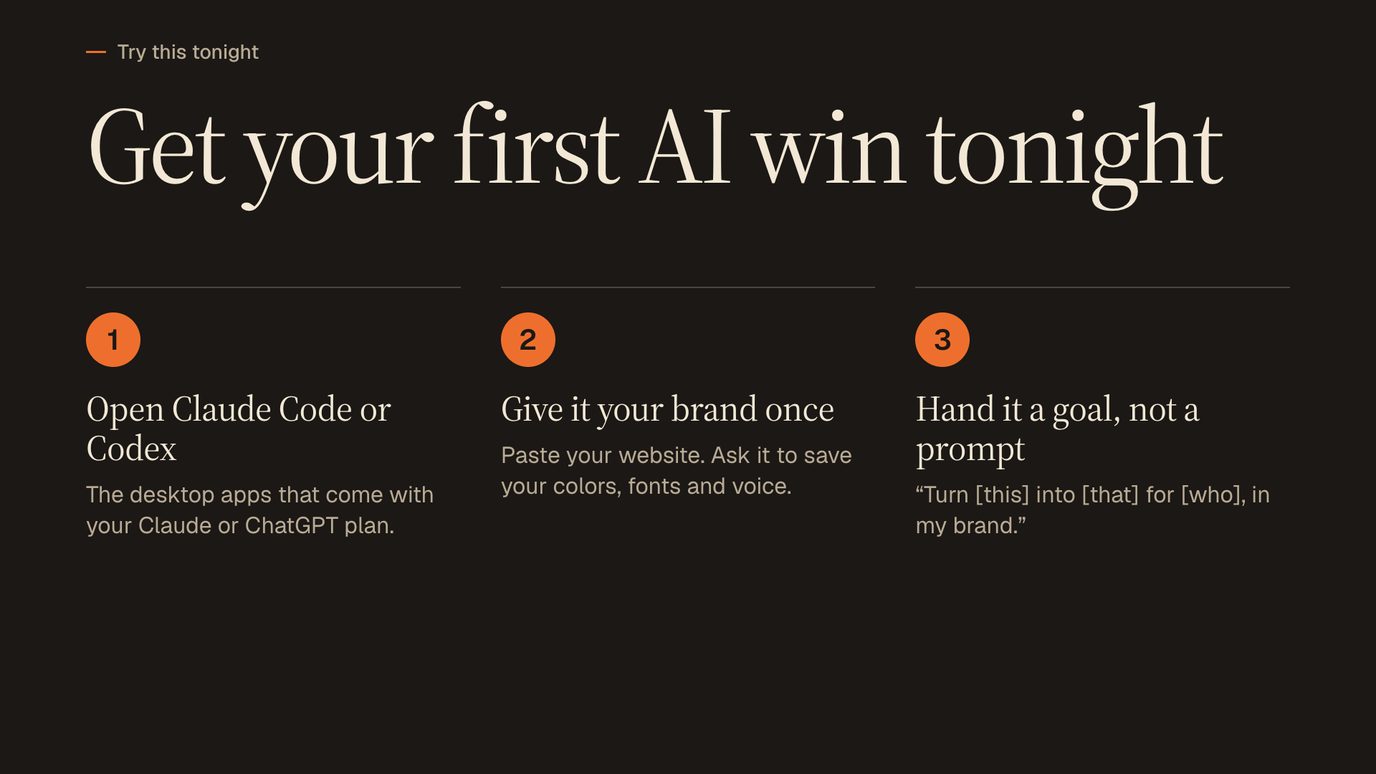
1. Open the Code tab in the Claude desktop app, or Codex in the ChatGPT desktop app. Make a folder for your business and choose it as the session's folder.
2. Give it your brand once. This is the step that makes every later output look like you made it.
Read my website: [your website address].
Write down my brand so you can reuse it every time:
my colours, my fonts, my logo, and how I sound.
Then ask me 10 questions about my business and my customers.
Save everything in a file called brand.md in this folder.
3. Hand it a goal. Pick one thing you already made and give it a new shape.
Turn [this recording / this deck / this document] into
[a 10-slide carousel / a short email / a one-page guide]
for [who it's for], using my brand from brand.md.
Show me a draft before you finish it, and tell me what you checked.
That's your first delegation. The second one is faster, because the brand file is already there.
Get every skill from the demo, ready to install
Every skill in the live demo is in the Solo Creators AI Studio today: Watch It For Me, Website Audit, Slide Deck Designer, Carousel Generator, TikTok Slideshow, Fact Checker, Promo Video Producer and Auto Video Editor. Each one comes with a short video showing how to install it, which takes a few minutes and no technical skills.
The Content Chain, which runs them all from one message, is live too. As of November 2026, it asks you once which pieces you want, builds every piece from the fact-checked playbook, and remembers your brand, so after the first run the whole message is "Run the content chain" and a video link.
Members also get live build calls, and they can ask me to build the skill they need next, which is how half the library started.
Key takeaways
- Move your work into the Code tab of the desktop app. It can open the folders you point it at, use a browser and save finished work on your computer. The browser version runs in the cloud and can't reach your files.
- Hand over a goal instead of a list of steps. The creator of Claude Code says to talk to it like a coworker: say what you want, how much effort to spend, and how it should check its own work.
- Skills make the results repeatable. A skill is a recipe card you install once, so the 10th carousel matches the 1st in colours, fonts and structure.
- 1 message turned 1 video and 1 website into 8 finished pieces on my run of the workshop replay, from a 12-slide deck to a website audit that scored 78 out of 100. None of it was posted anywhere.
- Your old recordings are the cheapest content you own. Webinars, decks, books and email archives already hold your ideas in your own words. Inventory them first, then pick the 5 strongest.
Get this skill, and every one I build.
30-day money-back guarantee. Cancel anytime.
Questions people ask
Do I need to know how to code to build an AI team?
What's the difference between Claude's chat tab and Claude Code?
What is a skill in Claude Code?
How long does it take to turn one video into 8 pieces of content?
Does the AI post anything automatically?
Can I build an AI team with ChatGPT instead of Claude?

Ronnie spent 18 years building a SaaS with a team of 20 that served over 650,000 customers, generated over $14M in sales, and sent over 550M emails. Now he's solo, solving real business bottlenecks and turning them into working AI skills, workflows, and automations. He teaches all of it, with direct access to him, inside the Solo Creators AI Studio Skool community. See what he's built →
 Michael HattawayFounder, Iron Strengthens Iron
Keep reading