TikTok SlideshowAn AI skill in the Solo Creators AI Studio
Turn one idea into a thumb-stopping slideshow.
The TikTok Slideshow is an AI skill that turns one idea into a finished TikTok photo slideshow: six slides with a real image on every one, your words laid on top, and a caption with exactly 5 hashtags. It grades its own draft before it makes a single image, and it can build a whole week in one sitting and stage each post as a TikTok draft.
Cancel anytime 30-day money-back guarantee Yours to keep


- You give itOne idea, or a post or video to turn into slides
- You get6 finished slides, the caption and 5 hashtags
- Two looksAI photo stories or real mood photos
- You finishAdd a trending sound and tap post
Watch it work, start to finish.
Watch one idea become a finished TikTok slideshow, live: the setup chat, the slide text, the quality check, the caption and hashtags, and the post scheduled through Postiz.
I Built an AI Skill That Makes TikTok Slideshows From One Idea (No Filming, No Face)
A real slideshow, all six slides.
A real slideshow in the AI photo look, shown whole at the 9:16 size it posts at.
AI photo look: one made-up coach on every slide, made from a webinar playbook for our own brand
Slide 1, the hook 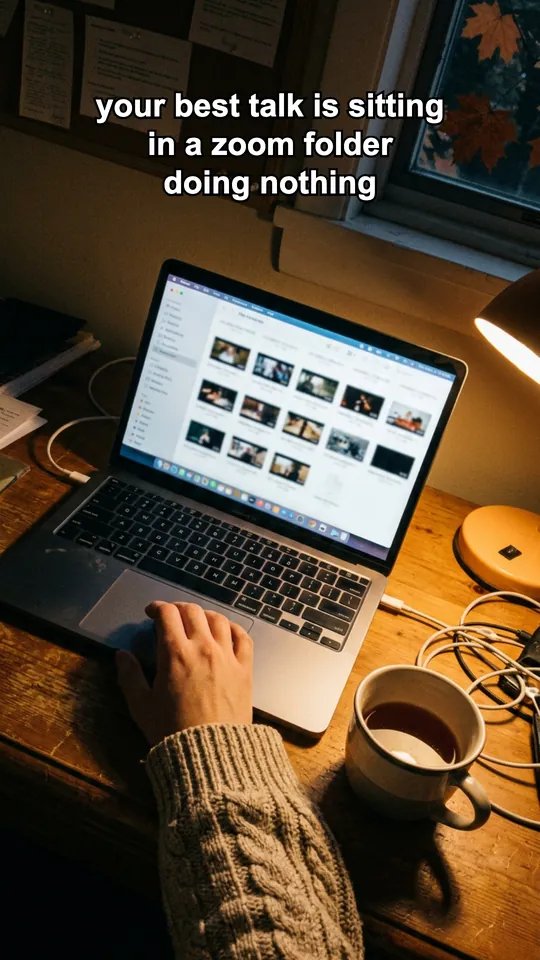
Slide 2, a second hook 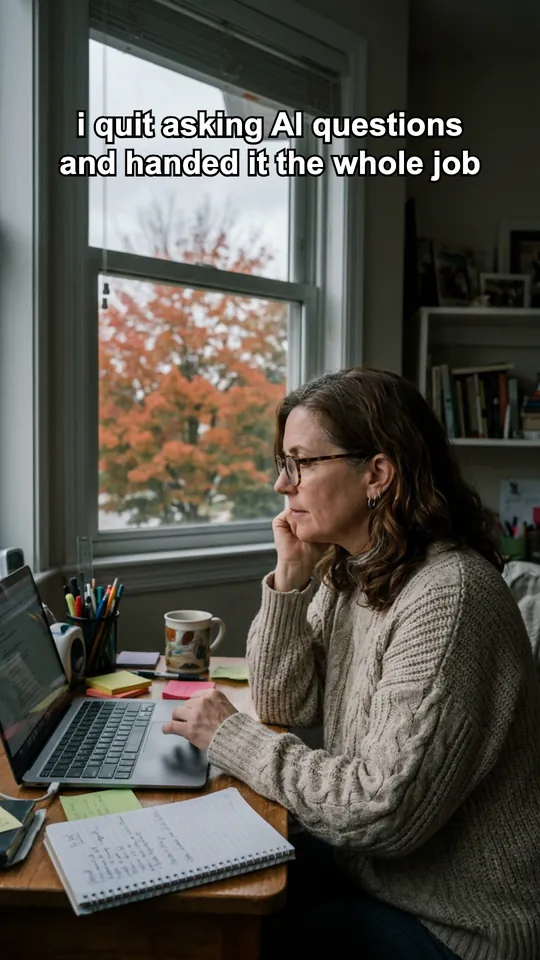
Slide 3, the turn Slide 4, the product does the work Slide 5, a line worth a screenshot 
Slide 6, the landing
Every slide is a 1080 by 1920 PNG with the text on a real image. The people are made up for the demo.
How it works, in three steps.
-
You type“Set up TikTok slideshows for my meal-prep coaching business and build my first post.”
Give it one idea
Type one sentence about your topic, or hand it a blog post or video to turn into slides. The first time, it asks a few quick questions about your brand and your look.
-
While it works
- Writes 6 slides and the caption
- Grades its own draft out of 50
- Puts a real image on every slide
- Lays your words on each slide
- Checks every finished slide
It writes, grades and builds the slides
It drafts six slides and the caption, scores the draft out of 50 and rewrites anything weak, then lays your words over a real image on every slide.
-
You add a sound and post
You get the finished slides and the caption. With Postiz connected, each post waits in your TikTok inbox as a draft. Add a trending sound and tap post.


Runs in Claude Code, the desktop app for Mac and PC. No code, no terminal.
What you can use it for.
Promote your offer without filming
Your product becomes the reason the story happens, so the post never reads like an ad.
Turn a blog post or video into slides
It pulls the images from your own source first, then fills any gaps.
Fill a week of TikTok in one sitting
Build several at once, approve them on one screen and schedule them.
Grow a faceless account
The real-photo look suits wellness, journaling, faith, motivation and lifestyle niches.
Tell a story with one character
The AI photo look keeps the same person on every slide.
Know what to make next
Paste your TikTok numbers into chat and it tells you what to make next.
What you get
Fill your TikTok without filming once.
No filming, no face
Every slide is a real image with your words laid on top.
Graded before it's made
It scores its draft out of 50 and rewrites anything under 35 before making a single image.
Built to be swiped
Two hooks up front, a story that pays off, and one question in the caption that invites comments.
A week in one sitting
Build several at once, approve the covers on one screen and schedule them through Postiz.
Caption and hashtags written
A title, a few lines in the first person, one question and exactly 5 hashtags.
Nothing posts without you
TikTok posts land as drafts, so you add a trending sound and tap post.
Full specsInputs, outputs, what it runs in and more. Facts as of October 2026.
- What it does
- One idea into a thumb-stopping TikTok photo slideshow, captions and hashtags written, ready to schedule.
- Runs in
- Claude Code, the desktop app for Mac and PC
- Input
- One topic sentence, or a blog post, web page, video or document to turn into slides
- Output
- 6 slides by default (5 to 8 also work) as 1080 by 1920 PNG files, plus a caption with a title, a few first-person lines, one question and exactly 5 hashtags
- Looks
- Story: AI-made, everyday phone-style photos with one consistent character. Aesthetic: real mood photos with the text in white pills.
- Images
- Story look: a few cents per image on your own fal.ai account, and it tells you the count and rough cost before it spends. Aesthetic look: free, with images from your own posts, free stock or your own photos.
- Quality check
- Scores the draft on 7 measures out of 50 and rewrites anything under 35, then checks every finished slide for size, cut-off words and text over the focal point
- Posting
- Upload the files in the TikTok app yourself, or connect Postiz and each post waits in your TikTok inbox as a draft. You add a trending sound and tap post.
- A week at once
- Build several posts in one sitting, approve the covers on one screen, and schedule them through Postiz. About 30 seconds per post stays with you.
- Feedback loop
- Paste your TikTok numbers into chat. It records them and tells you what to make next, and it never invents numbers.
- Your time
- Minutes per slideshow
- Included in
- The Solo Creators AI Studio, with every other skill
- Updated
Included in the Solo Creators AI Studio
Get the TikTok Slideshow, plus every other skill.
The TikTok Slideshow comes with the Solo Creators AI Studio. One membership gets you all 18 skills available today, a new one every month, the training for each, and a room of solo creators who ship.
Cancel anytime 30-day money-back guarantee Full pricing is on Skool
- All 18 AI skills, yours to keep, even if you cancel.
- A new skill every month, often shaped by what members are working on.
- Two live calls a month: a build call and a hot-seat.
- Step-by-step training for every skill, made for non-technical people.
- Ronnie reads every post and replies, in a room of solo creators who ship.
Questions about the TikTok Slideshow.
How do I make TikTok slideshows without filming?
It depends on how you want to show up. If you would rather not film or show your face, the TikTok Slideshow turns one idea into six finished photo slides with the caption and hashtags written, and it can build a whole week in one sitting. You still add a trending sound and tap post yourself. If your content needs you talking on camera, or a voiced video, a video format fits better, like the Faceless Video Producer for animated Shorts.
Do I have to film or show my face?
No. A slideshow is a set of images with your words on them, so there is no filming, no face and no editing.
Will it post to TikTok for me?
It stages it for you. With Postiz connected, each slideshow waits in your TikTok inbox as a draft with the slides loaded. You add a trending sound and tap post. Without Postiz, you get the slides and the caption and upload them in the TikTok app. It never publishes silently.
Where do the images come from?
You pick a look. The AI photo look makes everyday phone-style photos with one character, a few cents each on your own fal.ai account, and it tells you the cost before it spends. The real-photo look uses images from your own post or video, free stock or your own photos, at no cost. Every slide always gets a real image.
Do I need a fal.ai account?
Only for the AI photo look. The real-photo look needs no key and no signup, and your first slideshow never waits on one.
Can I make a week of posts at once?
Yes. Give it a few topics and it builds them all in one sitting, shows you the covers on one screen to approve, and schedules them through Postiz. About 30 seconds per post stays with you: add a trending sound and paste the caption.
Do I need to use a terminal?
No. You ask in plain English in Claude Code, the desktop app, and it does every step for you.
If I cancel, do I keep the skills I installed?
The skills are yours. They install into your own Claude Code, Codex, or other AI tool, so they live on your machine. Cancelling stops your access to future drops, live calls, and community, but anything you installed stays installed.
What if I'm not technical?
The walkthrough videos assume zero technical background. If you can copy-paste, you can install a skill. The community is full of solo creators who are just regular business owners, coaches, and consultants... not engineers.
How does the 30-day guarantee actually work?
Change your mind for any reason within the first 30 days and email me. I refund your most recent payment, no questions asked. No screenshots, no justification, no hard feelings.
Published .
Works well with.
- Carousel Generator10 slides, one ideaTurn one idea into a swipeable LinkedIn and Instagram carousel, ready to post.
- Faceless Video ProducerVideo without the cameraTurn any topic into a researched, voiced, animated video in a folder ready to upload. You approve the script first, and you never go on camera.
- Content ChainTurns one message into 8 finished piecesOne video and one website become a playbook, an audit, a deck, a carousel, TikTok slides, a fact check, a promo, and a teaser, all in one brand.

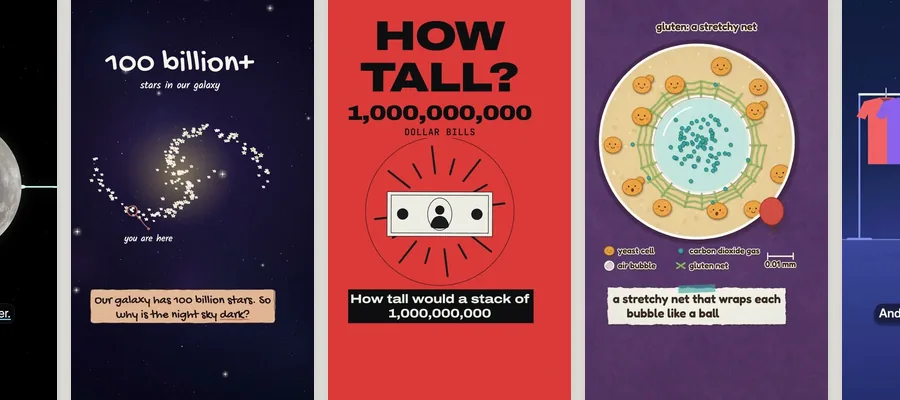
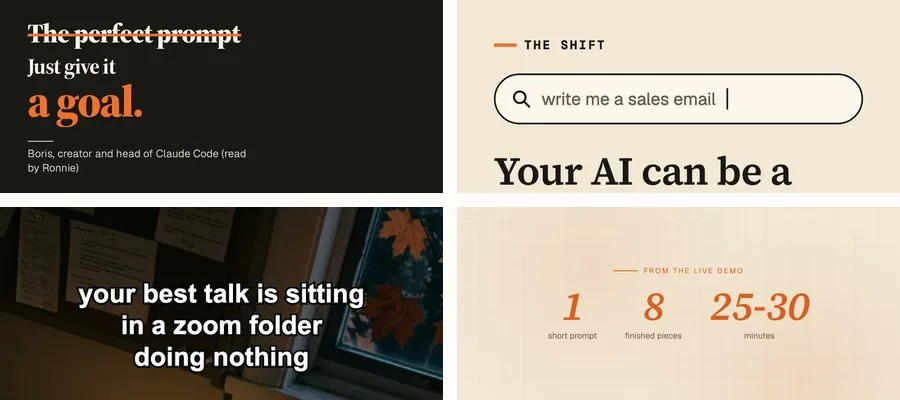
Turn one idea into a thumb-stopping slideshow.
Join the AI StudioCancel anytime 30-day money-back guarantee