Promo Video ProducerAn AI skill in the Solo Creators AI Studio
Turn a few screenshots into a cinematic promo.
The Promo Video Producer is an AI skill that turns a short description and a few screenshots into a branded promo video with a voice and music, ready to post. It reads your website for your colors, fonts and logo, shows you two looks to pick from, and you never film or edit anything.
Cancel anytime 30-day money-back guarantee Yours to keep

“This version is very close to what I would have made for myself if I had Claude's abilities.”
Press play. This is a real video the skill made.
- You give itA sentence and a few screenshots
- You getA branded promo video with a voice
- LengthsA 10-second teaser to a 90-second explainer
- Your partAnswer 7 questions, approve the look
Three real promos that look nothing alike.
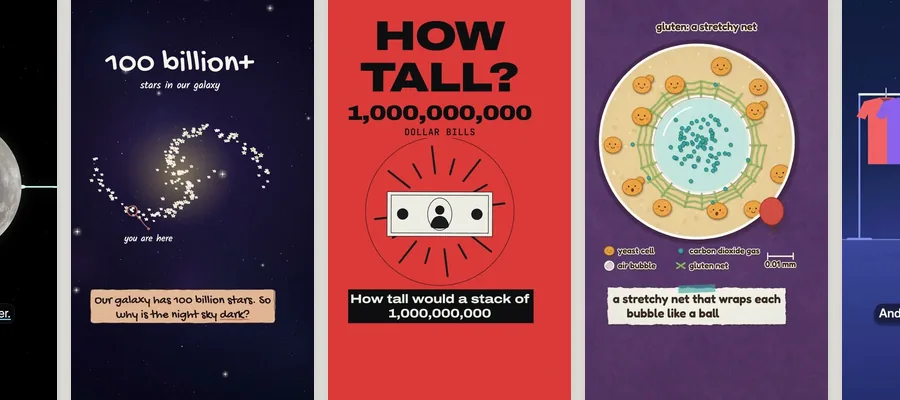
Each one made for a made-up business, in its own look, voice and arc. Press play on any of them.
Three promos and the demo
Every promo renders as a 1080p MP4, plus vertical and square. The businesses, quotes and numbers are made up.
How it works, in three steps.
-
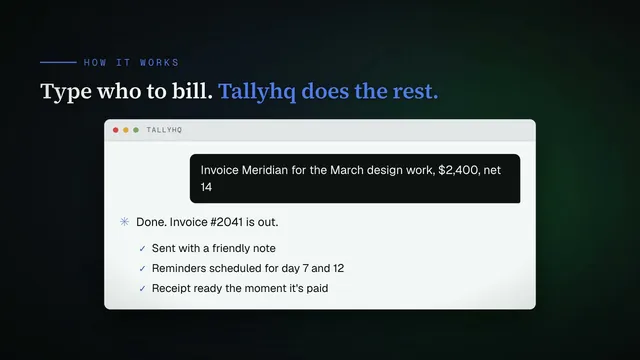
You type“Make me a promo video for my coaching program.”
Ask for a promo
Say "make me a promo video" and answer 7 short questions in one message: what it is for, your site, the length, your screenshots, your words, a voice and a music vibe.
-
While it works
- Reads your website
- Locks your colors, fonts and logo
- Shows you two sample looks
- Writes the voiceover script
- Waits for your OK
Approve the look and the script
It reads your site for your colors, fonts and logo, shows you two different looks in your brand, then writes the voiceover lines for you to approve.
-
Get the finished video
Watch the draft, ask for changes in plain English, and get the final 1080p MP4. Then ask for the vertical and square versions for social.
Runs in Claude Code or Codex, the desktop apps for Mac and PC. No code, no terminal.
What you can use it for.
Launch a product or an app
Turn screenshots of your product into a launch video.
Promote a service
Use photos, or ask it for clean mockups, so an offer with nothing to screenshot looks just as strong.
Sell a course or a program
A 30 to 45-second promo for your sales page.
Explain it on a sales call
A 60 to 90-second explainer walks a prospect through your offer.
Tease it in the feed
A 10 to 15-second teaser for the feed and for ads.
Post it everywhere
Widescreen for YouTube, vertical for Reels, square for your feed.
What members say.
Posted by members inside the Solo Creators AI Studio, in their own words.
“Everything was done through prompts with Claude and the Promo Video Producer. It was easy to work with. I gave a few commands, but mostly Claude took my previous work and generated the entire thing. This version is very close to what I would have made for myself if I had Claude's abilities.”
William DawsonSolo Creators AI Studio memberWhat you get
Launch like you have a video team.
Nothing to film
The screenshots, photos or clips you already have are enough.
Your brand, read off your site
Your colors, fonts and logo, locked once and used on every promo.
You approve it first
Two sample looks and the full script come to you before the video is built.
A voice built in
A natural AI voice that runs on your computer, or your own lines recorded on your phone.
Every length and shape
A teaser, a promo or an explainer, in widescreen, vertical and square.
Never the same template
Twelve scene types and five look dials, so your promo does not look like anyone else's.
Full specsInputs, outputs, what it runs in and more. Facts as of October 2026.
- What it does
- A cinematic promo from a sentence and a few screenshots: your scenes, your footage, a built-in voice, in your brand.
- Runs in
- Claude Code or Codex, the desktop apps for Mac and PC
- Input
- What it is for, your website, 3 to 8 screenshots or photos (or none, and it makes mockups), any short clips, and your hook, highlights and call to action as bullet points
- Output
- A finished 1080p MP4, plus vertical (9:16) and square (1:1) versions when you ask
- Lengths
- A teaser of 10 to 15 seconds, a promo of 30 to 45 seconds, or an explainer of 60 to 90 seconds
- Scenes
- 12 scene types, including a chat, your screenshots, your own footage, photos, a testimonial, the numbers, a checklist and a before and after
- Looks
- Four styles (editorial, kinetic, tech and clean) and five look dials: the type, the layout, the background, how your screens are framed and how scenes move
- Voice
- A built-in AI voice that runs on your computer with no account, your own recording from your phone, or no voice
- Music
- A royalty-free track found for each video in free music libraries, trimmed to length and mixed under the voice, plus sound effects on the cuts
- Your brand
- Your colors, fonts and logo, read from your website and saved, so every future promo matches
- Setup
- Your AI sets up two free tools the first time, on Mac or Windows. At most you click an "allow" dialog. Windows support is newer.
- Included in
- The Solo Creators AI Studio, with every other skill
- Updated
Included in the Solo Creators AI Studio
Get the Promo Video Producer, plus every other skill.
The Promo Video Producer comes with the Solo Creators AI Studio. One membership gets you all 18 skills available today, a new one every month, the training for each, and a room of solo creators who ship.
Cancel anytime 30-day money-back guarantee Full pricing is on Skool
- All 18 AI skills, yours to keep, even if you cancel.
- A new skill every month, often shaped by what members are working on.
- Two live calls a month: a build call and a hot-seat.
- Step-by-step training for every skill, made for non-technical people.
- Ronnie reads every post and replies, in a room of solo creators who ship.
Questions about the Promo Video Producer.
How do I make a promo video without filming anything?
It depends on what you have. If you have a product, an offer, a course or a service and a few screenshots or photos, the Promo Video Producer turns them into a branded promo of 10 to 90 seconds with a voice and music, and you approve the look and the script first. If you already recorded a video and want it edited, the Auto Video Editor is the better fit. If you want your own face on camera, you need to film that part yourself.
Do I need a camera or any footage?
No. A few screenshots or photos are enough, and you can add short clips if you have them. No visuals yet? It makes clean mockups.
Will it look like my brand?
Yes. It reads your website for your real colors, fonts and logo, then shows you two sample looks in your brand before it builds the video. The look you approve is saved, so every future promo matches.
Can I use my own voice?
Yes. It hands you the script, you record the lines on your phone, and the video fits itself to your read. You can also pick a built-in AI voice that runs on your computer with no account, or have no voice at all.
Where does the music come from?
Tell it a vibe and it finds a royalty-free track for that video in free music libraries, trims it to length and mixes it under the voice. No music ships with the skill, on purpose, so your promo does not sound like anyone else's.
Can it edit a video I already recorded?
No. This skill makes a new video from scratch. To edit a recording you already have, use the Auto Video Editor, which is also in the AI Studio.
Do I need to use a terminal?
No. You ask in plain English in Claude Code or Codex, the desktop app, and your AI runs everything for you. You never type a command.
If I cancel, do I keep the skills I installed?
The skills are yours. They install into your own Claude Code, Codex, or other AI tool, so they live on your machine. Cancelling stops your access to future drops, live calls, and community, but anything you installed stays installed.
What if I'm not technical?
The walkthrough videos assume zero technical background. If you can copy-paste, you can install a skill. The community is full of solo creators who are just regular business owners, coaches, and consultants... not engineers.
How does the 30-day guarantee actually work?
Change your mind for any reason within the first 30 days and email me. I refund your most recent payment, no questions asked. No screenshots, no justification, no hard feelings.
Published .
Works well with.
- Auto Video EditorDescribe the editsTurn a screen recording or talking-head into a polished, on-brand video by describing the edits you want: zooms, captions, and callouts.
- Faceless Video ProducerVideo without the cameraTurn any topic into a researched, voiced, animated video in a folder ready to upload. You approve the script first, and you never go on camera.
- Carousel Generator10 slides, one ideaTurn one idea into a swipeable LinkedIn and Instagram carousel, ready to post.


Turn a few screenshots into a cinematic promo.
Join the AI StudioCancel anytime 30-day money-back guarantee