See your life as a video game character screen
Make one now and again in five years, and you get a time capsule of how your life changed.
Published . Steps as of October 2026.
How can I turn my life into a video game character screen with AI?
Ask an AI image tool for a game-style equipment screen, then describe your everyday gear, the apps you use, your pet and your current goals. ChatGPT and Gemini can both draw it from a written description. Pick a cozy style for a fun share, or a classic fantasy look for a time capsule you redo every few years. If labels come out garbled, ask for fewer slots and shorter labels.
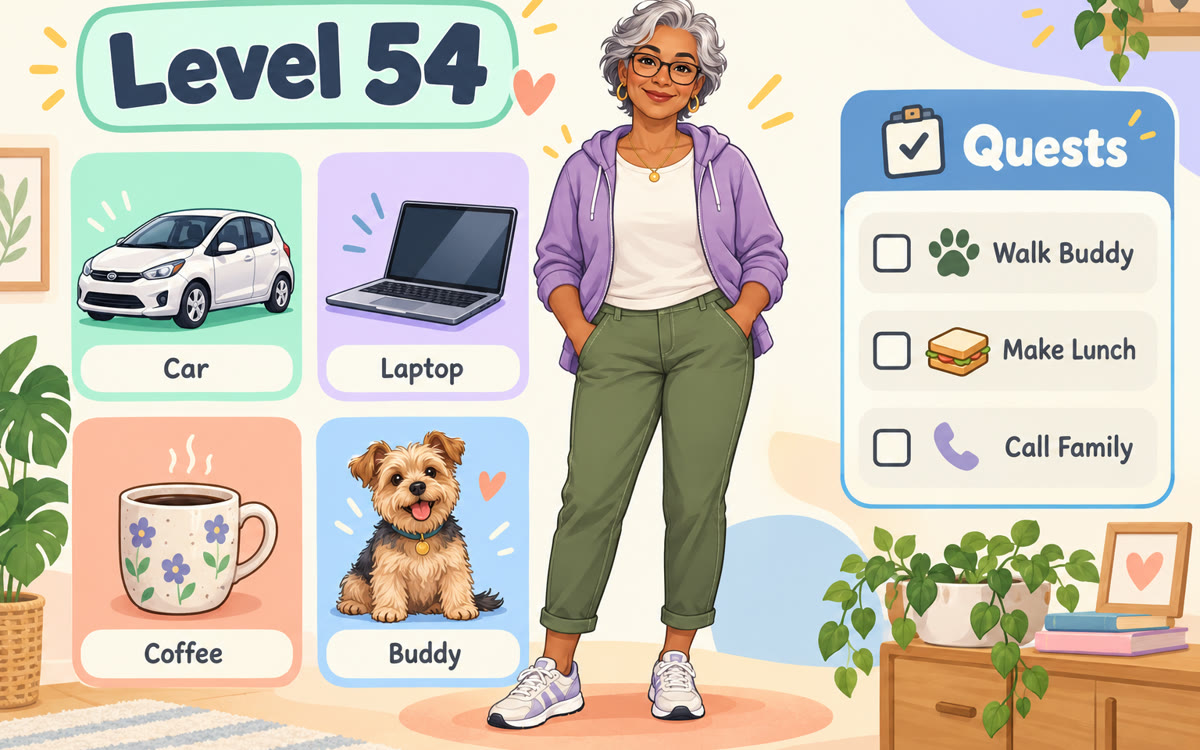
A sample of what you get back, made with AI.
Your image prompt
Fill in your details. Skip any you like.
Each button copies your prompt and opens a new chat that makes images. Just paste it in.
The prompt that gets copied
Create a 16:9 image styled as a modern video game character equipment screen, for an ordinary person's real life.

In the center, draw my character full-body as an illustrated game avatar: [DESCRIBE YOURSELF, e.g. woman, 50s, short gray hair, glasses].
Character name and level: [NAME AND LEVEL, e.g. Dana, level 54].

Equipment slots around the character, each with a small icon and label:
- Phone, computer, vehicle: [YOUR GEAR, e.g. old iPhone, laptop, blue hatchback]
- Outfit and favorite store: [OUTFIT AND STORE, e.g. fleece vest, garden center]
- Companion: [PET OR COMPANION, e.g. a scruffy terrier]

Spells panel: [APPS YOU USE, e.g. maps, banking app, recipe site]
Stats bars: energy, patience, coffee, focus, with honest values.
Active quests panel: [CURRENT GOALS, e.g. finish the deck, learn Spanish]

Style: [GAME STYLE, e.g. cozy fantasy RPG]. Clean panels, readable labels, warm and funny, no real brand logos.
Describe your everyday gear, apps and goals. ChatGPT draws you as a game character, with your phone and car as equipment, your apps as spells and your goals as quests.
Step by step
- Open a new chat in ChatGPT
- Paste the prompt and fill in your gear, apps and goals
- Ask for a second version in another game style if you like
- Save the image to compare with next year's
What you'll get
A finished game-style character screen of your life, with gear, spells, stats and quests you can share or save as a time capsule.
The source attached a photo for a likeness. This version works from a written description, so no photo is needed.
- Made for
- Everyone
- Works in
- ChatGPT, Gemini


 Before