See yourself styled in four different decades
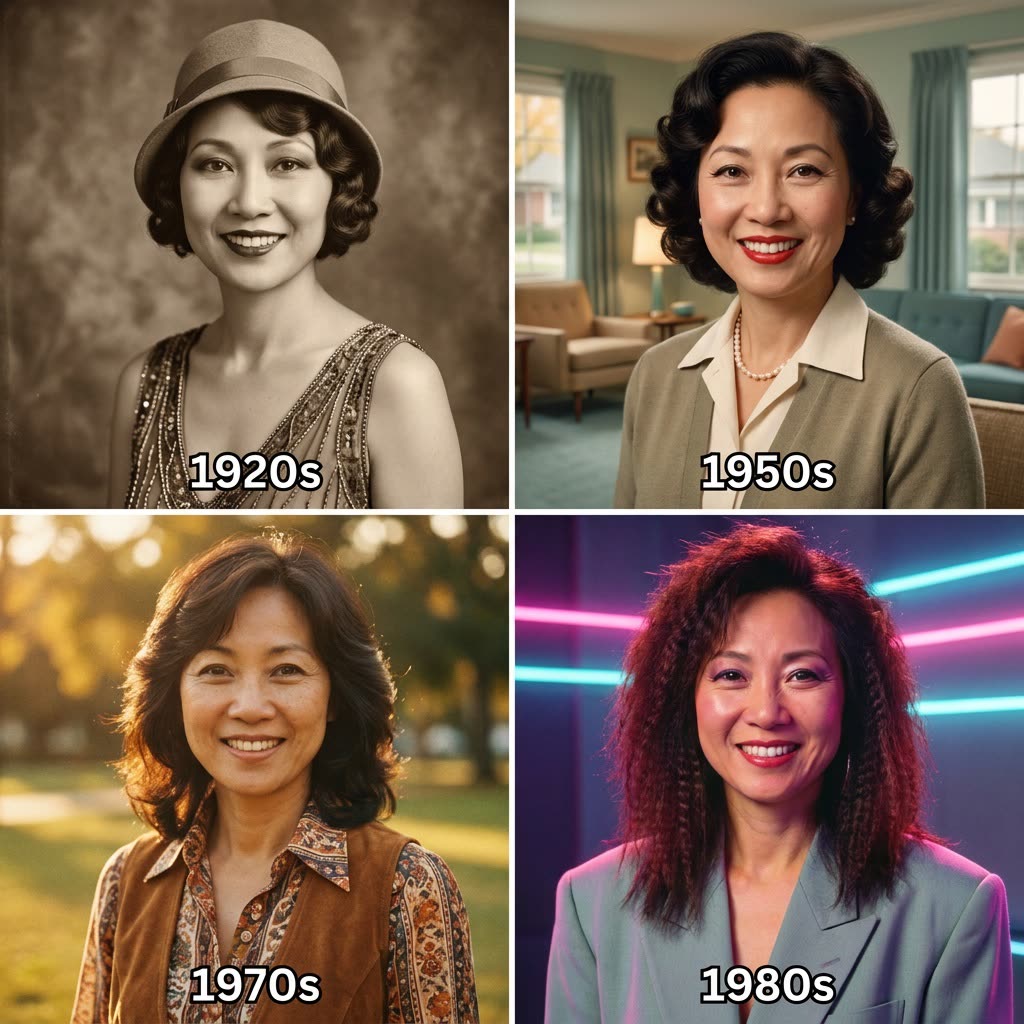
You in a flapper bob, a poodle skirt, disco flares and big 80s hair, all with your same smile.
Published . Updated . Steps as of October 2026.
How do I see myself styled in different decades with AI?
Upload a clear, front-facing photo to Gemini or ChatGPT and paste the prompt with the four decades you want. You'll get a labeled two by two grid of portraits, each with era-true hair, clothes, colors and backgrounds. If it's for a reunion or party post, share the grid. If you love one look, ask for a single full-size portrait of your favorite. It takes about two minutes.
 Before
A real example. The small "before" photo is a sample we made with AI, and the result came from running this exact prompt on it in Google Gemini's image tool. Sample details used: Four decades: the 1920s, 1950s, 1970s and 1980s.
Your image prompt
Attach a clear photo first, then paste the prompt with it.
Fill in your details. Skip any you like.
Each button copies your prompt and opens a new chat that makes images. Just paste it in.
The prompt that gets copied
Using my attached photo, create a 2 by 2 grid of portraits of me in four decades: [FOUR DECADES, e.g. the 1920s, 1950s, 1970s and 1980s]. Keep my face, features, skin tone and expression recognizable in every portrait. Change only my hair, makeup, clothes and the background to match each era, and make each one look like photos from that time, like sepia tones for the 1920s or warm film colors for the 1970s. Add a small label with the decade under each portrait. Keep the fashion accurate and flattering.
Upload a selfie and get four portraits of you dressed, styled and photographed like each decade you pick, with era-true hair, clothes, colors and backgrounds. A fun reunion or party post.
Step by step
- Upload a clear, front-facing photo.
- Paste the prompt with the decades you want.
- Ask for a single full-size portrait of your favorite.
What you'll get
A four-panel grid of you as a portrait from each decade, each one labeled.
- Made for
- Everyone
- Works in
- Gemini, ChatGPT