Publish a yearly trends report that gets you quoted
The report mixes public data with your own client poll, which is the part nobody else can copy.
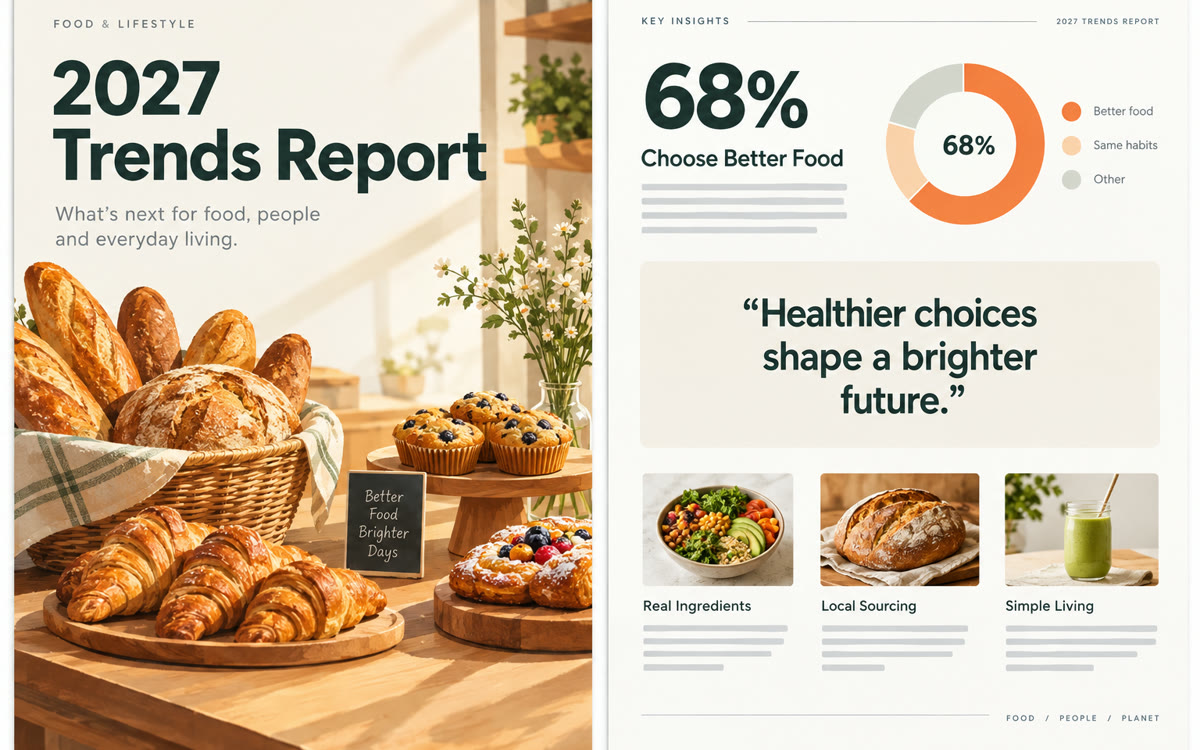
A sample of what you get back, made with AI.
Your prompt
Fill in your details. Skip any you like.
Claude opens with your prompt already typed in. Perplexity can't be filled in from a link, so its button copies your prompt: paste it into the new chat.
The prompt that gets copied
Write the [REPORT YEAR, e.g. 2027] trends report for [YOUR NICHE, e.g. independent bakeries]. Use two sources only: the research report and my own poll results below. Name the source of every number in plain words, and leave out anything you can't source.

Structure:
1. A one-page summary with five headline findings.
2. One section per trend: what's happening, the evidence, what my poll says and my take, written as [YOUR NAME] in first person.
3. Three predictions for next year, clearly labeled as opinion.
4. A what-to-do-now checklist.
5. Ten carousel slides, one finding per slide, under 20 words each.
6. Five stat lines for an infographic.

Ask me for my opinion on each trend before you write that section. Research: [PASTE RESEARCH] Poll results: [PASTE POLL RESULTS]
Gather sourced trends in Perplexity, add a quick poll of your own clients, have Claude write a short report with your take, then design the report, an infographic and a carousel in Canva.
Step by step
- Send clients a five-question poll in Google Forms, or skip it for your first edition.
- Choose Research in Perplexity and ask for this year's top trends in your field, with sources.
- Paste the prompt into Claude with the research and your poll results, then share your opinions.
- Turn on the Canva connector and ask Claude to design the report, an infographic and the carousel.
- Check every number against its source, then share the PDF on LinkedIn and with your list.
What you'll get
A designed trends report PDF with sourced findings and your own take, plus an infographic and a 10-slide carousel to share it.
Perplexity's free plan includes one Research query a month. The Canva connector works on free Claude and Canva accounts.
- Made for
- Consultants, Coaches, Small business owners, Creators
- Works in
- Perplexity, Claude, Canva


