Spot the catch on any pricing page before you sign up
You ask about the page you're looking at, and it reads it for you.
Published . Steps as of November 2026.
Can AI read a pricing page and tell me the catch?
Yes. Open the pricing page, open Perplexity's side panel in Chrome, and ask what the catch is for your use. It quotes limits, add-on costs, and renewal terms from the page. Use the side panel when you want answers beside the page. Use a pasted copy of the text in any chat if you can't install the extension. As of November 2026, Perplexity's changelog lists no plan requirement, so check your account. Confirm key terms on the vendor's site before you buy.
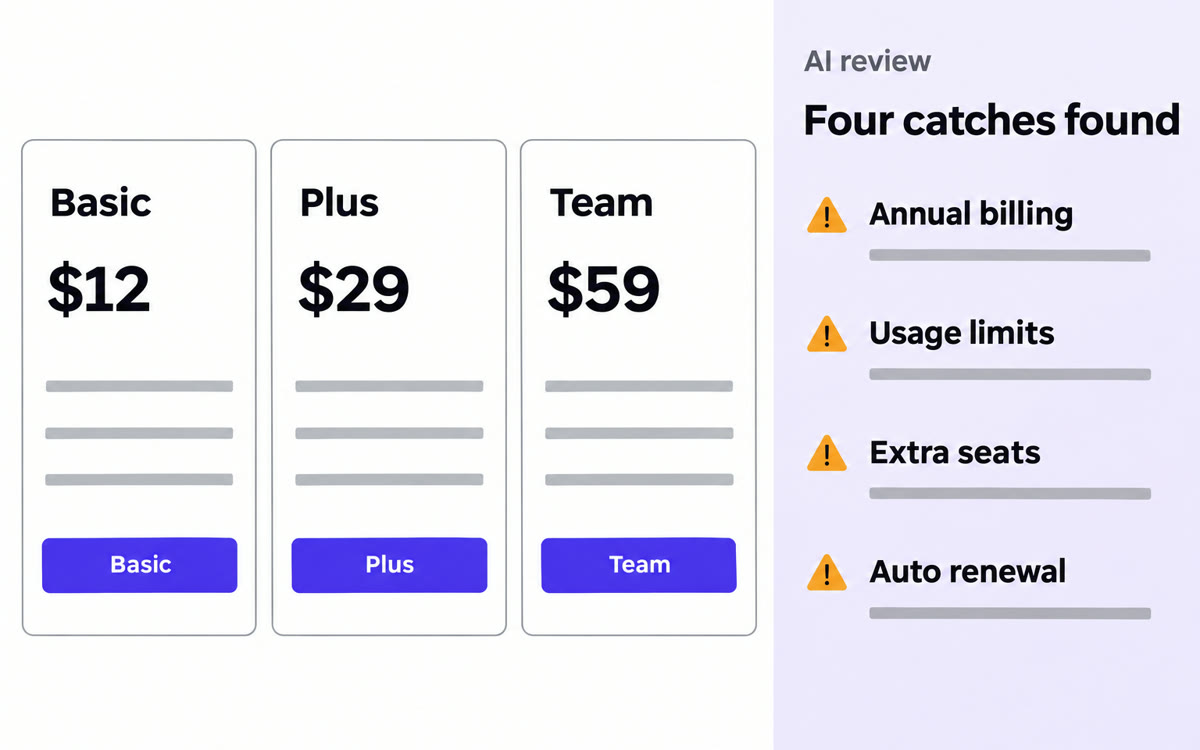
A sample of what you get back, made with AI.
Your prompt
Fill in your details. Skip any you like.
This AI can't be filled in from a link, so the button copies your prompt: paste it into the new chat.
The prompt that gets copied
I'm looking at the pricing page for [TOOL NAME, e.g. a scheduling app]. I run [YOUR BUSINESS, e.g. a solo coaching practice] and I'd use it for [MAIN USE, e.g. booking client calls]. Read this page and tell me the catch. List: 1) limits that would hit me in the first year, 2) features I'd probably need that cost extra, 3) fine print about renewals, cancellation, or price changes, 4) which plan really fits me. Quote the exact wording from the page for each point. Keep it short and plain.
Open a pricing page in Chrome and ask Perplexity's side panel what the catch is. It reads the page you're on and points out fine print, limits, and add-on costs.
Step by step
- Install the Perplexity extension in Chrome and sign in.
- Open the pricing page of the tool you're thinking about.
- Click the Perplexity icon in Chrome's toolbar to open the side panel.
- Paste the prompt below and read the answer next to the page.
- Ask a follow-up about any line that still looks unclear.
What you'll get
A short list of limits, hidden extras, and renewal fine print, each quoted from the page, plus the plan that fits you.
Chrome-style browsers. The changelog lists no plan or limits for the extension, so check yours.
- Made for
- Everyone, Small business owners
- Works in
- Perplexity