Learn something new picked just for you, shown step by step
ChatGPT picks the topic itself from your past chats, then builds the lesson as an interactive screen.
Published . Steps as of October 2026.
Can ChatGPT pick something new to teach me based on my interests?
Yes. Ask ChatGPT to use what it remembers about you to choose a topic, then teach it step by step. It works best with memory turned on, because that's how it knows your interests. If you'd rather steer it, name a broad area like gardening or money basics and let it pick the exact lesson. As of October 2026, ChatGPT's Intelligent UI can show the lesson as clickable steps and charts, so it feels more like a class than a wall of text.
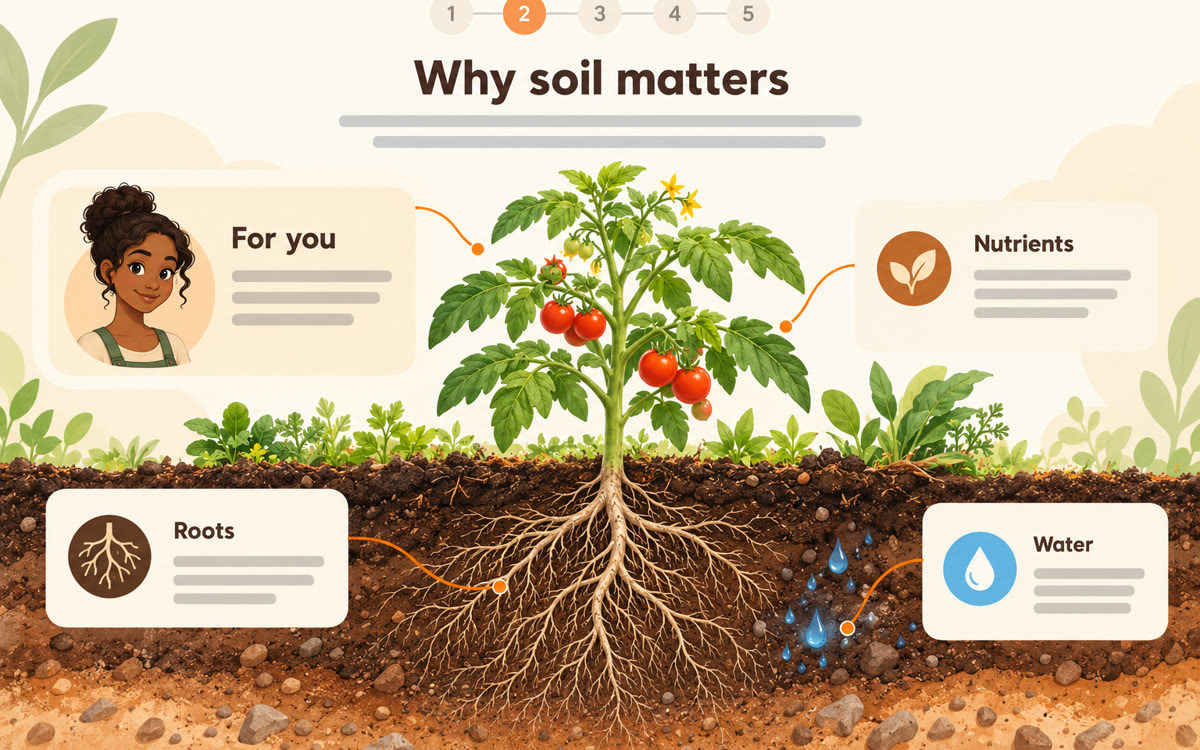
A sample of what you get back, made with AI.
Your prompt
Fill in your details. Skip any you like.
ChatGPT opens with your prompt already typed in. It's copied too, just in case.
The prompt that gets copied
Based on what you know about me from our past chats, teach me something new that I'd genuinely enjoy and could use this week. Pick the topic yourself, and tell me in one line why you picked it for me.

Keep it close to [AN AREA I LIKE, e.g. gardening or money basics], but don't pick something I already know well.

Show it step by step, as visually as you can: one idea per step, a simple picture, chart or diagram where it helps, and a real example from everyday life. Keep the language plain, like you're talking to a curious friend. Assume I have [TIME I HAVE, e.g. 15 minutes].

End with one small thing I can try tonight and three quick questions to check I understood.
Ask ChatGPT to choose a lesson based on what it already knows about you. You get a visual, step-by-step lesson with clickable parts, matched to your interests and level.
Step by step
- Open a new chat in ChatGPT with memory turned on
- Paste the prompt and add a topic area if you want one
- Click through each step of the lesson it builds
- Ask for a five-question quiz at the end to check what stuck
What you'll get
A short interactive lesson on a topic chosen for you, with one idea per step, pictures or charts, a small thing to try tonight and a three-question check.
Works best with ChatGPT memory on. Interactive layouts come from GPT-6 Intelligent UI, on all plans since October 2026.
- Made for
- Everyone
- Works in
- ChatGPT