Turn a dense PDF into an illustrated storybook anyone can follow
A dense research PDF comes back as a short picture book your kid or your client can actually follow.
Published . Updated . Steps as of October 2026.
How do I make a hard PDF easy to understand with pictures?
Upload the PDF to Gemini, paste the prompt, and say who the story is for. You'll get a short storybook with a picture on every page and a three-point recap. If it's for a child, name their age so the words stay simple. If it's for a client, say what they need to learn from it. Use Gemini 4 Argon if your plan has it (as of October 2026). You can ask for changes to any single page before you share it.
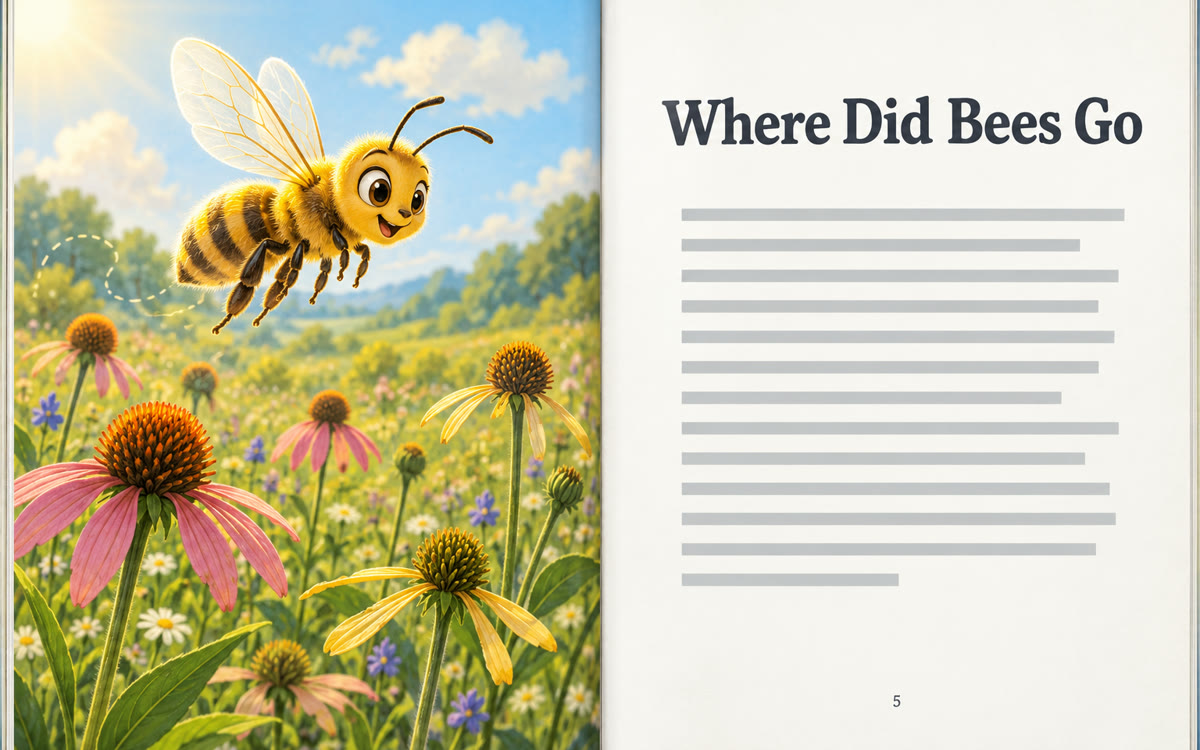
A sample of what you get back, made with AI.
Read the transcript
This is a picture book about why the bees are disappearing, for a 10-year-old.
And Gemini made it from a dense research PDF.
Google showed this off with Gemini 4 Argon.
And Argon needs a Google AI Pro or Ultra plan.
So open Gemini, click Add files, and upload the PDF.
Then pick Argon from the model menu.
Paste the prompt, and say who it's for, like my 10-year-old.
It asks for 8 to 12 pages, and every fact has to come from the PDF.
Before it starts, it sums up the PDF in 2 sentences, so you can check it.
Then your storybook opens right beside the chat. Oh, look at that.
And it ends with 3 simple takeaways.
Ask for changes, then click Share and send the link.
Want the prompt? It's free at thesolocreators.com/prompts.
You want more like this, give me a follow.
What's one PDF you've been putting off reading?
Your prompt
Fill in your details. Skip any you like.
This AI can't be filled in from a link, so the button copies your prompt: paste it into the new chat.
The prompt that gets copied
I've attached a PDF that's hard to read. Turn it into an illustrated storybook for [YOUR READER, e.g. my 10-year-old] so they understand [MAIN THING TO LEARN, e.g. why the bees are disappearing].

Rules:
- 8 to 12 pages. Each page gets one short paragraph (no more than 60 words) and one full-color illustration.
- Give the story a friendly guide character who walks the reader through the ideas.
- Keep every fact true to the PDF. Don't add claims that aren't in it.
- Use the style [ART STYLE, e.g. warm watercolor].
- End with a page called "What we learned" with 3 simple takeaways.

Before you start, tell me in two sentences what the PDF is really about, so I can check you got it right.
Upload a hard-to-read PDF to Gemini and get it back as a short, full-color storybook with simple words and a picture on every page.
Step by step
- Open Gemini and upload the PDF you want to understand
- Pick Gemini 4 Argon if your plan has it
- Paste the prompt and fill in who the story is for
- Ask for changes to any page, then share or save the storybook
What you'll get
A short storybook with a picture on every page that explains the PDF's main ideas in plain words, plus a three-point recap at the end.
Google showed this with Gemini 4 Argon, which needs a Google AI Pro or Ultra plan.
- Made for
- Everyone, Coaches, Consultants
- Works in
- Gemini