Launch a new offer with its sales page, emails and graphics
Claude makes the six launch graphics right inside your Canva account, ready to tweak, from the same chat.
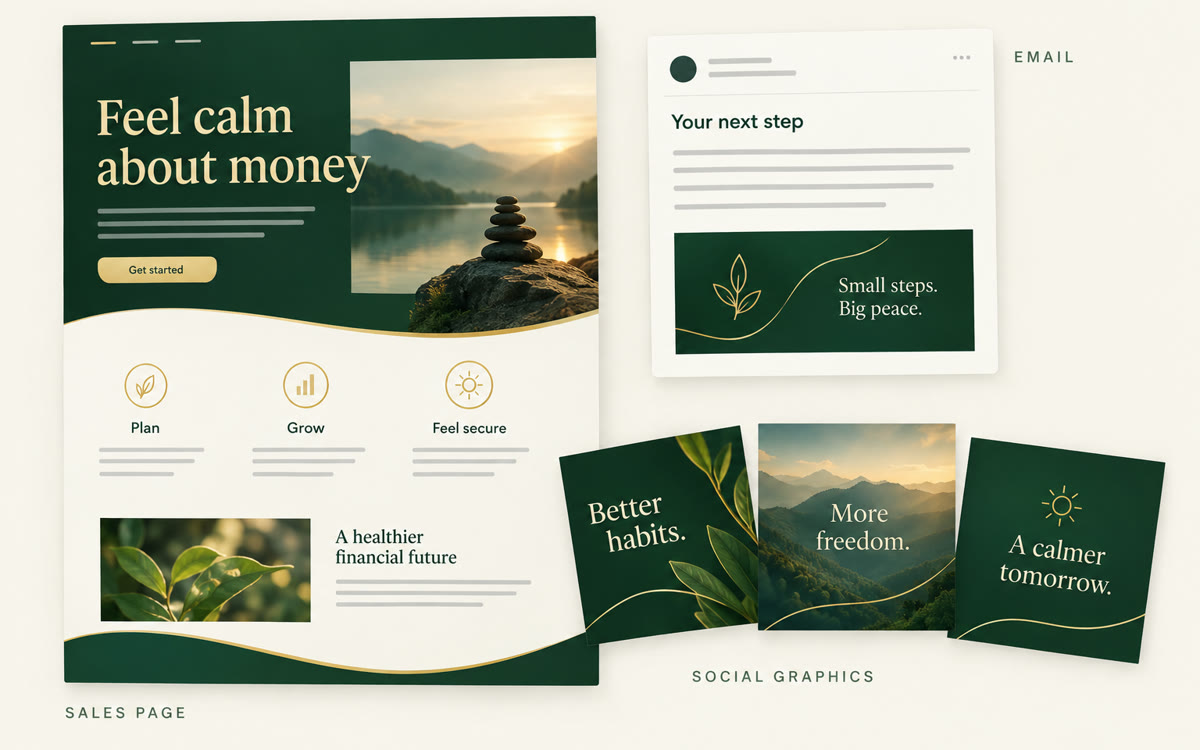
A sample of what you get back, made with AI.
Your prompt
Fill in your details. Skip any you like.
Claude opens with your prompt already typed in. Perplexity can't be filled in from a link, so its button copies your prompt: paste it into the new chat.
The prompt that gets copied
I'm launching [YOUR OFFER, e.g. 6-week money confidence program] for [YOUR IDEAL CLIENT, e.g. women starting over after divorce]. The price is [YOUR PRICE]. Doors open [OPEN DATE] and close [CLOSE DATE]. Use the research and offer notes in this project. Before you write, ask me up to five questions about results, proof and bonuses. Don't invent testimonials, numbers or guarantees.

Then write:
1. A sales page: headline, the problem in the buyer's own words, what changes, what's inside, who it's not for, FAQ and one clear call to action.
2. Five launch emails: announcement, story, objection answer, last chance and doors closed.
3. Six short social posts that point to the page.
4. Six launch graphics: two square posts, two stories, one email header and one page banner, each with its exact headline. If Canva is connected, create them in Canva. If not, write a design brief for each.

Write in my voice: [YOUR VOICE, e.g. warm and plain with a little humor].
Research what buyers say in Perplexity, have Claude write the sales page, five emails and posts, then let Claude build the graphics in your Canva account and publish the page from Canva.
Step by step
- Ask Perplexity what your buyers struggle with and what similar offers promise, then copy the answer.
- Create a Claude project for the launch and upload your offer notes and the research.
- Connect Canva in Claude under Settings, then Connectors, and turn it on in a new project chat.
- Paste the prompt, answer Claude's questions and let it write the copy and make the graphics.
- Open Canva AI, choose Code and paste the sales page copy. Check every claim and price, then select Publish.
- Proofread the five emails, then schedule them in your email tool around your open date.
What you'll get
A full launch kit: a live sales page, five emails ready to schedule, six posts and six editable launch graphics in your Canva account.
The Canva connector works on free Claude and Canva plans. Publishing a Canva Code page needs Canva Pro.
- Made for
- Coaches, Consultants, Creators, Small business owners
- Works in
- Claude, Perplexity, Canva