Turn your kid's made-up game into one they can actually play
Your kid's own rules, characters and goal turn into a game they can play on the same screen a few minutes later.
Published . Steps as of October 2026.
Can AI make a simple game from my kid's idea?
Yes. Write down your kid's game idea in their own words and ask Claude to build it as a simple browser game you can play in the chat. Claude shows it in a side panel, so it's the easiest pick for playing right away. Gemini and ChatGPT can also build small games from a description. Younger kids do best with tap or arrow-key controls, and older kids enjoy suggesting the fixes for version 2.
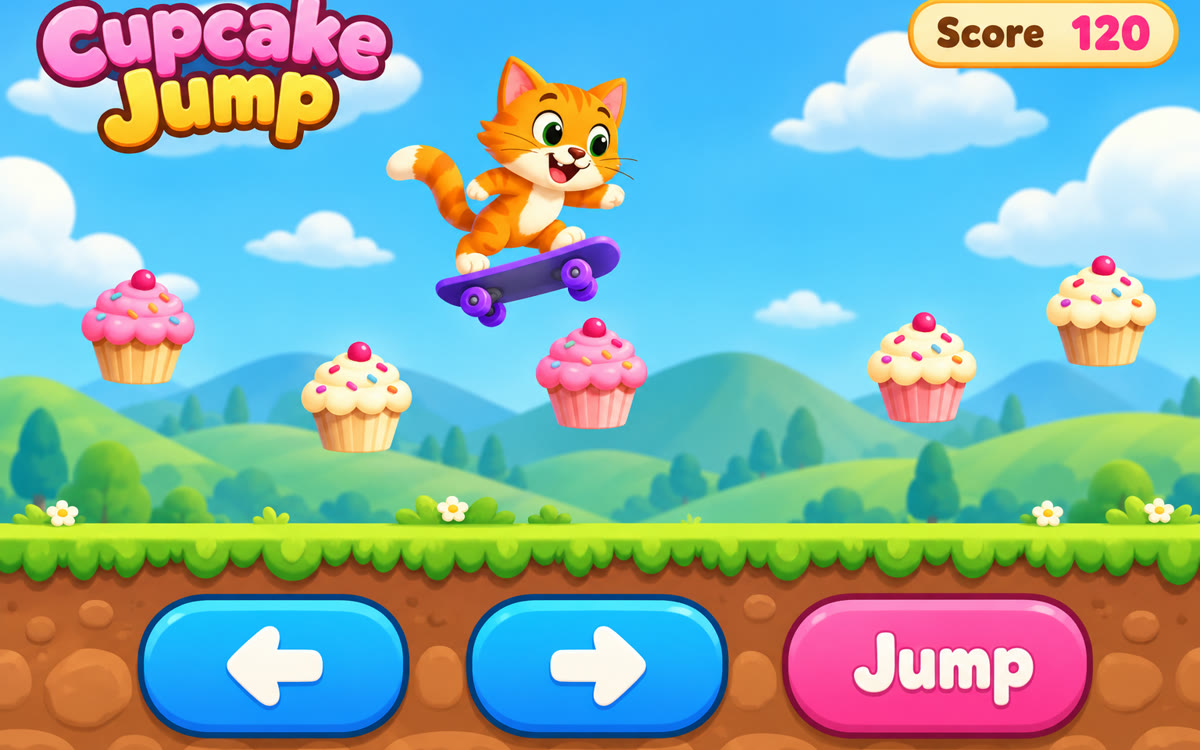
A sample of what you get back, made with AI.
Your prompt
Fill in your details. Skip any you like.
Claude and ChatGPT open with your prompt already typed in. Gemini can't be filled in from a link, so its button copies your prompt: paste it into the new chat.
The prompt that gets copied
My [KID'S AGE, e.g. 8]-year-old described a game they wish existed. Here it is in their own words:

"[THEIR GAME IDEA, e.g. a cat that jumps on clouds to catch fish]"

Build this as a simple game we can play right here in the chat, in the browser, with no downloads or sign-ins. Keep their characters, rules and goal exactly as described, and fill in any gaps in a way a kid would find fun. Use big, bright, friendly visuals and controls that work with [GAME CONTROLS, e.g. arrow keys or tapping]. Add a score, a gentle way to lose, and a quick restart button. Keep it kind: no scary or violent content. When it's ready, give me 3 ideas my kid could pick from to make version 2.
Ask your kid to describe the game they wish existed, paste their words into Claude, and get a simple playable game in the chat that you can tweak together.
Step by step
- Ask your kid what game they'd love to play and write down their words exactly.
- Paste the prompt with their description into Claude and send it.
- Play the game right in the chat window together.
- Ask your kid what to change, then tell Claude their fixes one at a time.
What you'll get
A playable game built from your kid's description, plus three simple ideas for the next version you can build together.
Works best in Claude, which shows the game in a side panel. Results vary; ask for one fix at a time.
- Made for
- Everyone
- Works in
- Claude, Gemini, ChatGPT


 Before