Know every package arriving this week from your iCloud Mail
ChatGPT reads your iCloud shipping emails and hands back one list of what's arriving and when.
Published . Steps as of November 2026.
How do I see all my package deliveries in one list with ChatGPT?
Connect the iCloud Mail plugin in ChatGPT, then ask it to list every order and shipping email you're still waiting on. As of November 2026, the plugin works on every ChatGPT plan on the web, desktop and iPhone. It fits you best if your orders go to an @icloud.com, @me.com or @mac.com address. If your shopping email goes to Gmail or Outlook through Apple's Mail app, the iCloud plugin won't see those messages.
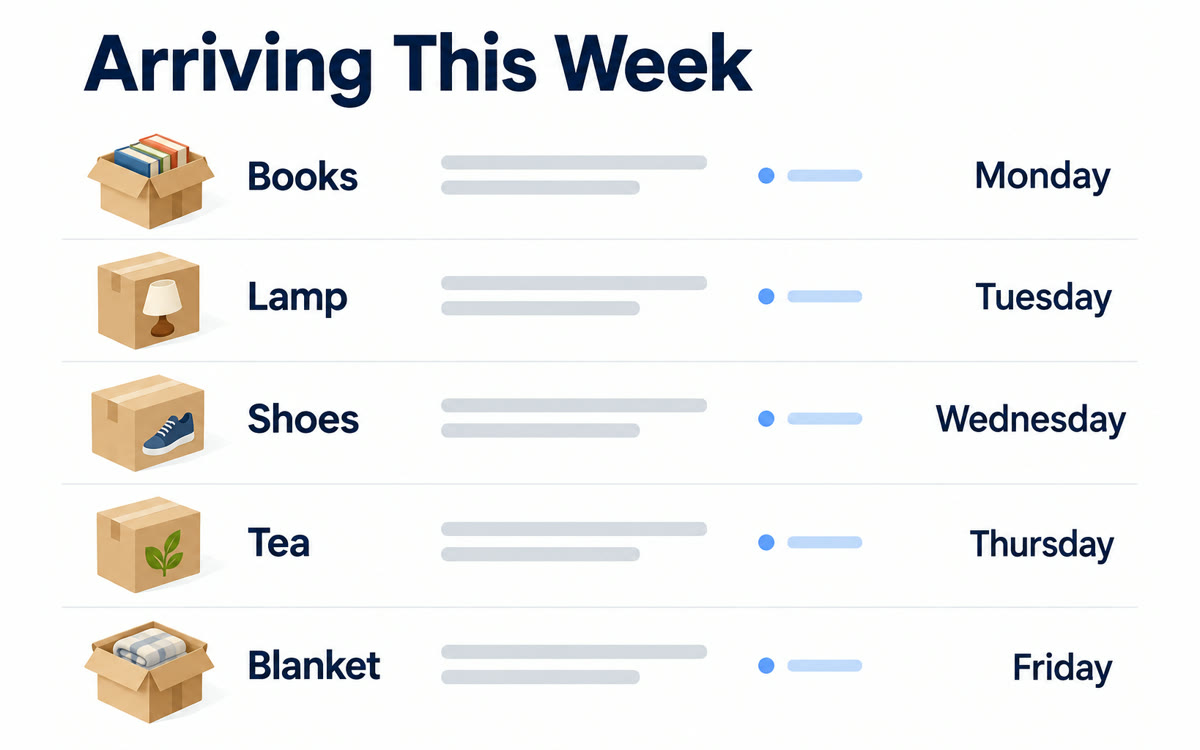
A sample of what you get back, made with AI.
Your prompt
Fill in your details. Skip any you like.
ChatGPT opens with your prompt already typed in. It's copied too, just in case.
The prompt that gets copied
Search my iCloud Mail for order confirmations and shipping updates from the last [HOW MANY DAYS, e.g. 14] days. Make one table of everything I'm still waiting on, with these columns: item, store, carrier, expected delivery day, and the tracking number if the email has one. Sort it by delivery day, soonest first. Below the table, flag anything that looks late, anything that says delivery failed or needs a signature, and any return window that closes in the next [RETURN WINDOW DAYS, e.g. 10] days. Leave out marketing emails and anything that's already been delivered. Don't send, delete or change any email.
Connect iCloud Mail to ChatGPT and ask what's on the way. You get one sorted list of every order, who's shipping it and the day it should land.
Step by step
- Create an app-specific password on your Apple Account page
- Open ChatGPT Settings, click Plugins and connect iCloud Mail
- Paste the prompt below into a new chat
- Ask a follow-up about anything that looks late or has no tracking update
What you'll get
A sorted table of every package on its way, plus a short list of late deliveries, signature needs and return windows about to close.
iCloud plugins work on all ChatGPT plans (web, desktop, iOS). Mail covers @icloud.com, @me.com and @mac.com only.
- Made for
- Everyone
- Works in
- ChatGPT



 Before