Get a promo video by describing it
A short promo video used to mean one of 2 things: hire someone, or spend a weekend learning a video editor. For most solo business owners, that meant no promo video at all.
There's a third way now. You describe what you're promoting, answer a few questions, approve a look, and an AI builds the video, voice and music included. No camera, no footage, no timeline to drag clips around on.
The best proof I have came from William, a member of our community. He's 74. He'd already built his own website with AI. In September, he used the same approach to make a 28-second promo for a book he'd written, and posted about it the day he started promoting the launch:

Read the middle of that post again: "I gave a few commands, but mostly Claude took my previous work and generated the entire thing." In his words, everything "was done through prompts with Claude and the Promo Video Producer." He described what he wanted and reacted to what came back.
"This version is very close to what I would have made for myself if I had Claude's abilities." William Dawson, on his book promo.
That's the bar this article is about: a promo that looks like you made it, built by describing what you want.
Pick the length by where the video will run
Before anything else, decide where the video is going. Length follows from that.
The promo skill I use works in 3 lengths, and each has a natural home:
| Length | Seconds | Where it works best |
|---|---|---|
| Teaser | 10 to 15 | Stories, the first seconds of an ad, a quick "coming soon" |
| Promo | 30 to 45 | Social posts, a launch announcement, the top of an email |
| Explainer | 60 to 90 | A sales page, a product page, a course trailer |
Shorter is almost always better for social. A 30-second promo that makes one point clearly beats a 90-second one that makes 4 points nobody remembers. Save the longer explainer for places where someone has already chosen to learn more, like your sales page.
Shape matters too. The same promo can be rendered wide for YouTube and websites, tall for TikTok, Reels and Stories, and square for feeds. Decide which you need up front, so the layout is built for it rather than cropped afterwards.
Hand over the right raw material
A promo can only be as good as what goes into it. The skill does the building, but the best results come from giving it real material instead of asking it to invent things.
Here's what I'd gather before you start, in order of how much it helps:
- Your website address. This is where your colours, fonts, logo and the way you talk all come from. It's the single most useful thing you can give.
- 3 to 8 screenshots or photos of the real thing. Your product, your course dashboard, your book cover, a page of your workbook. Real images of what you're selling beat any illustration. If you have none yet, the skill can make clean mockups instead.
- Your best line. A headline, a promise or a sentence from your sales page that already works. The script should be built around your own words.
- One real customer quote, with permission. Word for word, never reworded, and only from someone who said yes to being quoted.
- One number that matters. How many people, how many hours saved, how long it takes. Only if it's true and you can back it up.
- What you want people to do. The exact next step and where it happens.
What to leave out matters just as much. Skip stock photos of smiling strangers next to claims, which reads as a fake endorsement. Skip numbers you can't support. And skip anything you'd be uncomfortable seeing on a big screen in front of a customer.
Write the script before anything moves
The words are the promo. Motion and music make it watchable, but a weak script with beautiful animation is still a weak promo.
Start with one idea. What's the single thing you want someone to remember after 30 seconds? Write that sentence first. Everything else in the script supports it.
Earn the first 3 seconds. The opening line decides whether anyone watches the rest. Lead with the outcome or a sharp question, never with your name or a logo.
Write for the ear. People hear a promo voiceover once, at the speed you speak it. Short sentences. One idea per line. Words you'd actually say out loud.
Use your own phrasing. The best promo lines come from things you've already said: your sales page, a client email, a talk. The skill I use writes the lines from your words, then shows you the script as plain lines to approve before anything is built.
Here's a prompt that gets you a strong first draft, with or without a promo tool:
Write a script for a [30]-second promo video for [what I'm promoting],
for [who it's for]. Use my own words from [my website / sales page /
this document] wherever you can.
Give me 5 to 7 short lines, one per scene, each under 12 words.
Line 1 must hook in the first 3 seconds with the outcome, not my name.
The last line says exactly what to do next.
Read each line aloud in your head and cut anything that sounds written.
Read the result out loud before you approve it. Anything you stumble over, the voiceover will stumble over too.
Lock your brand look before the first render
The most common way an AI video goes wrong is the look. A promo in generic colours and fonts reads as "made with a template," and viewers notice even if they can't say why.
So the look gets decided, and approved, before the full video is rendered:
- Read your website. The skill pulls your real colours, fonts and logo from your site, rather than guessing.
- Pick a style that matches. Beyond colours, a promo has a feel. As of November 2026, the skill has 4 styles (editorial, kinetic, tech and clean) and 5 look dials: the type, the layout, the background, how your screenshots are framed and how scenes move. It sets them to match your site, so you never have to name a style yourself.
- Show 2 sample looks. You see still frames in 2 different directions, in your brand, and pick one. Choosing between 2 is far easier than describing a feeling from scratch.
- Lock it. Once you say yes, the look is saved, so your next promo starts from it instead of starting over.
Here's what that looks like in practice. This is the opening frame of a 30-second promo the skill made in our own brand, as one of the pieces from a Content Chain run on my workshop replay and our website:
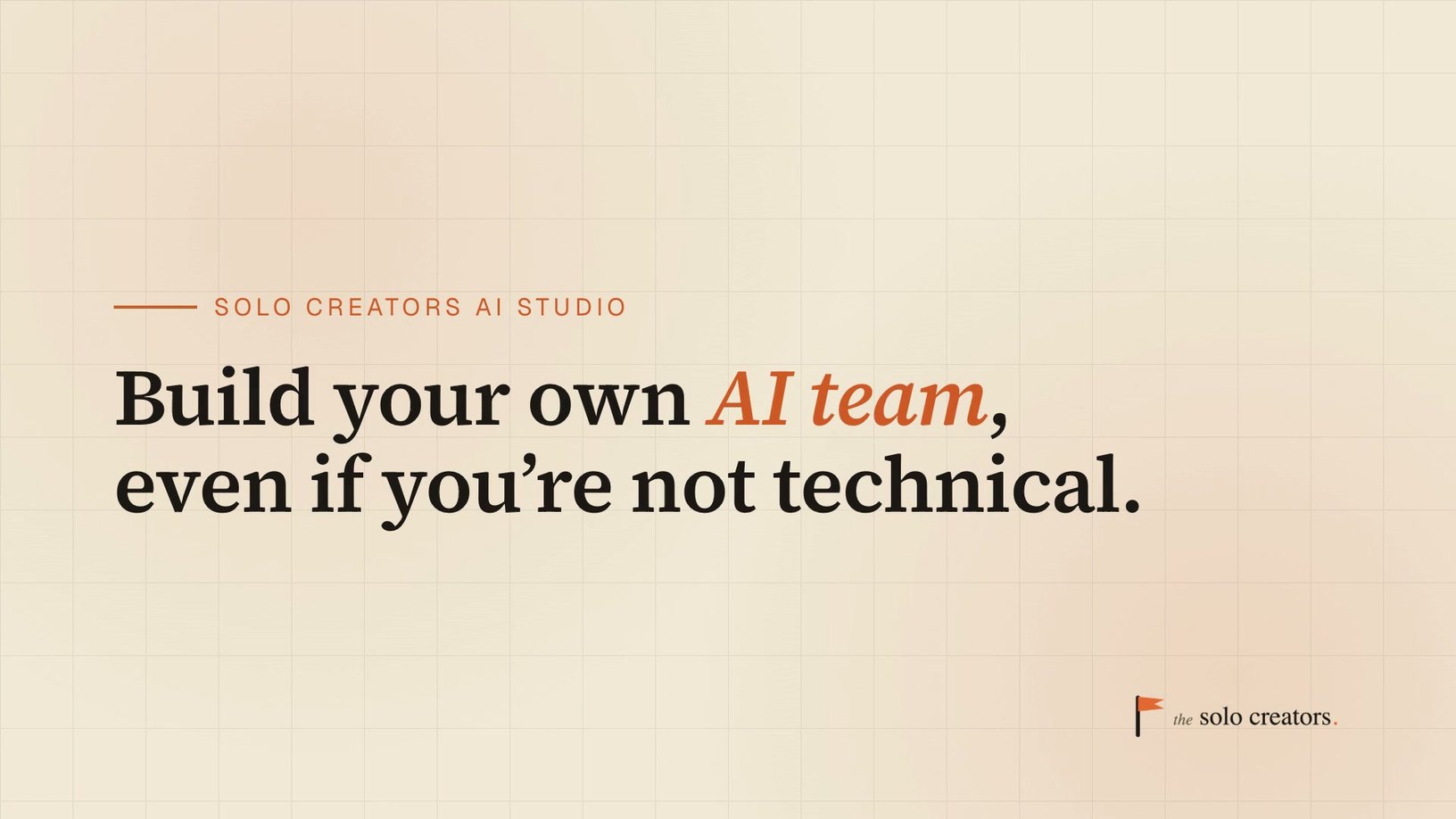
The type, the colours and the logo all came from our site, and no designer touched it.
Build the video from a library of scenes
Templates are why so many promo videos look alike: the same intro, the same middle, the same ending, with different words dropped in.
The approach that works better is a library of scene types, picked for what you're promoting. As of November 2026, the skill I use has 13, and each does one job:
- Hook: the opening line, big and clear.
- Reveal and highlight: show the product or a key feature.
- Photo and clip: your own images or footage, when you have them.
- Quote: a real customer's words.
- Stat: one number that matters.
- List, compare and trio: 3 points, a before and after, or 3 options.
- Chat: a short exchange, like a question and an answer.
- Kinetic: one big idea at a time, with the words changing on the beat of the music.
- Close: what to do next.
Different things you might promote call for different running orders, and the skill has one for each: a product, a service, a course, an event, and something with nothing to show yet. That last one matters more than it sounds. When there's no product to screenshot, the promo leans on words and numbers instead, so you can announce something before it exists.
You don't pick scenes by hand. You say what you're promoting and for whom, and the running order follows. But knowing the pieces exist helps you ask for changes: "swap the stat for a customer quote" is a clear instruction.
As of November 2026, the Promo Video Producer mixes 13 scene types, 4 styles and 5 look dials, so 2 promos never have to share a template.
Choose a voice and music you can actually use
Sound does more for a promo than most people expect, and it's also where rights questions hide.
The voice. You have 3 options:
- A built-in AI voice that runs on your computer. Both promos I made for my live demos used one. It needs no account, and the voice belongs to nobody in particular.
- Your own recording. Read the script into your phone, and the video paces itself to your delivery. Nothing builds trust like your actual voice.
- A cloned version of your voice from a paid service. Useful if you'll make many videos, but check the plan first. ElevenLabs, for example, says its free plan "cannot be used for any commercial purpose." YouTube doesn't require an AI label for a clone of your own voice used as a voiceover.
The music. Music sets the mood more than any visual, so expect to give it a second pass. The skill finds a royalty-free track for each video in free music libraries, trims it to length, mixes it under the voice, and tells you where the track came from and its license.
Avoid trending songs, which are usually cleared for personal use only. I've covered how to check every layer, music included, in keep the commercial rights to every video you edit with AI.
Keep the voice on top. Music should sit underneath the words, never compete with them. If you can't hear the voiceover clearly on a phone speaker, the music is too loud.
Ask for changes in plain English
The first version won't be the final one, and that's the point. Changing a promo by talking is fast, so it's worth getting the details right.
Be specific about what and where. "Make it better" gives nothing to act on. "The second scene feels slow, cut it to half the time" or "the closing line should say 'Get the book' instead of 'Learn more'" can be done in one pass.
Change one thing at a time when it matters. If you change the music, the pacing and the script at once and the result feels wrong, you won't know which change caused it. For small fixes, batch them. For the feel of the video, go one step at a time.
Trust your ear on the music. The feel of a promo lives there. Describe the mood you want, like "calm and warm" or "bright and driving," instead of naming a song you can't use.
Watch it on your phone before you approve it. Most people will see it there, at small size, often with the sound off. A promo that works on a laptop can lose its text on a phone. Check the shape you'll actually post, at the size people will actually see it.
When it's right, say so, and the final version is rendered at full quality with the checks below.
Check 5 things before you publish
A promo gets judged in seconds, so small problems cost more than they would in a longer video. Here's the check I run on every one.
- The first frame. Platforms often use the opening frame as the thumbnail. If your video opens on a blank or half-faded frame, that's what people see in their feed. The skill I use makes the hook frame the poster frame, so the video opens on its strongest image.
- Nothing cut off. Check a few still frames for text running off the edge, text sitting on top of other text, or colours too close together to read.
- Every line plays once, on time. A voiceover line that repeats, gets skipped or lands on the wrong scene is easy to miss when you're watching closely for something else. The skill runs an automatic check that every line plays exactly once, in its slot.
- The ending holds. End on your call to action, held still, rather than fading to black. A faded ending wastes your last and most important second.
- It works on mute. Many people watch with the sound off. If the promo makes no sense without audio, put the key words on screen.
As of November 2026, the skill also measures the finished video and names any scene that freezes, so dead air gets caught before you post.
The first 3 seconds decide whether anyone keeps watching, and the first frame is often the thumbnail. Open on your strongest image.
Make 3 shapes from one video
Once a promo is approved, getting it in other shapes is the cheapest win in the whole process.
The same video can be built in wide, tall and square versions from the same script and look. You don't re-shoot or re-edit anything. You ask for the other shapes, and the video is rebuilt for each one rather than cropped.
That gives you:
- Wide (16:9) for YouTube, your website and presentations.
- Tall (9:16) for TikTok, Reels, Shorts and Stories.
- Square (1:1) for feeds where square takes up more space.
Post the right shape in each place. A wide video squeezed into a tall frame, with thick black bars above and below, looks like an afterthought. A native shape looks like it belongs.
Turn one promo into a week of posts
A single promo can carry a whole launch week if you use it deliberately.
Post the 30-second promo on launch day. Cut a 10 to 15 second teaser from the same script for Stories the day before. Use the explainer version at the top of your sales page. Pull 1 or 2 frames as still images for an email header or a social post.
Each piece points back to the same offer, in the same look, so people who see more than one recognise it instantly. Consistency across a launch is what makes a small business look established.
If you'd rather start from a video you've already made, the Content Chain builds the whole set from that video and your website, in one brand: a playbook, a fact check, a slide deck, a carousel, TikTok slides, a promo and a teaser, with a website audit or a faceless Short on request. I walk through a real run in turn one video into 8 finished pieces of content.
And when the next launch comes, your look is already locked. The second promo takes a fraction of the time of the first, because the decisions you made last time carry forward.
Know when you need a camera instead
Faceless promos are powerful, but they're not right for everything. Be clear about where they fit.
Use a faceless promo for launches, announcements, product features, events, course trailers and anything where the message is the star.
Use your face and voice when trust is the whole point: a coaching offer, a personal story, a high-ticket service. People buy people, and nothing replaces you looking into the camera. A faceless promo can still announce it, but the main video should be you.
Use a faceless explainer when you want to teach a topic instead of selling one thing. The Faceless Video Producer turns a topic into a researched, voiced, animated video, and you approve the script first.
Use a video editor skill when you already have a recording. If you filmed a talk, a tutorial or a screen walkthrough, you don't need to build a promo from scratch. You need it edited: zooms, cuts, captions and callouts. That's the job of the Auto Video Editor.
A good rule: if you're explaining what something is, faceless works. If you're asking someone to trust you personally, show up.
Make your first promo with the Promo Video Producer
The Promo Video Producer skill, inside the Solo Creators AI Studio, is what William and I both used. It asks 7 quick questions, reads your website for your brand, shows you 2 looks to choose from, writes the script in your own words for your approval, then builds and checks the video.
You never touch a timeline or a terminal. And if you have a recording you'd rather edit instead, the Auto Video Editor in the same AI Studio does that. Both install in a few minutes by dragging them into Claude Code or Codex, the desktop apps, and asking. Each comes with a short course on how to use it.
Key takeaways
- Pick the length by where it will run: a 10 to 15 second teaser, a 30 to 45 second promo, or a 60 to 90 second explainer.
- Write the script first. One idea, a hook in the first 3 seconds, short spoken lines, and your own phrasing.
- Lock your brand look before the full render. Pull it from your website, compare 2 sample looks, then save the one you approve.
- Use a voice and music you're allowed to sell with. A built-in AI voice on your computer, your own recording, or a clone on a plan that allows business use.
- Check the first frame, the edges, the voiceover, the ending and how it plays on mute before you publish.
Get this skill, and every one I build.
30-day money-back guarantee. Cancel anytime.
Questions people ask
Can AI make a promo video for my business?
How long should a promo video be?
Do I need to be on camera for a promo video?
What voice can I use for an AI promo video?
How do I make my promo video look like my brand?
What should I check before publishing a promo video?

Ronnie spent 18 years building a SaaS with a team of 20 that served over 650,000 customers, generated over $14M in sales, and sent over 550M emails. Now he's solo, solving real business bottlenecks and turning them into working AI skills, workflows, and automations. He teaches all of it, with direct access to him, inside the Solo Creators AI Studio Skool community. See what he's built →
 Michael HattawayFounder, Iron Strengthens Iron
Keep reading