Podcast Guest EngineAn AI skill in the Solo Creators AI Studio
Get booked on the podcasts your clients already listen to.
The Podcast Guest Engine is an AI skill that finds the podcasts your ideal clients already listen to, reviews their recent episodes and drafts a short pitch for each host in your voice, plus two follow-ups. You read every pitch and send it from your own email, and it keeps your follow-ups on schedule.
Cancel anytime 30-day money-back guarantee Yours to keep

- You give itWho you help, plus 3 emails you sent
- It searchesApple Podcasts and YouTube
- You getA researched pitch per show, plus 2 follow-ups
- You sendEvery pitch yourself, in about 2 minutes each
Pitch HQ, built for every round.
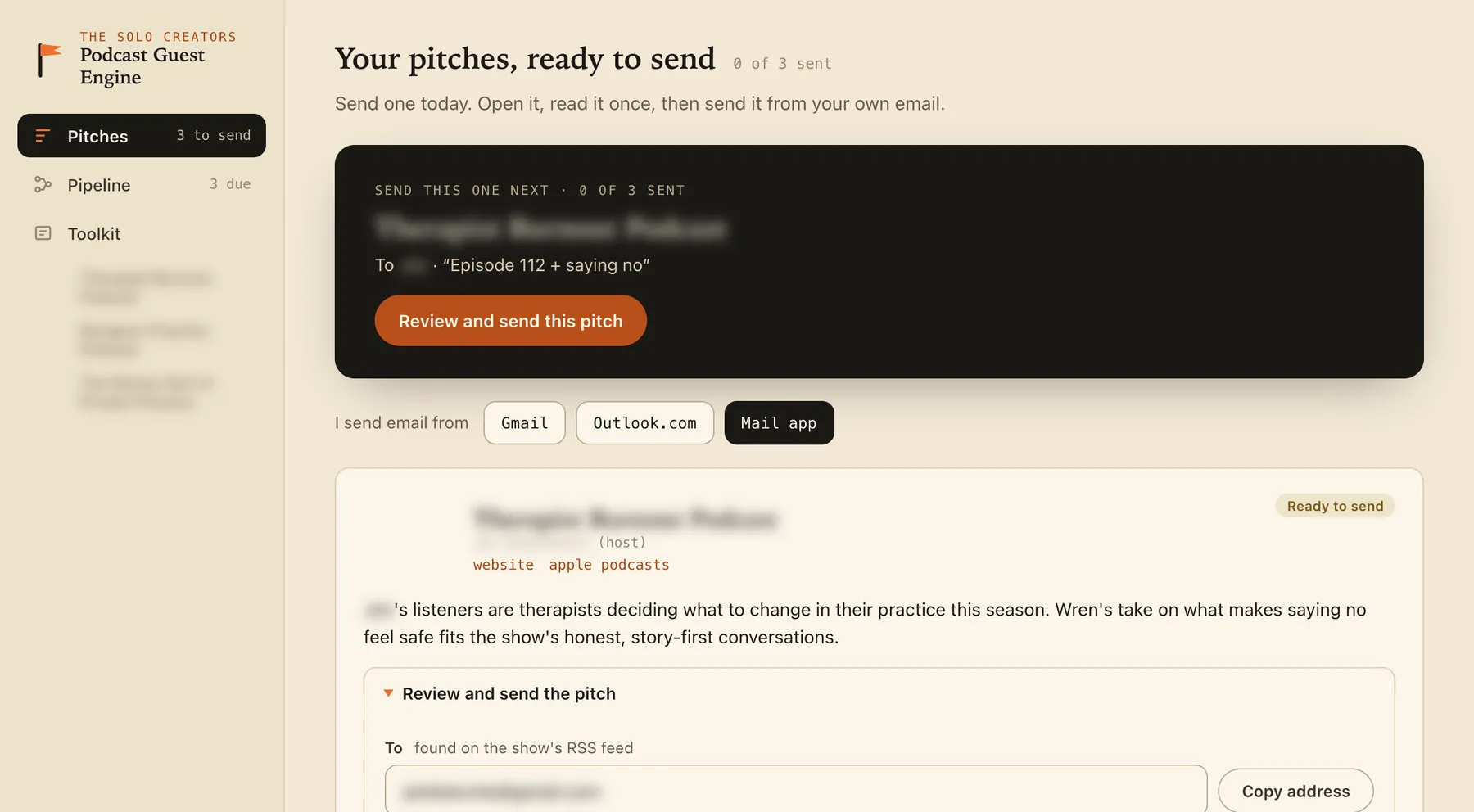
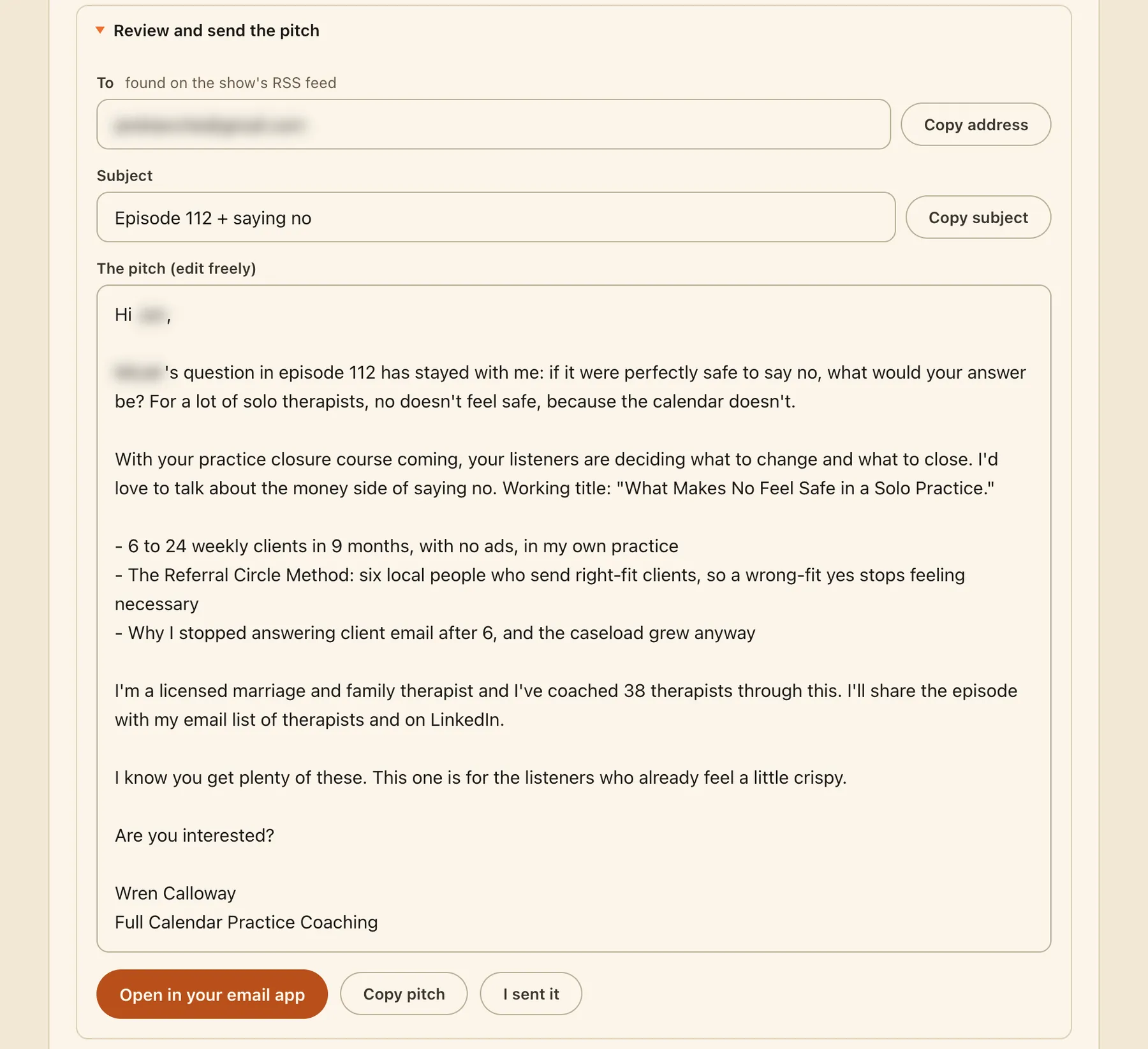
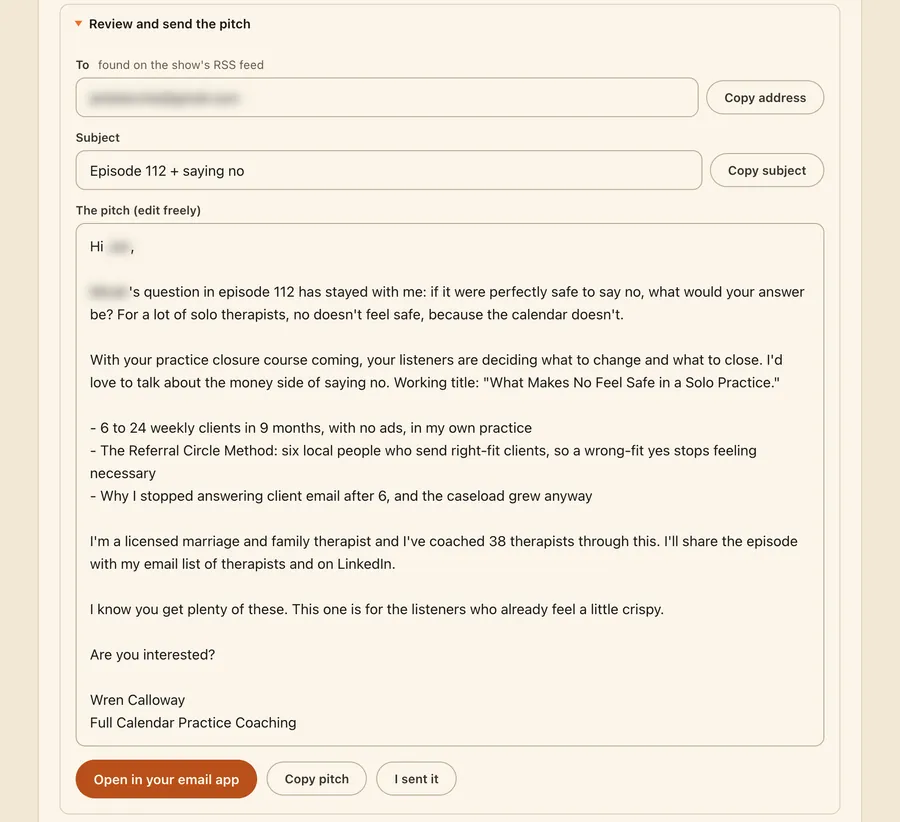
From a real run for a made-up coach who helps therapists. Real shows, nothing sent, host details blurred.
Pitch HQ: the page it builds for you

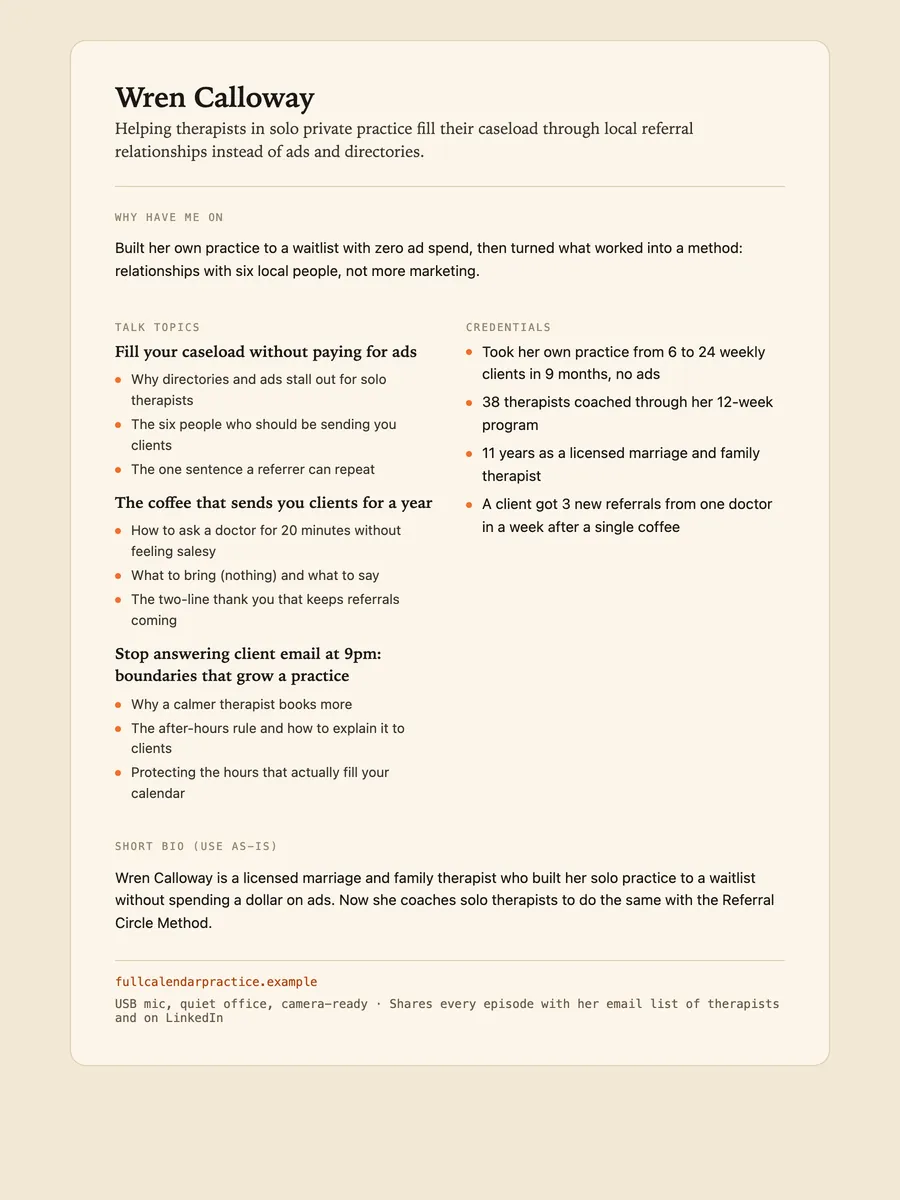
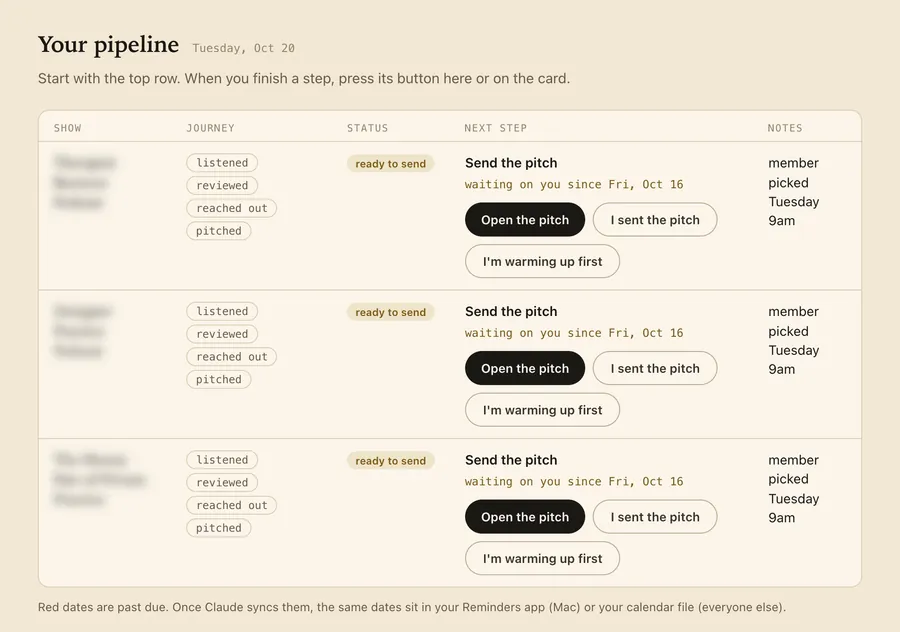
The pitch. A pitch written to one host about a recent episode, ready to send.Pipeline. Every show, step by step: listened, reviewed, reached out, pitched.Toolkit. Paste-ready answers for any guest form, and 5 more shows when you want them.One-sheet. Her guest one-sheet, for when a host says yes: talk topics, credentials and a short bio.
Each pitch also holds 2 follow-ups, quotes from the episode and an interview kit.
How it works, in three steps.
-
You type“Get me booked on podcasts.”
Approve your positioning page
Type "get me booked on podcasts". It asks who you help and for 3 emails you have sent, then drafts your positioning page. You correct it and approve it. Nothing else runs until you do.
-
While it works
- Searches Apple Podcasts and YouTube
- Finds hosts asking for guests this week
- Reviews recent episodes
- Finds each host's published contact
- Drafts and checks every pitch
It finds the shows and does the homework
It searches Apple Podcasts and YouTube, checks which hosts are asking for guests this week, and you pick up to 5. For each one it reviews recent episodes, finds the host's published contact and drafts the pitch.
-
You send each pitch yourself
Pitch HQ opens each pitch in Gmail, Outlook.com or your mail app with everything filled in. You read it, press send, and your follow-ups come due around day 5 and day 12.

Runs in Claude Code or Codex, the desktop apps for Mac and PC. No code, no terminal.
What you can use it for.
Get in front of your ideal clients
Pitch the shows they already listen to, not just the biggest ones.
Answer hosts who want guests now
Hosts who posted this week that they want guests go to the top when they fit.
Pitch well ahead of a launch
Most recordings land more than 4 weeks after the invitation, so start 3 to 5 months out.
Never lose track of a follow-up
Pitch HQ and your Reminders app show what is due and when.
Show up ready for the interview
Speaking notes, likely host questions and a printable guest one-sheet for each show.
Get more from every appearance
After it airs: thank the host, turn the show's past guests into a warm list, and promote the episode.
Run it for a client
Each client gets their own folder, never mixed with your own profile.
Bring stale drafts up to date
Say "refresh my podcast pitches" and every unsent draft is made true today.
What you get
Pitch the right shows with the homework done.
Shows your clients already hear
It looks for the shows your ideal listener follows, on Apple Podcasts and YouTube.
Proof you know the show
Each pitch is built from an episode it reviewed, with the quotes kept in a brief.
Pitches in your own voice
Drafted from emails you really sent, and each one under 200 words.
Nothing sends without you
It never sends anything. Your click, in your own email, is the only send.
Follow-ups that keep themselves
Due around day 5 and day 12, in your Reminders app on a Mac.
Ready when a host says yes
A guest one-sheet, speaking notes and likely host questions for every show.
Full specsInputs, outputs, what it runs in and more. Facts as of October 2026.
- What it does
- Finds the podcasts your ideal clients already listen to, studies their episodes, and drafts a pitch for each host. You read every one and send it yourself.
- Runs in
- Claude Code or Codex, the desktop apps for Mac and PC
- Input
- Who you help and what you do, plus 3 emails you have sent so the pitches sound like you
- Where it looks
- Apple Podcasts and YouTube, plus hosts who posted this week that they want guests. Shows that charge guests are skipped.
- Each round
- Up to 5 shows, each with a research brief and quotes from its recent episodes
- Output
- One pitch per show under 200 words, 2 follow-ups, an interview kit, a guest one-sheet, and Pitch HQ: one page with Pitches, Pipeline and Toolkit tabs
- Sending
- You send every pitch from Gmail, Outlook.com or your mail app. It never sends anything.
- Follow-ups
- Around day 5 and day 12, then it stops drafting. Due dates go to Apple Reminders on a Mac, or a calendar file on a PC.
- Episode research
- Full transcripts when the Watch It For Me skill is installed. Otherwise show notes, and it tells you the research is lighter.
- Running costs
- No accounts, no API keys, nothing to pay for
- Setup
- Tested on a Mac. PC support is new. If your computer needs Python, your AI sets it up for you.
- What to expect
- About 1 booking for every 10 pitches to well-chosen shows, so plan on 10 to 15 pitches per booking
- Included in
- The Solo Creators AI Studio, with every other skill
- Updated
Included in the Solo Creators AI Studio
Get the Podcast Guest Engine, plus every other skill.
The Podcast Guest Engine comes with the Solo Creators AI Studio. One membership gets you all 18 skills available today, a new one every month, the training for each, and a room of solo creators who ship.
Cancel anytime 30-day money-back guarantee Full pricing is on Skool
- All 18 AI skills, yours to keep, even if you cancel.
- A new skill every month, often shaped by what members are working on.
- Two live calls a month: a build call and a hot-seat.
- Step-by-step training for every skill, made for non-technical people.
- Ronnie reads every post and replies, in a room of solo creators who ship.
Questions about the Podcast Guest Engine.
How do I get booked as a guest on podcasts?
It depends on how much of the legwork you want handed off. If you want the right shows found, their recent episodes reviewed and a short pitch drafted for each host, the Podcast Guest Engine does all of that and keeps your follow-ups on schedule, while you send every pitch yourself. Plan on about 1 booking for every 10 pitches to well-chosen shows. If you want to start, record or edit your own podcast, this is not the tool for that.
Will it send the pitches for me?
No. It never sends anything, and that is a hard rule, not a setting. It opens each pitch in your own email with everything filled in, and your click is the only send.
How many bookings should I expect?
About 1 booking for every 10 pitches to well-chosen shows is normal, so plan on 10 to 15 pitches per booking. Most recordings land a month or more after a host says yes. It never promises bookings.
Where do the hosts' email addresses come from?
Only from places the host published: their guest form, their own address, the show's website or the show's feed. It never guesses an address or uses a bought or scraped list. If no address exists, the pitch card says so.
Will a pitch pretend I listened to the show?
No. A pitch can only mention an episode the skill actually reviewed in that round. With Watch It For Me installed it reads full transcripts. Without it, it works from the show notes and tells you the research is lighter.
Do I need any accounts or paid tools?
No. No accounts, no API keys and nothing to pay for. If your computer needs Python, your AI sets it up for you, and you never type a command.
Does it work on a PC, or in Codex?
It works in Claude Code and in Codex. It is tested on a Mac, and PC support is new. On a PC, your follow-up dates come as a calendar file instead of Apple Reminders.
If I cancel, do I keep the skills I installed?
The skills are yours. They install into your own Claude Code, Codex, or other AI tool, so they live on your machine. Cancelling stops your access to future drops, live calls, and community, but anything you installed stays installed.
What if I'm not technical?
The walkthrough videos assume zero technical background. If you can copy-paste, you can install a skill. The community is full of solo creators who are just regular business owners, coaches, and consultants... not engineers.
How does the 30-day guarantee actually work?
Change your mind for any reason within the first 30 days and email me. I refund your most recent payment, no questions asked. No screenshots, no justification, no hard feelings.
Published .
Works well with.
- Watch It For MeIt watches the video so you get the playbookDrop any video link and get the step-by-step playbook, the full timestamped transcript, and the best quotes. Without watching it.
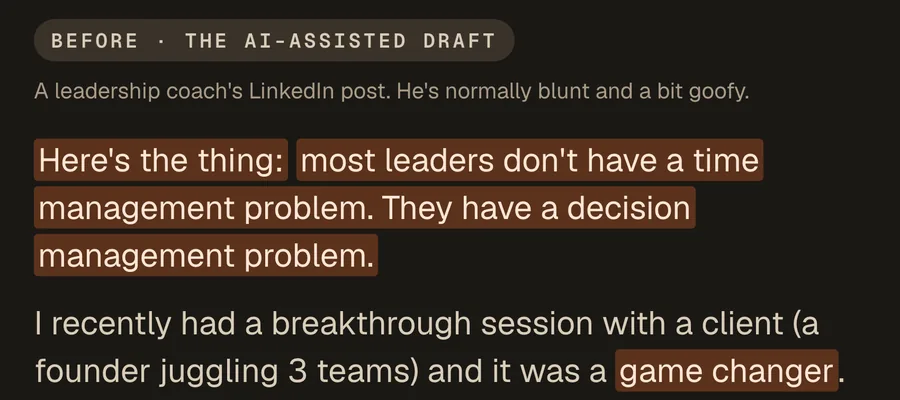
- No AI SlopSounds like youA sharp editor that cuts the AI tells from any draft. Your point and your voice stay.
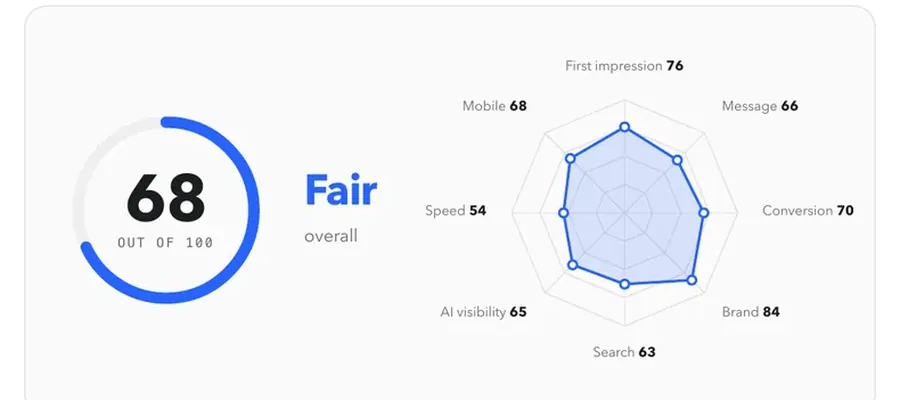
- Website AuditHands you a client-ready audit to sellAn evidence-cited, branded audit of any site, ready to hand a client.

Get booked on the podcasts your clients already listen to.
Join the AI StudioCancel anytime 30-day money-back guarantee