Fill your next workshop with a flyer made in one prompt
It puts the date, venue and signup line in the right order, spelled the way you typed them.
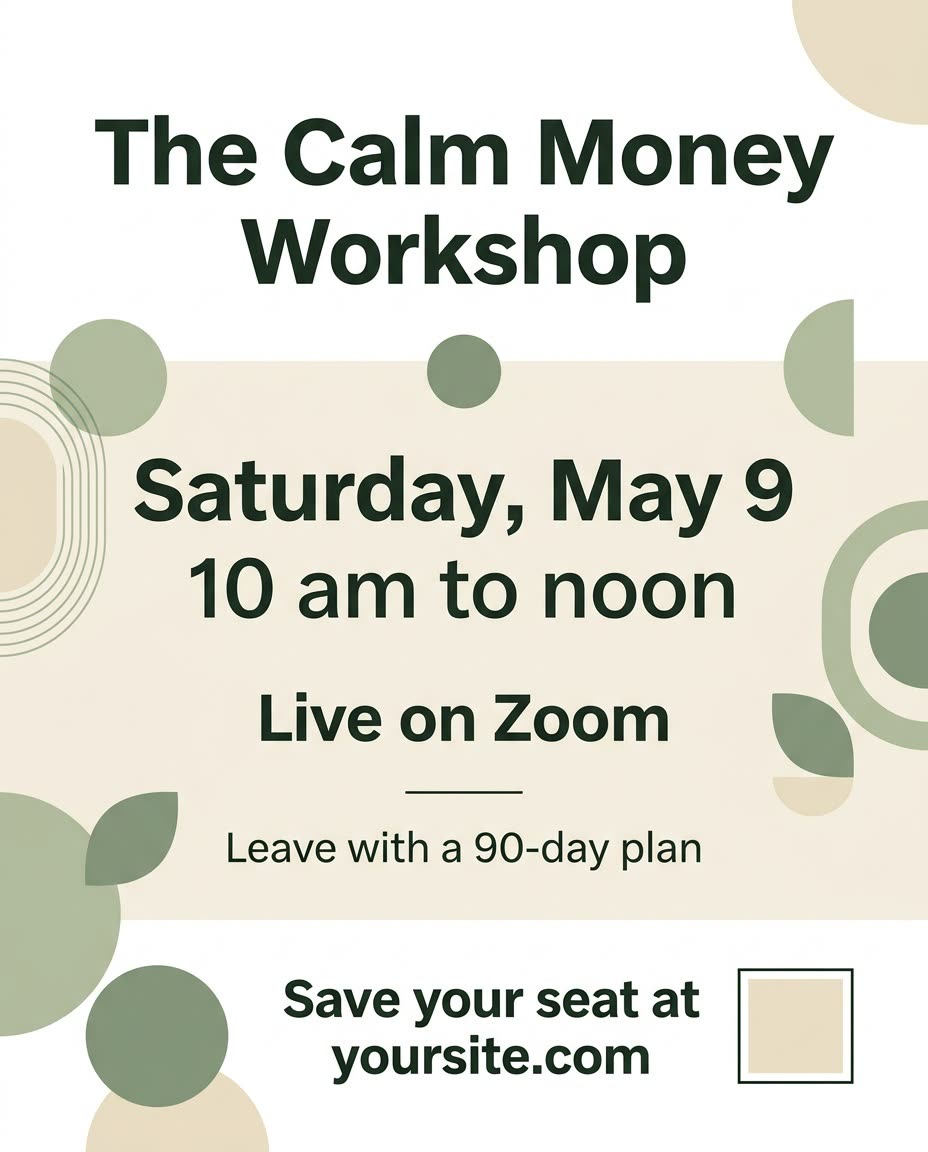
A real example, made with this exact prompt in Google Gemini's image tool, with sample details filled in. Sample details used: Workshop title: The Calm Money Workshop; Your audience: new small business owners; Workshop date: Saturday, May 9; Workshop time: 10 am to noon; Workshop location: Live on Zoom; The promise: Leave with a 90-day plan; Call to action: Save your seat at yoursite.com; Flyer mood: warm and inviting; Your brand colors: sage and cream.
Your image prompt
Fill in your details. Skip any you like.
Each button copies your prompt and opens a new chat that makes images. Just paste it in.
The prompt that gets copied
Design an event flyer for a live workshop called "[WORKSHOP TITLE, e.g. The Calm Money Workshop]" for [YOUR AUDIENCE, e.g. new small business owners]. Text order, top to bottom: the title as a big bold headline; "[WORKSHOP DATE, e.g. Saturday, May 9]" and "[WORKSHOP TIME, e.g. 10 am to noon]" large in the middle, with the date most prominent; "[WORKSHOP LOCATION, e.g. Live on Zoom]" underneath; one short line about what people will walk away with, "[THE PROMISE, e.g. Leave with a 90-day plan]"; and a clear call to action at the bottom, "[CALL TO ACTION, e.g. Save your seat at yoursite.com]", next to a small empty square for a QR code. Style: [FLYER MOOD, e.g. warm and inviting], [YOUR BRAND COLORS, e.g. sage and cream], simple shapes, generous margins, and no clutter. Render all text exactly as written in quotes, with no extra words.
Give it your event details and get a clean, eye-catching flyer with the title, date, and call to action laid out in the right order.
Step by step
- Put every word that must appear in quotes.
- Paste the prompt and generate.
- Proofread the date, time, and link twice before you share it.
What you'll get
A clean flyer with a bold title, a can't-miss date, a one-line promise, and a clear signup line, ready to post or print.
- Made for
- Coaches, Consultants, Small business owners
- Works in
- ChatGPT, Gemini, Ideogram


