Show buyers a furnished home from a photo of an empty room
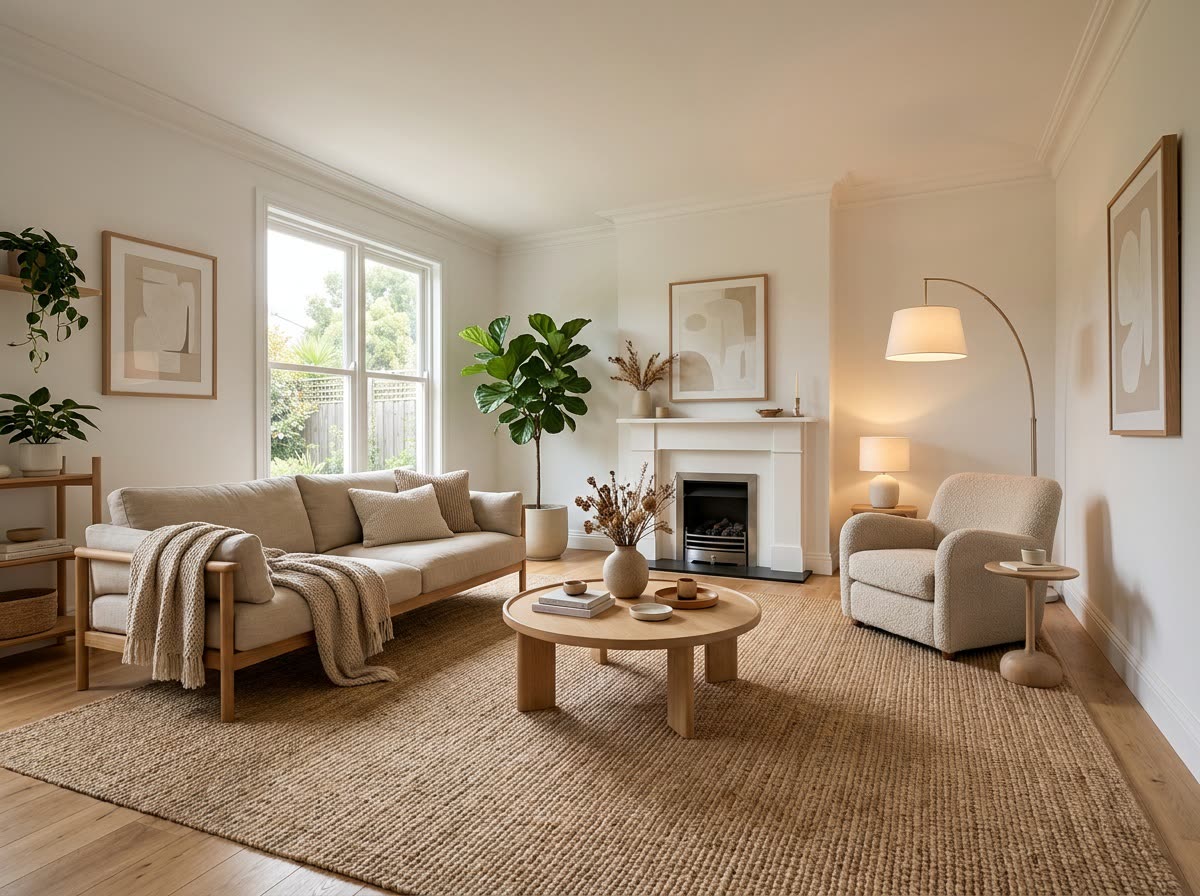
An empty, echoey room becomes a space buyers can picture living in.
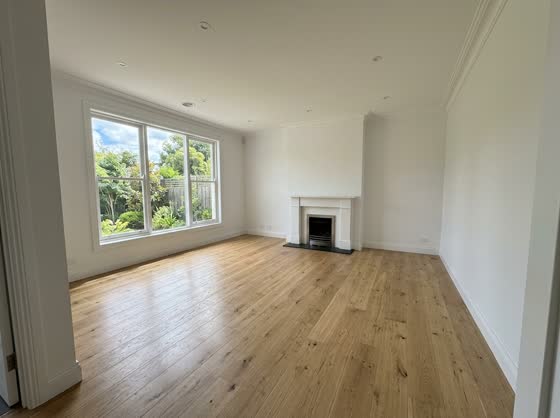 Before
A real example. The small "before" photo is a sample we made with AI, and the result came from running this exact prompt on it in Google Gemini's image tool. Sample details used: Decor style: warm Japandi; Room type: living room; Typical buyer: a young family; Key furniture: a sofa, coffee table, rug, and reading chair.
Your image prompt
Attach a clear photo first, then paste the prompt with it.
Fill in your details. Skip any you like.
Each button copies your prompt and opens a new chat that makes images. Just paste it in.
The prompt that gets copied
Using my uploaded photo of this room, add furniture and decor so it looks professionally staged for a home listing. Keep the walls, windows, doors, floors, ceiling, and camera angle exactly the same. Don't change the room's size, layout, or architecture. Style: [DECOR STYLE, e.g. warm modern farmhouse]. This is a [ROOM TYPE, e.g. living room] for [TYPICAL BUYER, e.g. a young family]. Add [KEY FURNITURE, e.g. a sofa, coffee table, rug, and reading chair], a few plants, art on the walls, and soft lamps. Scale everything realistically to the room. Match the existing natural light and shadows. Bright, inviting, photorealistic real estate photography.
Upload a photo of an empty or cluttered room and see it styled with furniture and decor, while the walls, windows, and floors stay exactly the same.
Step by step
- Shoot the room straight on, in daylight.
- Upload it and paste the prompt with your style.
- Label it "virtually staged" if you use it in a listing.
What you'll get
Your exact room, same walls and windows, styled with realistic furniture, rugs, plants, and art in the style you chose.
- Made for
- Small business owners, Everyone
- Works in
- Gemini, ChatGPT



 Before