Make a vintage collage image that stops the scroll
It looks like hours of hand-cut collage work, and it comes from one prompt.
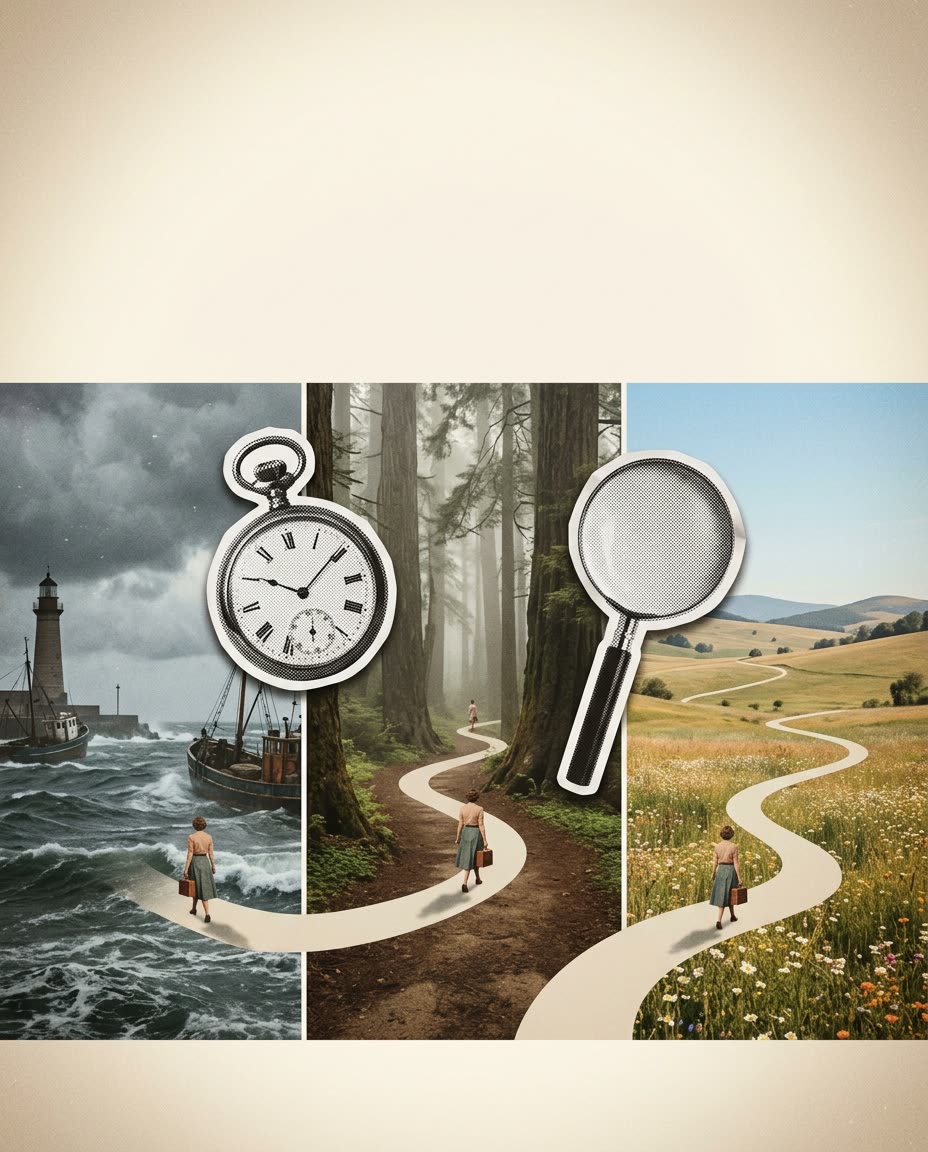
A real example, made with this exact prompt in Google Gemini's image tool, with sample details filled in. Sample details used: Starting point: overwhelmed solo owner; End point: calm, organized business; Landscape 1: a stormy harbor; Landscape 2: a misty forest; Landscape 3: a sunny meadow.
Your image prompt
Fill in your details. Skip any you like.
Each button copies your prompt and opens a new chat that makes images. Just paste it in.
The prompt that gets copied
Create a vintage collage image that shows the journey from [STARTING POINT, e.g. overwhelmed solo owner] to [END POINT, e.g. calm, organized business].

Style: realistic vintage photo landscapes combined with black-and-white newspaper cutout objects. The cutouts have halftone dots, a white paper border, and a soft drop shadow. Add film grain, a light vignette, and warm faded colors.

Composition: a winding path through 3 landscapes, [LANDSCAPE 1, e.g. a stormy harbor], [LANDSCAPE 2, e.g. a misty forest], and [LANDSCAPE 3, e.g. a sunny meadow], connected by oversized cutout objects that act as doorways, like a pocket watch, a magnifying glass, or an old camera lens. Place one small 1950s-style figure walking along the path.

Leave clear empty space at the top for a headline. Wide 16:9 format. No modern objects, no extra text.
Create a striking vintage collage that mixes real-looking landscapes with black-and-white newspaper cutouts, built around your message.
Step by step
- Choose the journey you want to show, like stuck to free, or idea to launch.
- Paste the prompt into image generation in ChatGPT or Gemini.
- Ask for 3 variations and pick the strongest.
- Add your headline on top in your design app, or ask the AI to add it.
What you'll get
A one-of-a-kind collage image built around your message, with room for a headline.
- Made for
- Creators, Coaches, Small business owners
- Works in
- ChatGPT, Gemini



 Before