Get a labeled planting map for your vegetable garden
Your bare patch of dirt becomes a color-coded plan showing exactly where the tomatoes and basil go.
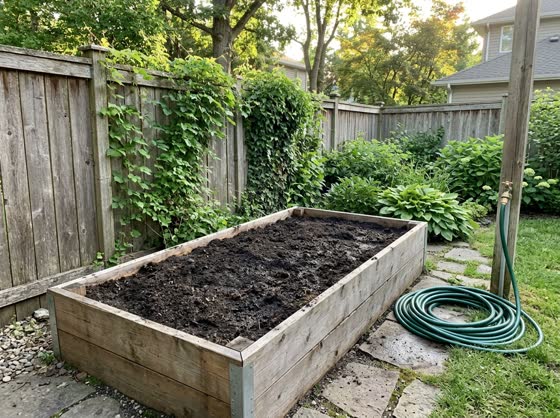 Before
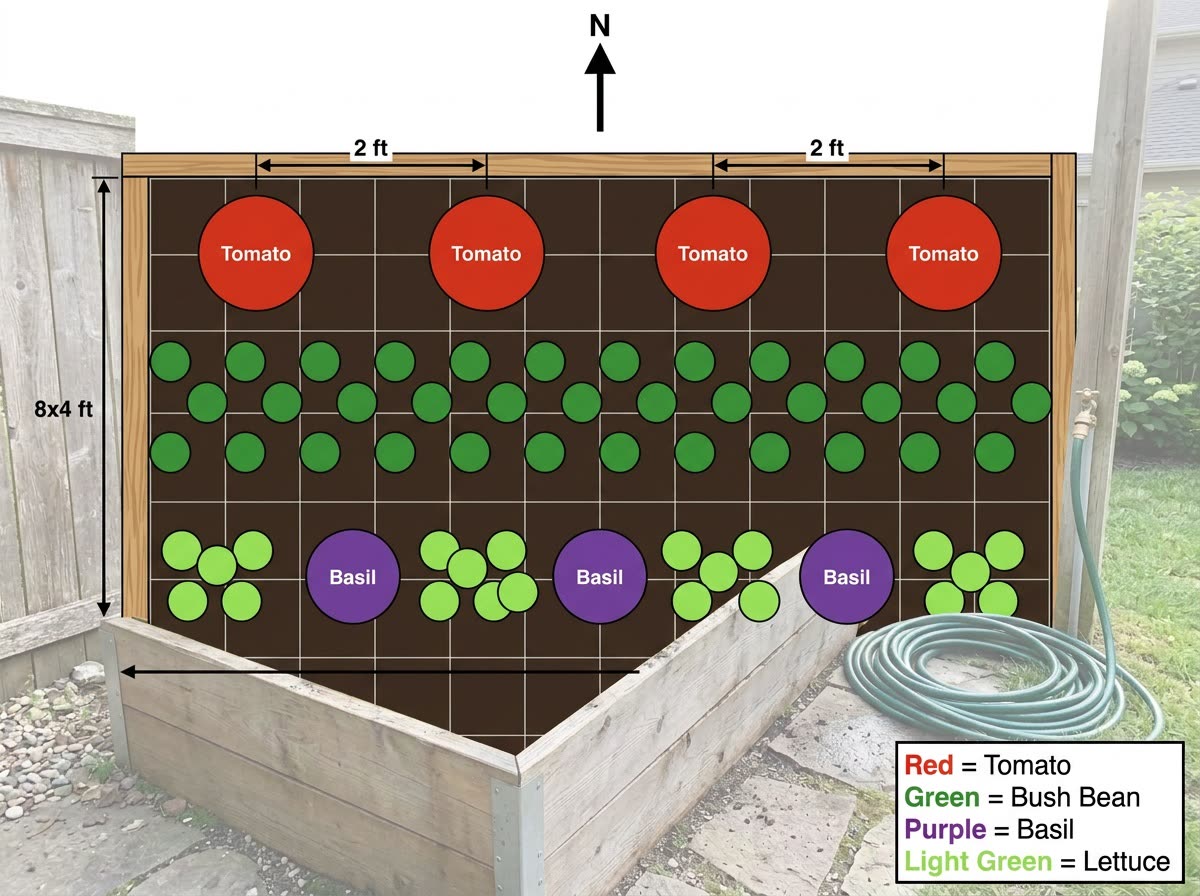
A real example. The small "before" photo is a sample we made with AI, and the result came from running this exact prompt on it in Google Gemini's image tool. Sample details used: Bed size: 8 by 4 feet; Sun and shade: morning sun, shade after 3pm; Plant list: tomatoes, basil, lettuce, bush beans.
Your image prompt
Attach a clear photo first, then paste the prompt with it.
Fill in your details. Skip any you like.
Each button copies your prompt and opens a new chat that makes images. Just paste it in.
The prompt that gets copied
Here's a photo of my garden space. It's [BED SIZE, e.g. 8 by 4 feet] and gets [SUN AND SHADE, e.g. morning sun, shade after 3pm]. I want to grow [PLANT LIST, e.g. tomatoes, basil, lettuce, bush beans]. First, plan where each plant should go based on sun and shade, spacing, height (tall plants on the side where they won't shade the others) and which plants grow well next to each other. Then draw a clean, top-down planting map with a grid, a north arrow, each plant shown as a simple colored circle with its name, and a small key. After the map, list the spacing for each plant and one growing tip for each.
Share a photo of your garden space, its size, its sun and what you want to grow, and get a labeled top-down planting map that places each crop by sun, shade and good plant neighbors.
Step by step
- Photograph the space and measure its length and width.
- Upload the photo and paste the prompt with your plant list.
- Ask for a realistic picture of the bed in midsummer to see the result.
What you'll get
A labeled top-down planting map of your bed, plus spacing and a growing tip for each plant.
Check spacing and planting dates on the seed packet or with a local nursery for your climate.
- Made for
- Everyone
- Works in
- ChatGPT, Gemini


 Before
 Before