See a new rug or sofa in your room before you buy it
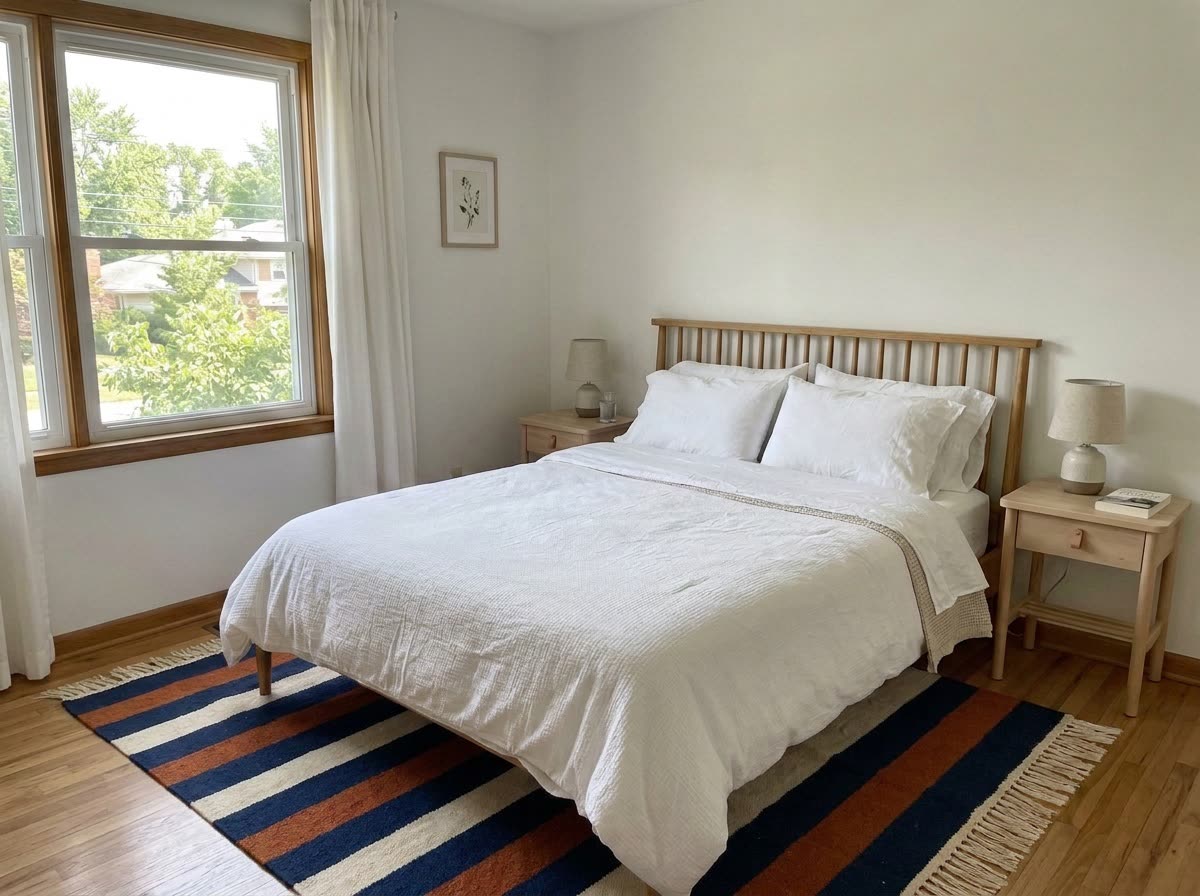
The rug from the store's website lies under your actual bed, at the right size, on your real floor.
 Before
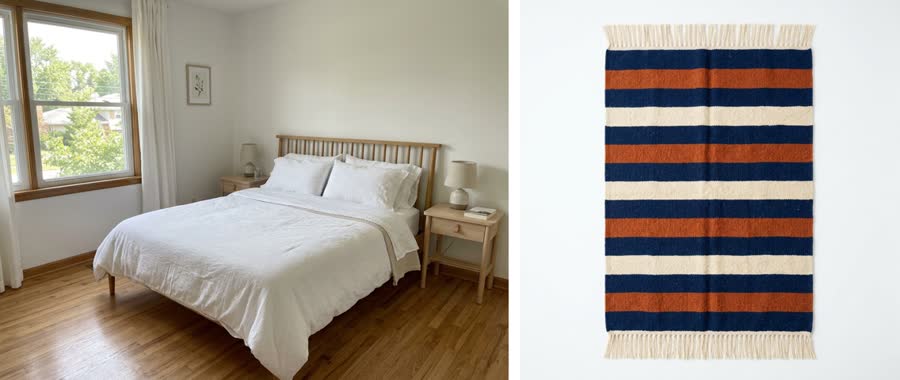
A real example. The small "before" photo is a sample we made with AI, and the result came from running this exact prompt on it in Google Gemini's image tool. Sample details used: Room type: bedroom; New item: striped wool rug; Where it goes: under the bed, long edge at the foot; Item size: 8 by 10 feet.
Read the transcript
See a new rug in your own room before you buy it.
So you found this striped rug online, but will it work in your bedroom?
And we've all ordered something that looked totally different at home, right?
It's super simple. Take a wide photo of your room in daylight.
Then save the rug's photo from the store's website.
Upload both to Gemini or ChatGPT, and just tell it,
Place this rug under my bed, long edge at the foot.
It's 8 by 10 feet, so scale it to the furniture around it.
Keep the pattern and color exactly, and don't change anything else in my room.
So the store's rug is now under the actual bed, at the right size, on the real floor.
Like, how cool is that?
Now, colors and sizes are close, not exact, so check the store's measurements before you order.
And it works for a sofa or a lamp, too.
Grab the prompt free at thesolocreators.com/prompts.
Next time you're shopping, that's how you
Your image prompt
Attach a clear photo first, then paste the prompt with it.
Fill in your details. Skip any you like.
Each button copies your prompt and opens a new chat that makes images. Just paste it in.
The prompt that gets copied
I've attached two images: first a photo of my [ROOM TYPE, e.g. bedroom], then a photo of a [NEW ITEM, e.g. striped wool rug] I'm thinking about buying. Place the item into my room photo [WHERE IT GOES, e.g. under the bed, long edge at the foot]. It measures [ITEM SIZE, e.g. 8 by 10 feet], so scale it realistically to the furniture around it. Keep the item's pattern, color and texture exactly as in its photo. Don't change anything else in my room: same walls, furniture, light and camera angle. Match the shadows and lighting so it looks like it's really there.
Upload a photo of your room and a photo of the rug, sofa or lamp you're eyeing, and see it placed in your space at a realistic size, so you can decide before you order.
Step by step
- Take a wide photo of your room in daylight.
- Save the product photo from the store's website.
- Upload both and paste the prompt with where the item goes.
What you'll get
Your own room photo with the new item placed in it at a realistic size and in matching light.
Colors and sizes are close, not exact. Check the store's measurements before you order.
- Made for
- Everyone
- Works in
- Gemini, ChatGPT


 Before
 Before