Explore your trip's guidebook as a clickable animated app
A 40-page visitor guide becomes tappable stops with must-sees, walking times and a kids' quiz.
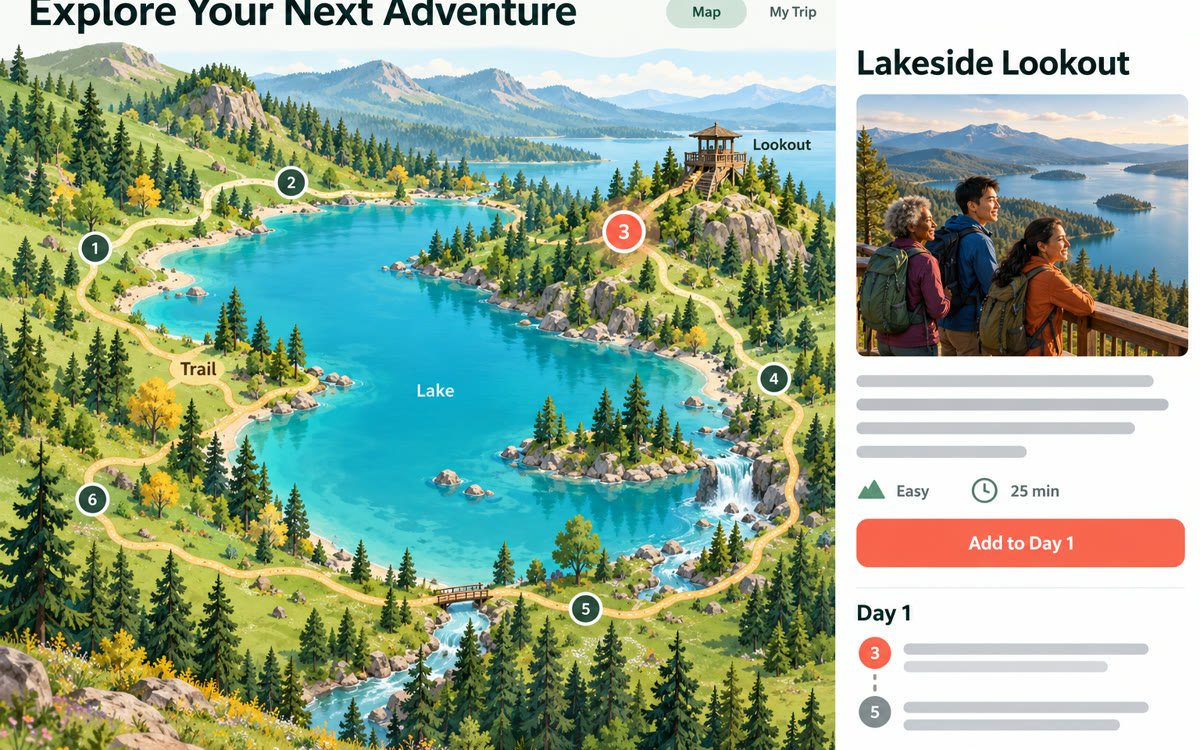
A sample of what you get back, made with AI.
Your prompt
Fill in your details. Skip any you like.
This AI can't be filled in from a link, so the button copies your prompt: paste it into the new chat.
The prompt that gets copied
I've attached the visitor guide for a trip we're taking. Turn it into an interactive, animated web app my family can explore before we go.

Who's going: [WHO'S GOING, e.g. two adults and kids aged 8 and 12]
How long we have: [TIME AVAILABLE, e.g. one full day]
What we love: [YOUR INTERESTS, e.g. animals, easy walks, history]

Build these sections: a clickable overview of the main areas with a short animated intro to each, a must-see list ranked for our group, a simple day plan with rough walking or travel times, practical info (hours, food, rules, what to bring) pulled only from the guide, and a five-question fun quiz for the kids. Use only facts from the attached guide. If something important isn't in it, say so instead of guessing. Make it colorful, easy to tap on a phone, and readable for a 55-year-old without glasses.
Upload a dense park, museum or tour guide PDF to Gemini Canvas. It turns the pages into an animated app the family can tap through to plan what to see.
Step by step
- Download the official visitor guide PDF for the place you're visiting
- Open Gemini, click Canvas, and attach the PDF
- Paste the prompt and fill in who's going
- Click Preview, explore the app, and share the link with your group
What you'll get
A shareable Canvas app with animated area intros, a ranked must-see list, a day plan, practical info and a kids' quiz, all from your guide.
The post shows this with Gemini 4 Argon, which needs a Google AI Pro or Ultra plan.
- Made for
- Everyone
- Works in
- Gemini