Get a ready-to-print birthday invitation in one prompt
You get a finished pirate or princess invitation with the party details placed right on the design.
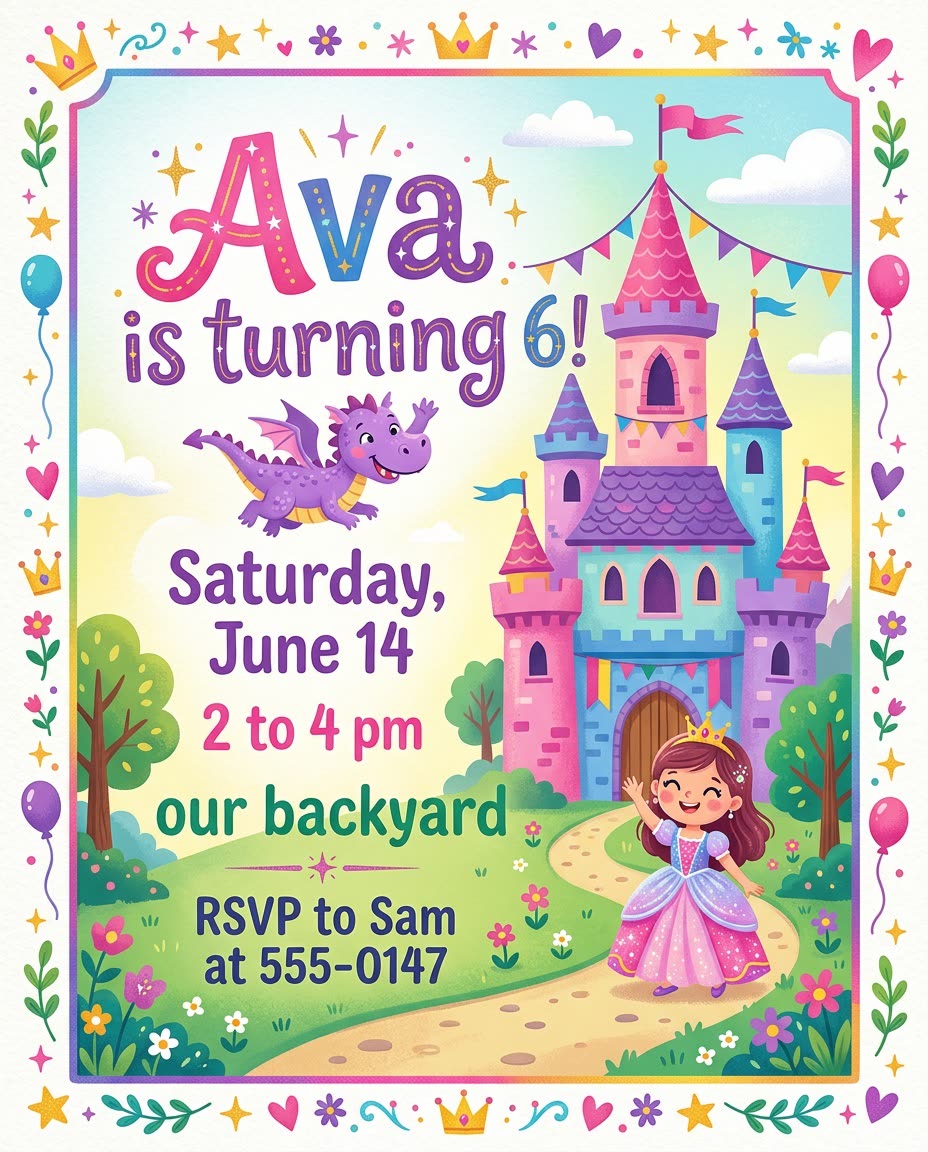
A real example, made with this exact prompt in Google Gemini's image tool, with sample details filled in. Sample details used: Child name: Ava; Age turning: 6; Party theme: a princess castle with a friendly purple dragon; Day and date: Saturday, June 14; Start and end time: 2 to 4 pm; Party place: our backyard; Rsvp contact: Sam at 555-0147.
Your image prompt
Fill in your details. Skip any you like.
Each button copies your prompt and opens a new chat that makes images. Just paste it in.
The prompt that gets copied
Create a birthday party invitation for [CHILD NAME, e.g. Leo] turning [AGE TURNING, e.g. 7]. Theme: [PARTY THEME, e.g. pirates with a treasure map]. Include this text exactly, large and easy to read: "[CHILD NAME] is turning [AGE TURNING]!", "[DAY AND DATE]", "[START AND END TIME]", "[PARTY PLACE, e.g. our backyard]" and "RSVP to [RSVP CONTACT]". Use bright, cheerful colors, a fun border that fits the theme and plenty of space around the text. No other words on the card. Portrait layout.
Describe the party theme, the birthday kid's name and the details, and get a printable invitation design with the date, time and place laid out clearly.
Step by step
- Sign in to Copilot, ChatGPT or Gemini so you can make images.
- Paste the prompt with your party details.
- Check every word, date and time on the image.
- Ask for a fix if any text is wrong, then print it or text it.
What you'll get
A themed invitation image with your child's name, date, time and place, ready to print or send by text.
Image text can come out misspelled. Proofread every detail before you send it.
- Made for
- Everyone
- Works in
- Copilot, ChatGPT, Gemini


 Before
 Before