Turn a tall photo into a wide banner without awkward cropping
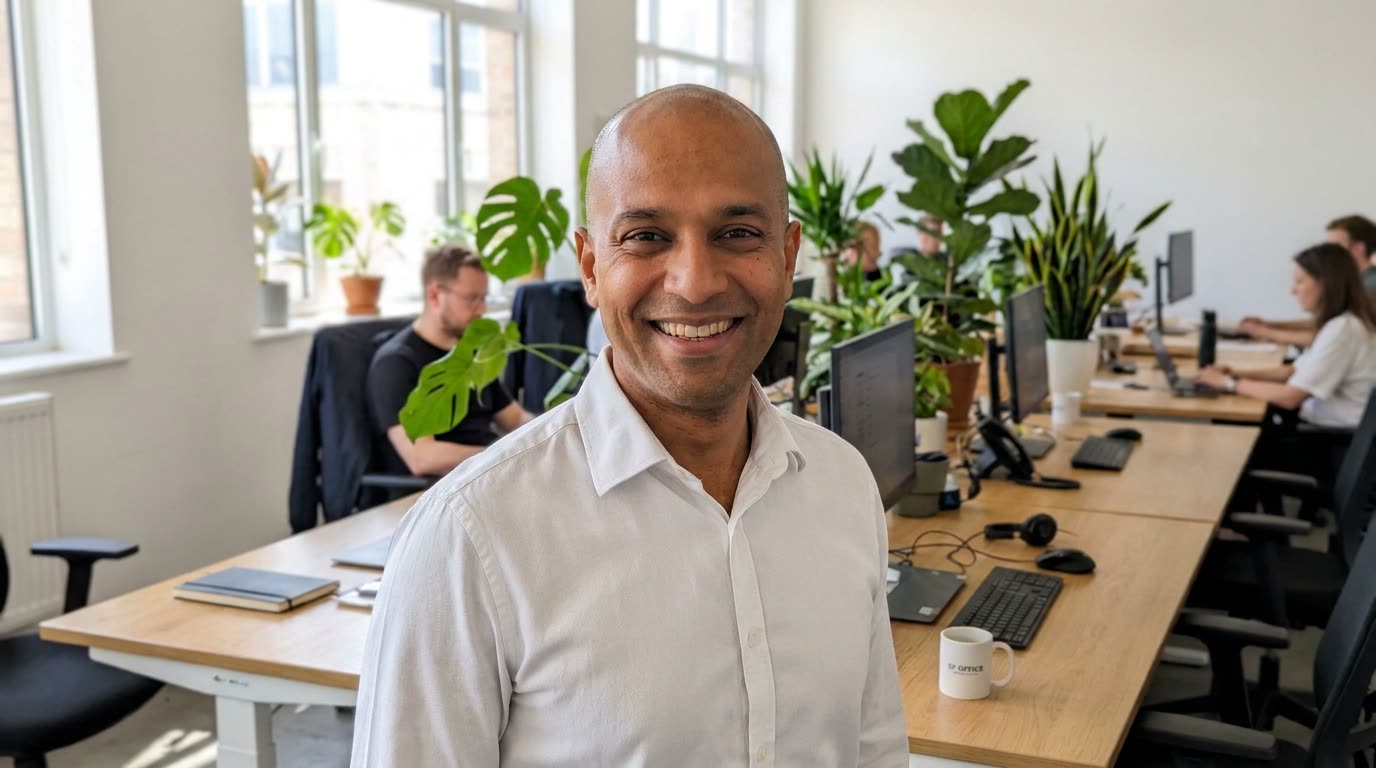
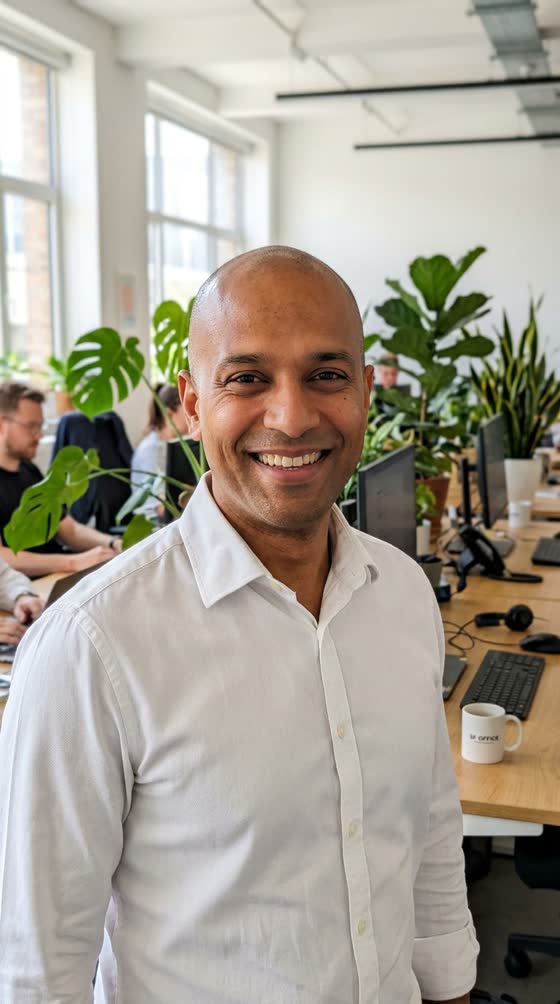
Your favorite vertical headshot grows into a wide banner, with your office scene extended on both sides.
 Before
A real example. The small "before" photo is a sample we made with AI, and the result came from running this exact prompt on it in Google Gemini's image tool. Sample details used: New shape: 16:9; Where it goes: my website header; Text side: left side.
Your image prompt
Attach a clear photo first, then paste the prompt with it.
Fill in your details. Skip any you like.
Each button copies your prompt and opens a new chat that makes images. Just paste it in.
The prompt that gets copied
Expand my attached photo to a wide [NEW SHAPE, e.g. 16:9] image for [WHERE IT GOES, e.g. my website header]. Keep the original photo exactly as it is in the center, with no stretching and no changes to the person or main subject. Extend the scene naturally on the left and right, matching the lighting, colors, focus and texture. Complete anything cut off at the edges, like a shoulder, a plant or a desk, in a believable way. Leave calm, simple space on the [TEXT SIDE, e.g. left side] where I can add text later.
Upload a vertical or tightly cropped photo and get it extended to a wide image, with the scenery on both sides filled in to match. Ideal for website headers, slides and profile banners.
Step by step
- Upload the photo you love that's the wrong shape.
- Paste the prompt with the shape you need.
- Check the new edges for anything odd and ask for a fix.
What you'll get
A wider version of your photo with matching scenery added on the sides and room for text.
- Made for
- Coaches, Consultants, Creators, Small business owners
- Works in
- Gemini, ChatGPT



 Before