Plan a decision with a partner on one shared ChatGPT page
Your business partner edits the same page, and a comment tagging ChatGPT changes it for you both.
Published . Steps as of November 2026.
How can my partner and I plan a decision together in ChatGPT?
Build one shared page in ChatGPT Space, then invite your partner to view or edit it. As of November 2026, Space is rolling out to Plus, and both people need a paid plan with Space access because public links aren't available. It fits two people who keep trading emails about the same choice. If you decide alone, a normal chat with the same prompt is enough.
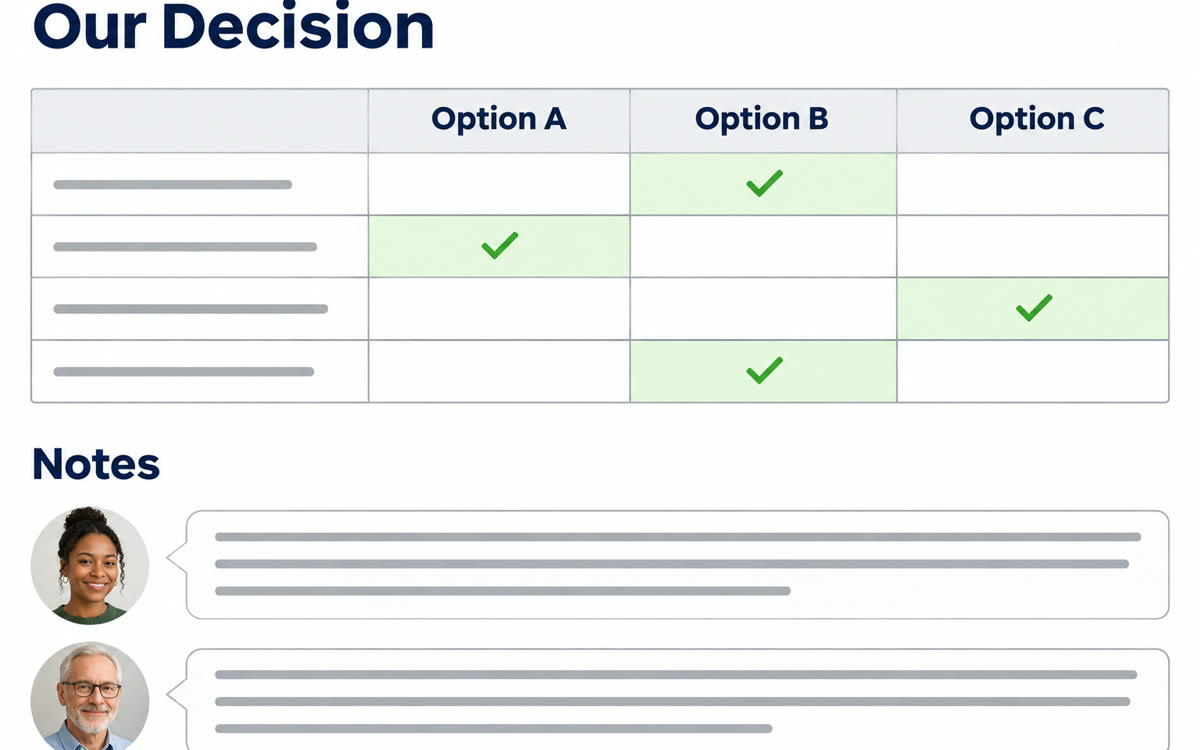
A sample of what you get back, made with AI.
Your prompt
Fill in your details. Skip any you like.
ChatGPT opens with your prompt already typed in. It's copied too, just in case.
The prompt that gets copied
Build a decision page for [YOUR DECISION, e.g. whether to hire a part-time assistant]. Include a short summary of the situation, a table comparing [YOUR OPTIONS, e.g. hire, outsource, wait] on cost, time, risk and effort, and a list of questions we still need answered. Finish with a clear recommendation and the first three steps for each option. Leave a section called Our notes where my partner [PARTNER ROLE, e.g. my business partner] and I can write comments. Keep the language plain and the page easy to scan. If you need numbers from me, ask before you guess.
Turn a ChatGPT chat into a shared page where you and a partner compare options and see the plan together. Tag ChatGPT in a comment to ask for changes.
Step by step
- Open Space in the ChatGPT sidebar and start a new page.
- Paste the prompt below with your decision and the options.
- Click Share, add your partner's email, and pick view or edit access.
- Tag ChatGPT in a comment to ask for a change, then review it together.
What you'll get
A shared page with a comparison table, open questions, a recommendation and a notes section you both can edit.
Space is rolling out to Plus (Nov 20, 2026). Both people need Plus, Pro, Business or Enterprise. No public links.
- Made for
- Coaches, Consultants, Small business owners
- Works in
- ChatGPT