See your pet as a person, with the same attitude
Your grumpy old cat comes back as a stern retired professor with the exact same side-eye.
Published . Updated . Steps as of October 2026.
Can AI show me what my pet would look like as a human?
Yes. Upload a photo that shows your pet's face and attitude to Gemini or ChatGPT. Paste the prompt with a hint about their personality, like bossy or dramatic. You'll get a realistic portrait of the person they'd be, with the same expression and coloring. If you have several pets, do one each and let the family guess which is which. It takes about two minutes.

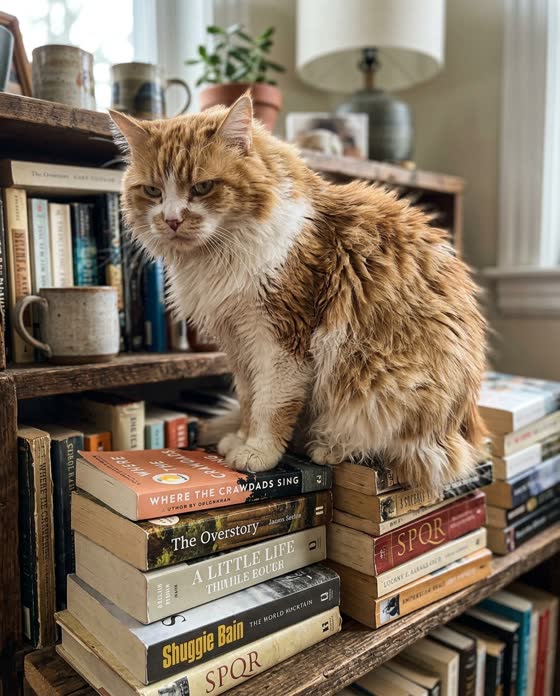 Before
A real example. The small "before" photo is a sample we made with AI, and the result came from running this exact prompt on it in Google Gemini's image tool. Sample details used: Pet personality: bossy, dramatic and secretly sweet; Person vibe: a retired professor in a cozy library.
Your image prompt
Attach a clear photo first, then paste the prompt with it.
Fill in your details. Skip any you like.
Each button copies your prompt and opens a new chat that makes images. Just paste it in.
The prompt that gets copied
Create a photorealistic portrait of the human version of the pet in my photo. Capture their personality, which is [PET PERSONALITY, e.g. bossy, dramatic and secretly sweet]. Match the pet's expression, head tilt and pose, and echo their coloring in the person's hair, clothes and eyes. Choose an outfit and setting that fits who they'd be, like [PERSON VIBE, e.g. a retired professor in a cozy library]. Keep it warm and funny, not creepy. Make it look like a real portrait photo with soft, natural light.
Upload a photo of your dog or cat and get a realistic portrait of the human they'd be, with the same expression, pose and personality. It's an instant laugh for the whole family.
Step by step
- Upload a photo that shows your pet's face and attitude.
- Paste the prompt with a hint about their personality.
- Share it with the family and let them guess which pet it is.
What you'll get
A realistic portrait of the person your pet would be, with a matching expression and coloring.
- Made for
- Everyone
- Works in
- Gemini, ChatGPT