Bring faded family photos back to life in full color
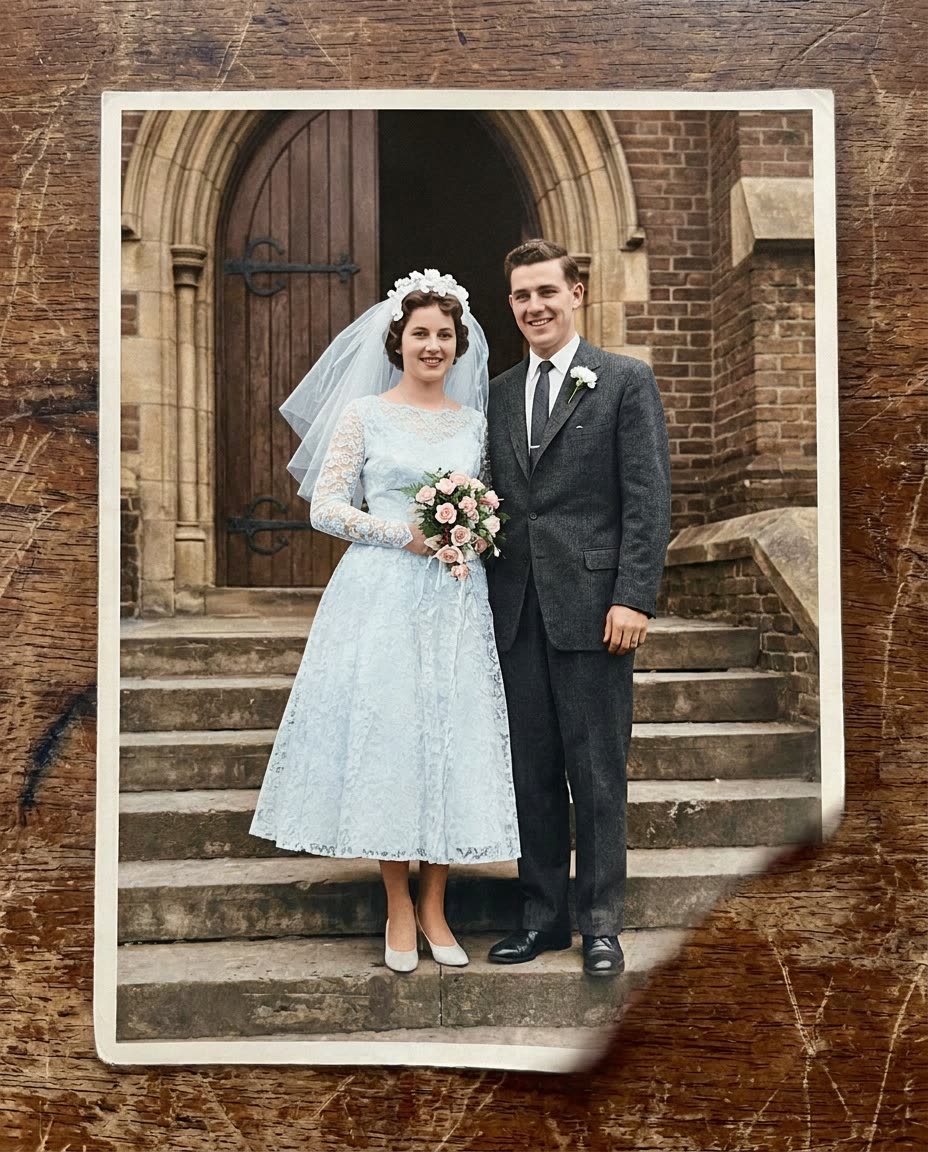
Your grandparents' wedding photo looks like it was taken last spring.
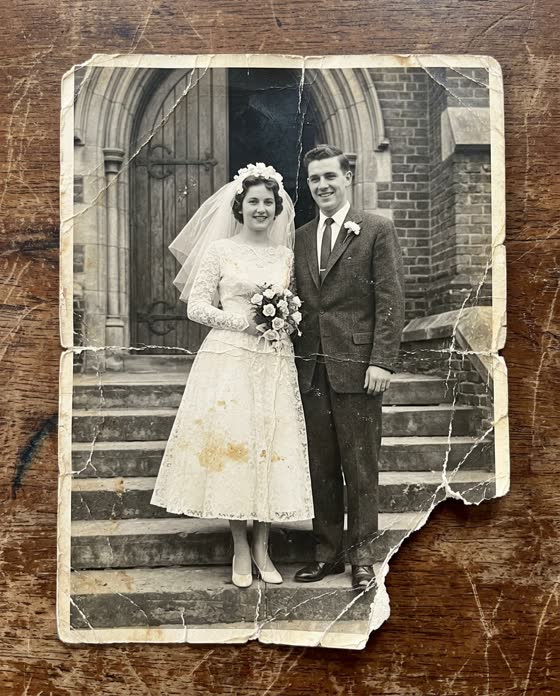 Before
A real example. The small "before" photo is a sample we made with AI, and the result came from running this exact prompt on it in Google Gemini's image tool. Sample details used: Any known details: Grandma's dress was pale blue.
Your image prompt
Attach a clear photo first, then paste the prompt with it.
Fill in your details. Skip any you like.
Each button copies your prompt and opens a new chat that makes images. Just paste it in.
The prompt that gets copied
Restore this old photograph. Repair scratches, cracks, creases, stains, and fading, and gently reduce grain and blur. Then add natural, true-to-the-era color: realistic skin tones, [ANY KNOWN DETAILS, e.g. Grandma's dress was pale blue], and soft, period-appropriate clothing colors. Don't change anyone's face, age, expression, pose, or hairstyle. Don't add or remove any people or objects. Keep the original framing and a hint of the original film texture so it still feels authentic. If part of the photo is too damaged to repair, leave it soft rather than inventing new details.
Photograph an old print with your phone, then repair the scratches and fading and add natural color. Short, strict instructions keep the faces true to the original.
Step by step
- Photograph the print flat in daylight, with no flash and no glare.
- Upload it and paste the prompt.
- Make 3 versions and ask a relative which one looks most like the people they remember.
What you'll get
A clean, sharp, colorized version of the old photo with the same faces and poses, minus the cracks, stains, and fading.
- Made for
- Everyone
- Works in
- Gemini, ChatGPT


 Before
 Before