Turn a family recipe into a 30-second animated how-to video
Each ingredient drops into the bowl with its exact amount on a label, like a cooking show graphic.
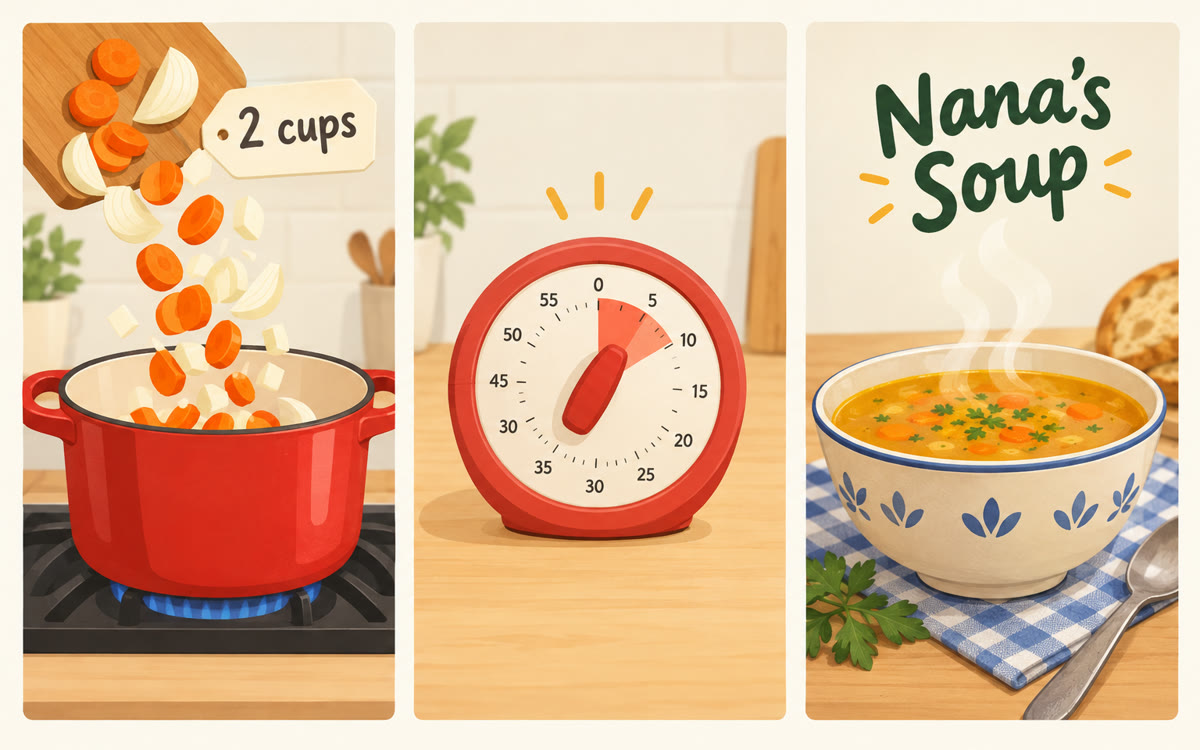
A sample of what you get back, made with AI.
Your prompt
Fill in your details. Skip any you like.
Claude and ChatGPT open with your prompt already typed in. Gemini can't be filled in from a link, so its button copies your prompt: paste it into the new chat.
The prompt that gets copied
Make a 30-second animated recipe video as one web page that plays by itself in the preview. Make it feel like the graphics on a cooking show.

The recipe: [RECIPE NAME, e.g. Grandma Rose's buttermilk pancakes]. Ingredients and steps:
[PASTE YOUR RECIPE]

Show it from start to finish: an empty bowl, glass or pan at the start, then each ingredient drops in one at a time with its exact amount as a label, in the order you'd really add it. Draw each step in a simple, friendly way (whisking, pouring, flipping), show a small timer for any waiting, and end on the finished dish with its name and [CLOSING LINE, e.g. Made with love by Rose].

Use only the amounts I gave you. Warm colors, rounded shapes, no sound. Make it [VIDEO SHAPE, e.g. vertical 9:16 for phones]. Start on one blank second, hold the last frame for 2 seconds, and add a Replay button below the frame.
Paste a recipe and Claude animates it from empty bowl to finished dish, with each ingredient and amount dropping in as you'd add it. Share it with family or post it.
Step by step
- Open Claude and paste the prompt with your recipe typed under it.
- Watch the animation and check every amount against your recipe.
- Ask it to fix any amount, or slow down a step.
- Record it with Shift-Command-5 (Mac) or Windows+Shift+R (Windows), or your phone's screen recorder.
- Send the clip to the family chat, or post it with the full recipe in the caption.
What you'll get
A 30-second animated recipe that shows every ingredient and amount going in, ready to record and share.
Works on every Claude plan, on your computer or phone, and in Gemini Canvas. In ChatGPT, click Preview on the code block.
- Made for
- Everyone, Creators, Small business owners
- Works in
- Claude, Gemini, ChatGPT


 Before
 Before