Show what's inside your product with a split cutaway image
Half your water bottle looks real, and the other half reveals its layers like an engineer's drawing.
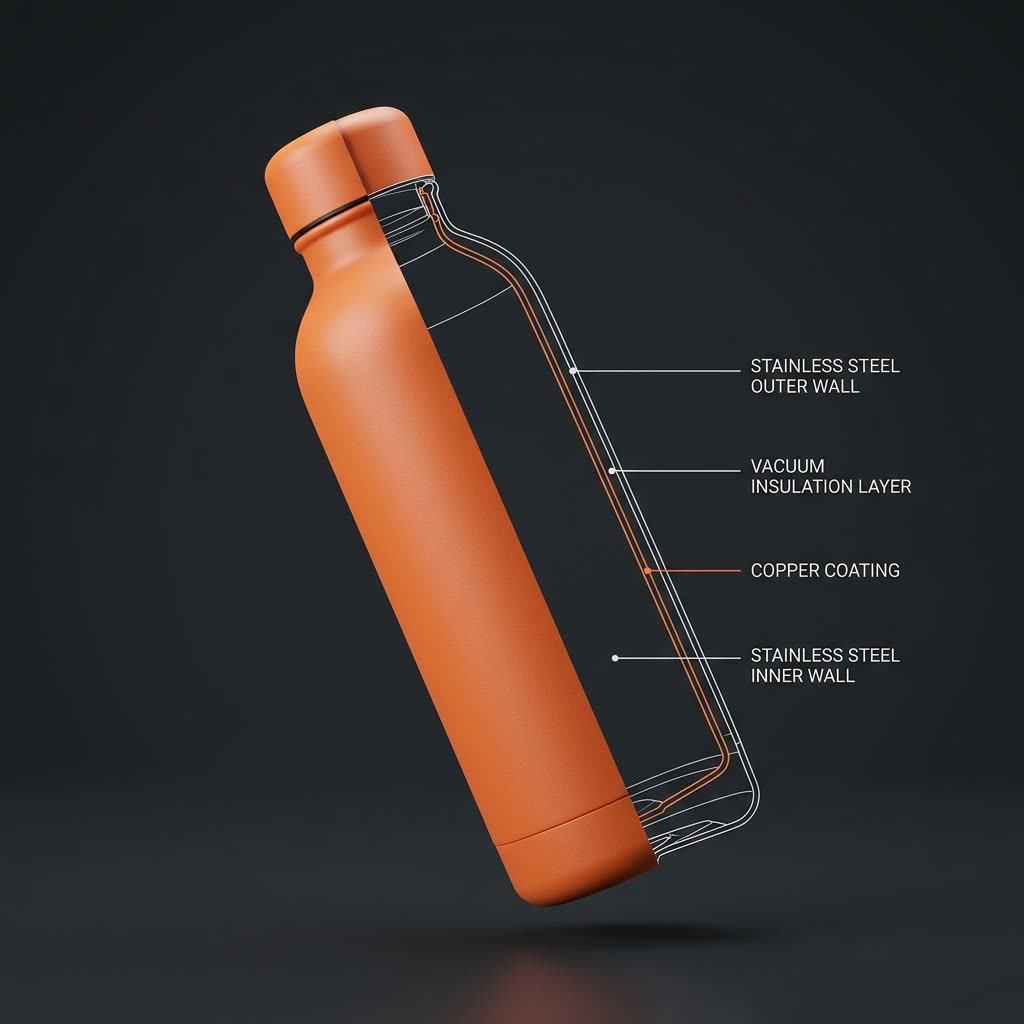
A real example, made with this exact prompt in Google Gemini's image tool, with sample details filled in. Sample details used: Your product: insulated steel water bottle in sunset orange; Inside parts: steel wall, vacuum layer, copper lining.
Your image prompt
Fill in your details. Skip any you like.
Each button copies your prompt and opens a new chat that makes images. Just paste it in.
The prompt that gets copied
Create a realistic 3D render of one [YOUR PRODUCT, e.g. insulated steel water bottle], floating and slightly tilted on a plain dark background. Split it straight down the middle with a sharp vertical line. The left half looks exactly like the real product, with true colors, materials and reflections. The right half shows a clean, technical line drawing of what's inside, in thin white lines with a few accent lines in the product's main color. Show these real parts: [INSIDE PARTS, e.g. steel wall, vacuum layer, copper lining]. Add small, neat labels pointing to each part. Show only one product and no other objects. If I've attached a photo, match its shape and color exactly.
Name your product and its real parts, and get a striking render where one half looks real and the other half shows a clean line drawing of its insides, with labels.
Step by step
- Describe your product and list its real layers or parts.
- Paste the prompt, and upload a product photo if you've got one.
- Name any wrong part and ask for a redraw.
What you'll get
A half-real, half-blueprint image of your product with each inside part labeled.
The inside is drawn from your parts list, so check it before you post.
- Made for
- Small business owners, Creators
- Works in
- Gemini, ChatGPT


