Make a printable coloring page with its own color guide
Your kid's wildest idea, a dragon baking cookies, becomes a printable page with a color key.
Published . Updated . Steps as of October 2026.
How do I make a custom printable coloring page with AI?
Describe any scene, or upload a family or pet photo, then paste the prompt with your child's age into Gemini or ChatGPT. You get a black-and-white page sized for printer paper, with a small color guide in the corner. If your kid has a wild idea, describe that scene. If you want something personal, use a family or pet photo. Print it on regular printer paper.
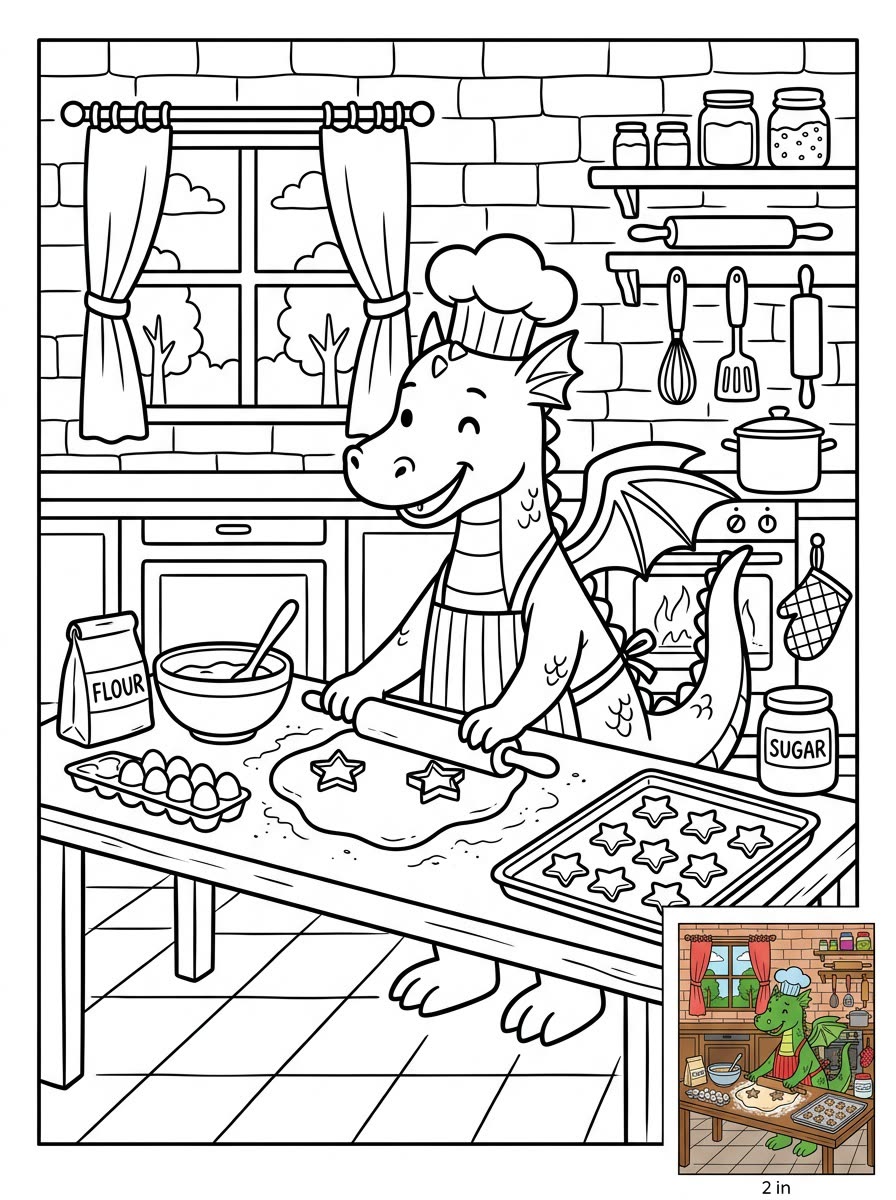
A real example, made with this exact prompt in Google Gemini's image tool, with sample details filled in. Sample details used: Paper size: US letter; Child age: 6-year-old; The scene: a dragon baking cookies in a cozy kitchen.
Your image prompt
Fill in your details. Skip any you like.
Each button copies your prompt and opens a new chat that makes images. Just paste it in.
The prompt that gets copied
Create a black-and-white line-art coloring page that prints well on standard [PAPER SIZE, e.g. US letter] paper in portrait orientation. Use clear, smooth black outlines with no shading, no gray and no color fill, on a pure white background. Make the shapes and detail right for a [CHILD AGE, e.g. 6-year-old]. The scene: [THE SCENE, e.g. a dragon baking cookies in a cozy kitchen]. If I've attached a photo, turn the people or pets in it into the outlines instead. In the bottom-right corner, add a small, fully colored version of the same picture as a guide. Leave a clean margin around the edges.
Describe any scene, or upload a family or pet photo, and get a clean black-and-white coloring page sized for printer paper, with a small finished color version in the corner to copy.
Step by step
- Describe the scene, or upload a family or pet photo.
- Paste the prompt with your child's age.
- Print it on regular printer paper.
What you'll get
A crisp, printable coloring page with a mini color guide in the corner.
- Made for
- Everyone
- Works in
- Gemini, ChatGPT