Get a printable family chore chart you can tweak right in chat
Gemini hands back a real PDF in the chat, and you fix a line just by highlighting it and asking.
Published . Steps as of November 2026.
Can AI make a printable chore chart for my kids?
Yes. Ask the Gemini app for a chore chart PDF, then preview and edit it right in the chat before you print, as of October 2026. On a computer you can also ask for it as a Google Sheet if you'd rather keep changing it. On your phone, stick with the PDF, since PDF editing works on both web and mobile.
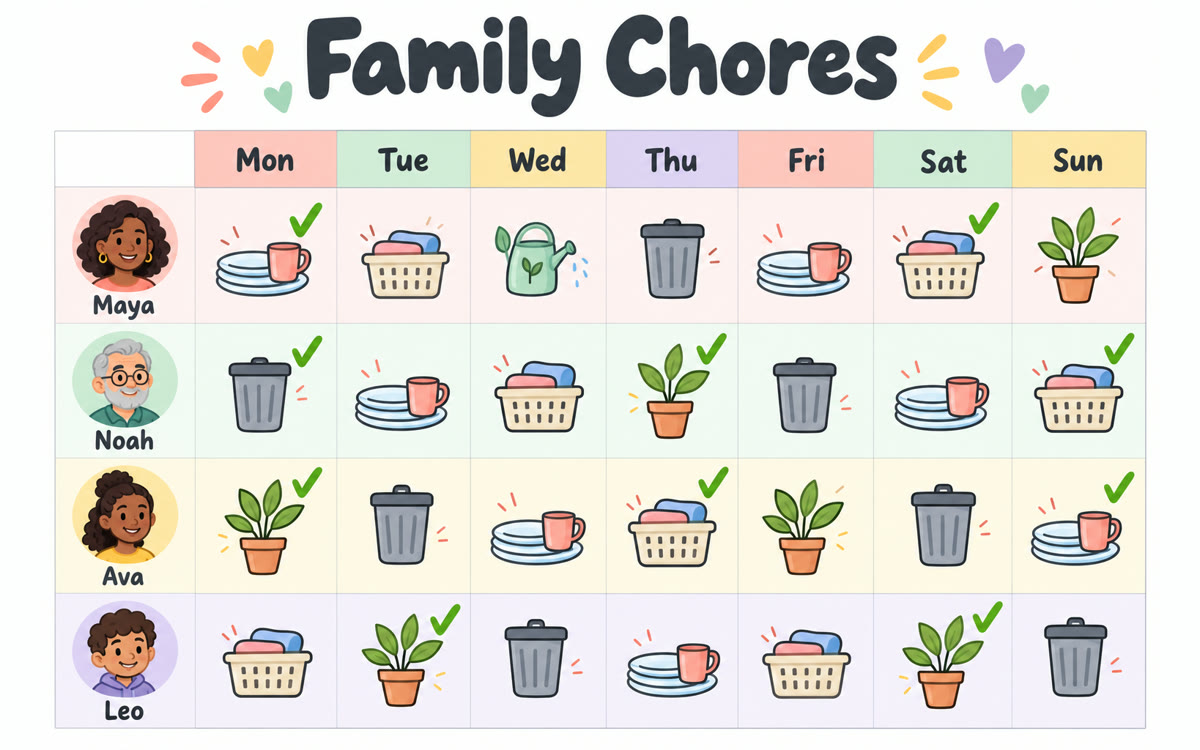
A sample of what you get back, made with AI.
Your prompt
Fill in your details. Skip any you like.
This AI can't be filled in from a link, so the button copies your prompt: paste it into the new chat.
The prompt that gets copied
Make me a one-page printable PDF chore chart for my family. Who lives here: [FAMILY MEMBERS, e.g. me, partner, kids aged 7 and 12]. Chores we need covered: [CHORES TO COVER, e.g. dishes, laundry, trash, feeding the dog]. Rules: younger kids get simple, safe jobs, nobody gets the same hard chore two weeks running, and the weekend is lighter. Lay it out as a grid with days across the top and names down the side, plus a column of checkboxes for each day. Add a small reward line at the bottom: [REWARD IDEA, e.g. pick the Friday movie]. Use big, friendly lettering that's easy to read from across the kitchen, and keep it to one page.
Describe your household and Gemini makes a chore chart PDF you preview in the chat. Highlight any line to change it, then download and print it for the fridge.
Step by step
- Open the Gemini app and paste the prompt below
- Open the PDF preview Gemini creates and expand it to full screen
- Highlight any row you want changed and tell Gemini what to fix
- Download the PDF and print it
What you'll get
A one-page chore chart PDF with a fair weekly rotation, checkboxes and a reward line, ready to print.
Free for all Gemini users. PDF editing works on web and mobile; Docs, Sheets and slide files are web only.
- Made for
- Everyone
- Works in
- Gemini


 Before