Let site visitors price their project and request a quote
Prospects see a realistic price range before they ever book a call with you.
Published . Updated . Steps as of October 2026.
How can I add a price calculator to my business website?
Open ChatGPT on the web, select Work (as of October 2026), and paste the prompt with your prices and rules. It builds and hosts a calculator page where visitors see a price range and send a quote request. Test five real past jobs in the preview, and send yourself a test request. When it's right, select Share, then Publish, and copy the link. Setup takes about 45 minutes, then about five per price change.
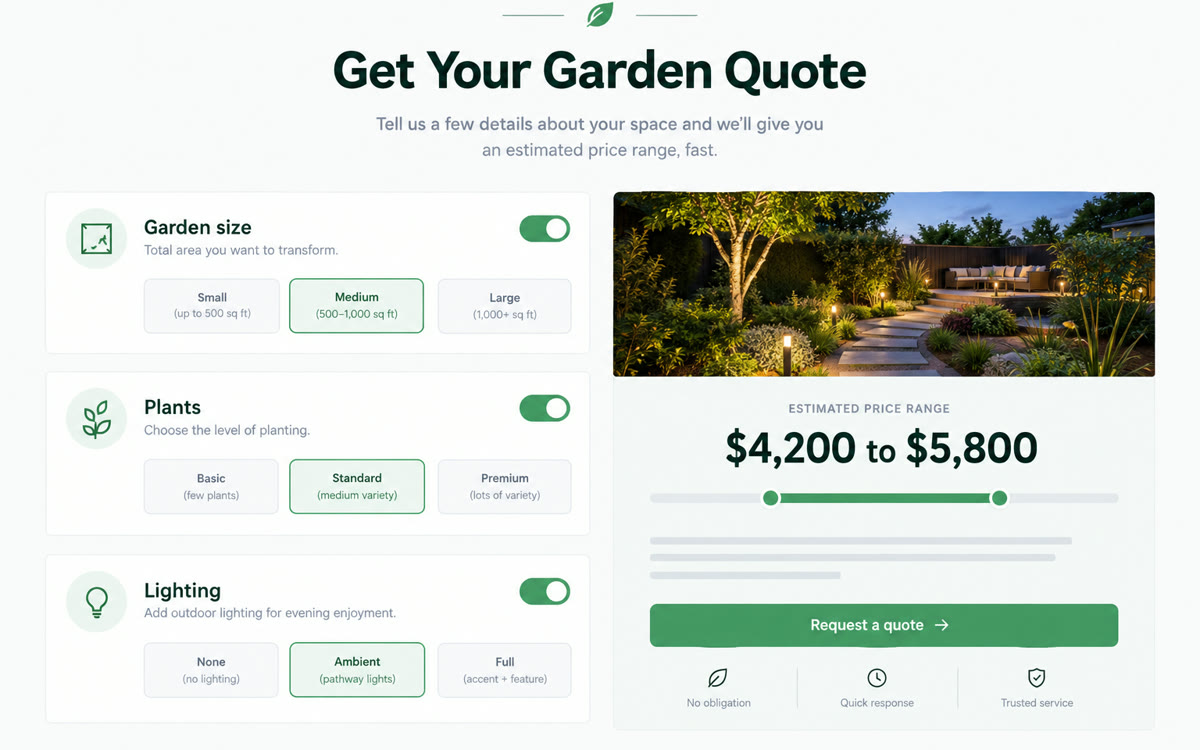
A sample of what you get back, made with AI.
Read the transcript
This is a price calculator ChatGPT can build for your website.
In this example, visitors answer 5 questions and see a price range before they call.
I ran a SaaS company for 18 years, and people always ask the price first.
So let's build one.
Just open ChatGPT on the web, select Work, and tell it,
Build a price calculator website for my clients.
Use my prices, and ask simple questions, one at a time.
Show a price range, not one exact number.
And save every quote request in a private list.
It's going to ask about your pricing first, then build it.
So send yourself a test request, and there it is, in your list.
Oh, this is super cool.
Then select Share, choose Anyone on the internet, and Publish.
It needs ChatGPT Plus or Pro.
The full prompt's free at thesolocreators.com/prompts.
And if you want the next one, give me a follow.
Do you show prices on your website? Yes or no?
Your prompt
Fill in your details. Skip any you like.
ChatGPT opens with your prompt already typed in. It's copied too, just in case.
The prompt that gets copied
Build a website for [YOUR BUSINESS, e.g. Bright Path Gardens] that works as a price calculator for [YOUR IDEAL CLIENT, e.g. homeowners planning a new garden]. My pricing rules: [YOUR PRICE RULES, e.g. $400 base fee plus $8 per square foot]. Optional add-ons: [OPTIONAL EXTRAS, e.g. lighting $600, irrigation $900]. Ask visitors 4 to 6 simple questions, one screen at a time, with plain labels and no jargon. Show a price range from low to high, not one exact number, plus one line on what moves the price up or down. Under the result, add a short quote request form with name, email, project notes and the options they picked. Save every request so I can review them newest first, and keep that list private to me. Use [YOUR BRAND COLORS, e.g. forest green and cream], big buttons and a layout that's easy on a phone. Add a small note that the range is an estimate, not a final quote. Before you build, ask me anything you need to know about my pricing.
Give ChatGPT your prices and rules, and it builds and hosts a calculator page. Visitors pick options, see a fair price range and send a quote request you read in one private list.
Step by step
- Open ChatGPT on the web, select Work, and paste the prompt with your prices filled in.
- Test five real past jobs in the preview and ask ChatGPT to fix any total that looks off.
- Send yourself a test quote request and check that it shows up in your saved list.
- Select Share, choose Anyone on the internet, then select Publish and copy the link.
- Add the link to your website menu, or connect a domain you own in the Site's settings.
What you'll get
A hosted calculator page in your colors that shows each visitor a price range, plus a private list of every quote request they send.
ChatGPT Sites is available on Plus, Pro and workspace plans, not Free or Go. A custom domain must be one you own.
- Made for
- Small business owners, Consultants, Coaches
- Works in
- ChatGPT